I just got a TCL smart TV and I’m trying to control it from my iPhone without buying a physical remote or paying for an app. The official app is buggy for me and keeps disconnecting from Wi‑Fi. Can anyone recommend reliable, truly free TCL remote apps for iOS that work well and don’t bombard you with ads or sketchy permissions?
Free TCL Remote Apps for iPhone
What I Ended Up Keeping On My Phone
I got tired of hunting for the tiny TCL remote every other night. Batteries die, the remote slips into the couch, someone moves it to another room. At some point I stopped fighting it and tried using my iPhone as the “main” remote instead.
I went through a few free apps and used them like a normal person would. Streaming, volume, input changes, logging into apps, everything. Not a five‑minute test, more like a week of “this is the only remote I have.”
Here is what stuck, and what I deleted.
1) TVRem is th best TV remote app for TCL TVs
Link: TVRem Universal TV Remote App App - App Store
This is the one still on my home screen.
The key detail for me was that it works across different brands. I tried it on:
• A TCL Roku TV
• Another TCL without Roku UI
• A random non‑TCL in another room
All of them over Wi‑Fi. I did not need any extra dongles or IR blasters, it found the TVs on the network and connected in a few seconds.
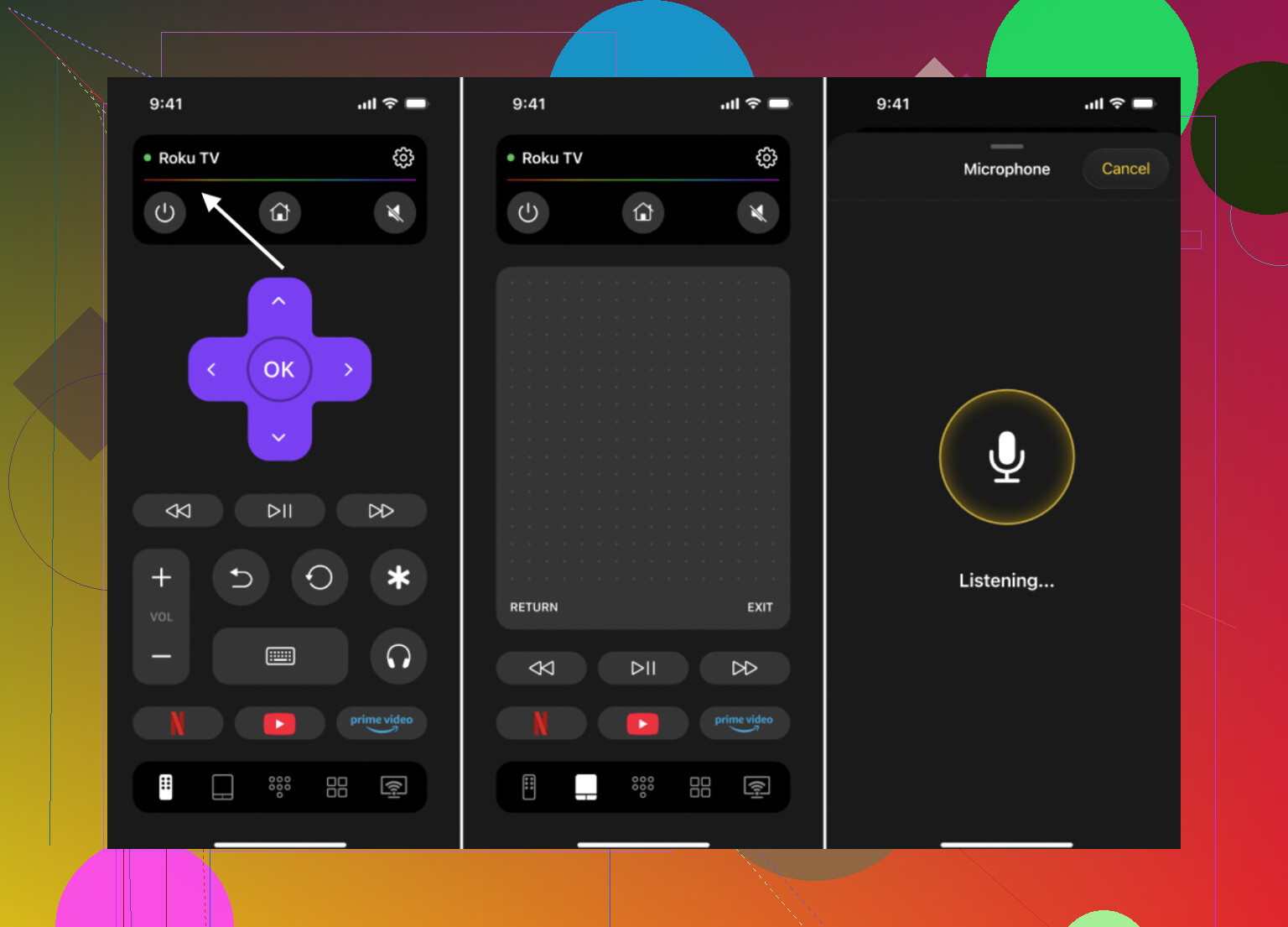
What made it stick:
• The keyboard is the game changer here
I stopped suffering through the on‑screen keyboard. Typing YouTube search terms, Netflix logins, or Wi‑Fi passwords on my phone is several times faster than clicking around with arrows. If you stream a lot, this one thing shifts the whole experience.
• Layout feels like a plain remote
No weird experiments with UI. Volume, Home, Back, arrows, OK, all sit where you expect. I was using it one‑handed after a few minutes.
• Works when you upgrade or switch rooms
I moved between two TVs and did not need a new app or new setup. Hit scan, pick the TV, done.

Who I think this fits:
• You have a TCL now but might change brands later
• You share a place with different TV brands
• You want one remote app for everything without subscriptions
For my use, this replaced the physical TCL remote completely. I stopped caring where the plastic one is.
More info: Free TV Remote App for iPhone & iPad: One Remote for Almost All TVs
2) Official Roku app – Great if every TCL you own runs Roku OS
If your TCL uses Roku OS, the Roku app is solid. I used it with a TCL Roku TV for a couple of days to see if I missed the real remote at all.
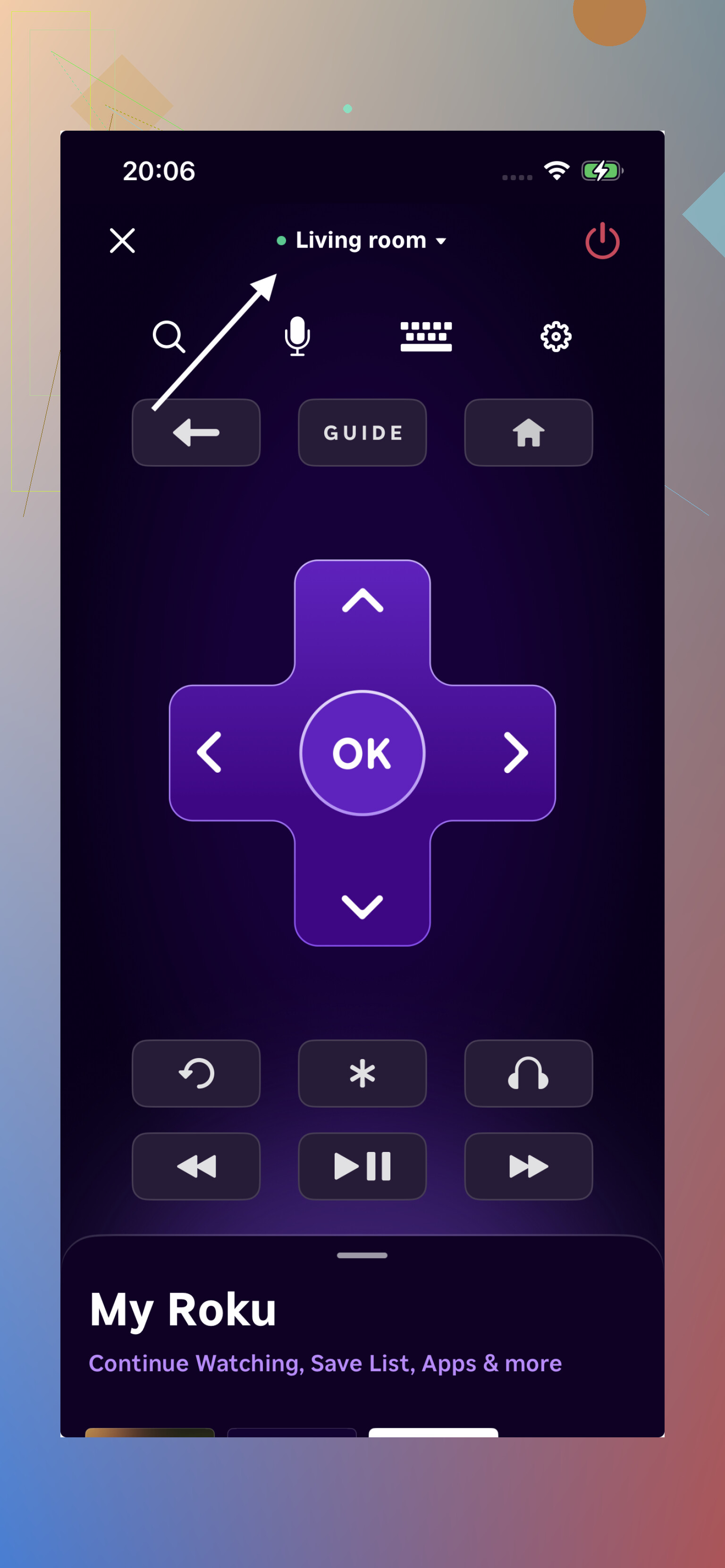
What worked well:
• Connects over Wi‑Fi fast, no weird pairing steps
• The keyboard works fine for searches and logins
• Voice search is useful when it understands what you said
Where it started to feel limited:
• Locked to Roku devices
The moment I walked into a room without a Roku TV, the app turned into dead weight. It is great inside the Roku bubble and useless outside it.
• Built around Roku features more than TV control
Feels more like a companion to Roku streaming than a universal “grab this when the remote vanishes” tool.
Who it fits:
• All your TCL TVs run Roku OS
• You never touch non‑Roku TVs
• You want tight integration with Roku channels and features
I keep it installed for the one Roku TV, but it is not my default “remote for everything.” It is dependable but narrow.
3) Universal Remote – TV Smart – Works, but I treat it as a backup
I grabbed this one because it said it supports TCL and other brands and I wanted to see if it could be a spare option.
It does connect over Wi‑Fi without any painful setup. It handled the basics on TCL:
• Volume up / down
• Navigation arrows and OK
• Switching inputs
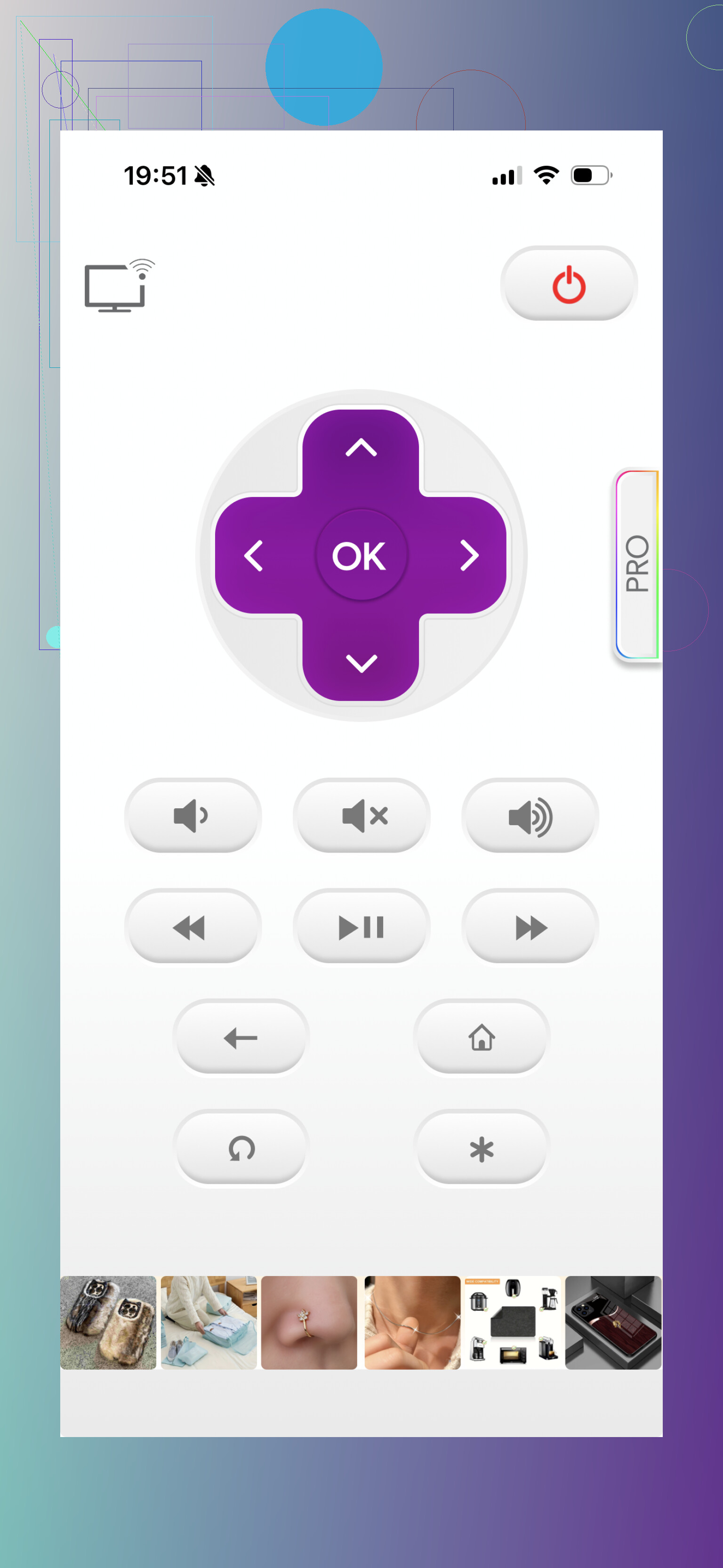
Where it fell short for daily use:
• Typing is still slow
The text input felt clunky compared with TVRem. If you log into apps or search a lot, this gets old fast.
• Some stuff is paywalled
Parts of the app sit behind in‑app purchases. For a “use it all the time” remote, that started to annoy me quick.
• UI feels dated and busy
The interface looks like something from older iOS generations. It works, but I did not enjoy looking at it or handing it to non‑techy family.
• Ads
There are a lot of them. That alone made it feel less like a daily tool and more like something you only use when you have no other option.
Who it fits:
• You want a free emergency remote in case your main app breaks
• You need “it works” more than “it feels good to use every day”
I uninstalled it once I knew TVRem covered everything I needed. If I had no alternative, I would keep it as a backup.
What I use day to day
After bouncing between these on iPhone for normal TV use, this is where I landed:
• Daily driver: TVRem
Works on TCL, Roku‑based TCL, and non‑TCL brands over Wi‑Fi. No hardware add‑ons. The built‑in keyboard saves time every single time I search or log in. It behaves like a long‑term replacement, not a temporary hack.
• Locked‑in ecosystem pick: Roku app
Strong option if every TV you touch is Roku and you care about Roku features. Not helpful outside that.
• Last‑resort option: Universal Remote – TV Smart
Functional, but the ads, paywalls, and UI put it in the “only if I have to” category for me.
If you want a free TCL remote app for iPhone that feels stable and future proof, I would start with TVRem and see if you even need anything else
2 Likes
I had the same issue with the official TCL and Roku apps dropping off WiFi, so here is what ended up stable on my iPhone, beyond what @mikeappsreviewer already covered.
- Check your TV type first
TCL uses different systems:
• Roku TV
• Google TV / Android TV
• Older Linux based TCL UI
Remote apps tend to work best when they target the exact OS.
- For TCL Google TV / Android TV
Try these:
• Google TV app (by Google)
- Free
- Works over WiFi
- Has keyboard and voice input
- Stays connected better for me than TCL’s own app
- Needs you signed into the same Google account or to pair once with a code
• “Android TV” by Google (older app, still on App Store in some regions)
- Simple D pad, Home, Back, volume
- Light, fewer random disconnects
- Good fallback if Google TV app misbehaves
- For TCL Roku TV if the Roku app is buggy for you
If your issue is WiFi drops in general, not the app itself, try:
• Put TV on 2.4 GHz, phone on 5 GHz, same SSID or different, then test again
• Assign the TV a static IP in your router
• Turn off “Fast TV start” or similar option in Roku settings, that fixed flakey pairing on my set
Once I did those, Roku’s own app stopped dropping every time the TV went to sleep.
- For generic TCL smart TV (non Roku, non Google)
These worked ok for me as alternates:
• “Sure Universal Smart TV Remote”
- Free tier
- WiFi control for TCL models on the same network
- UI is a bit busy, but it did not disconnect every few minutes
- Good if you need something quick without accounts
• “AnyMote Smart Remote”
- Works over WiFi for supported TCL models
- Setup is a bit more manual, you pick brand and test codes
- Keyboard is weaker, but once it connects it tends to stay connected
- Stuff I would avoid for daily use
• Remote apps that force an account before you even test the TV
• Ones that spam full screen ads after every tap
These are ok for an emergency, but for daily channel surfing they get annoying fast.
If you want “set it and forget it” stability, my order would be:
• Google TV app for TCL Google TV
• Roku app for TCL Roku, but only after fixing WiFi and IP issues
• Sure Universal as a neutral backup for other TCL models
Try one that matches your TV OS first, then keep a generic app around as backup in case an update breaks things.
If the official TCL / Roku apps keep dropping, I’d actually start by avoiding anything that’s basically a reskinned clone of them. A lot of the “TCL remote” apps in the App Store are the same code with different icons.
Stuff I’ve had decent luck with that wasn’t already mentioned by @mikeappsreviewer or @sonhadordobosque:
-
TVMote: Smart WiFi Remote
- Free with light ads
- Pure IP control, no IR or dongles
- It’s boring in a good way: basic D‑pad, volume, inputs, power
- What I like: it does not try to be a “content hub,” so it disconnects less because it’s not constantly pinging for extra data.
- What I don’t: keyboard is mediocre and sometimes doesn’t hook into all apps on the TV.
-
“Remote for Roku – RoByte” (even if you hate the official Roku app)
- For TCL Roku TVs only
- In my experience it holds a connection better than the Roku official app, especially if the TV has… let’s say “temperamental” WiFi
- Minimal UI, quick reconnect if the TV sleeps
- Downsides: some features are behind a paywall, but the core remote is usable for free.
-
Network tweaks that actually matter
I don’t fully agree with the “just put it on 2.4 GHz and call it a day.” For a lot of TCL sets:- Put the TV on 2.4 GHz
- Put the iPhone on 5 GHz
- In your router, turn off “AP isolation / client isolation” on both bands
The isolation setting is what silently kills a lot of these remote apps, far more than band choice.
-
If your TCL is Android / Google TV and Google’s own app sucks for you
Try a generic Android TV controller like “CetusPlay Remote” on iOS.- It’s not pretty, but it uses the normal Android TV APIs
- Has a mouse mode that sometimes works better on weird TCL menus than the D‑pad from other apps
- Annoying ads, yes, but once connected it tends to stay connected.
-
What I’d personally avoid given your issue
- Any app that:
- Forces account sign‑up before first tap
- Tries to be a streaming aggregator “hub”
Those are exactly the ones that ping servers nonstop and drop when your WiFi hiccups.
- Any app that:
If you want completely free and stable, I’d try in this order depending on TV type:
- TCL Roku: RoByte
- TCL Google/Android: Google TV, then CetusPlay if that flakes out
- Other TCL smart: TVMote or another dead‑simple IP remote with no “smart guide” gimmicks.
None of these are perfect, but they’ve crashed less for me than the official TCL app, which is a very low bar tbh.
If the official TCL / Roku apps are dropping constantly, I’d look at this in two layers: app choice and network sanity check.
On apps (building on what others said):
-
I agree with @mikeappsreviewer that TVRem is the best “one‑remote-for-all” option right now. Since you asked specifically about free TCL remote apps for iPhone, it fits well as a primary driver instead of juggling multiple brand‑specific tools.
- Pros for TVRem:
- Works over Wi‑Fi with TCL and other brands, so you are not stuck if you change TVs.
- Simple layout that feels like a physical remote, so family can use it without a lesson.
- Built‑in keyboard that actually makes logging in and searching tolerable.
- Cons for TVRem:
- No IR control, so if your TCL is not on the same network or is wired weirdly, you are stuck.
- If you are ultra‑sensitive to UI design, it is “functional first,” not flashy.
- Heavier typers might still hit the occasional lag spike compared with native Roku / Google apps.
- Pros for TVRem:
-
@hoshikuzu made a good point about RoByte and other Roku‑specific remotes. Where I slightly disagree is relying only on those just because they feel more “stable.” They are great if every TCL you own is Roku, but I have seen people repaint their living room and end up with a Google TV TCL suddenly, then all those Roku‑only apps are useless.
-
@sonhadordobosque is right to warn about TCL / Roku clones, but I would not completely avoid all “TCL remote” titled apps. Some of them are fine as backups if they:
- Connect by scanning the local network
- Do not force account creation before first use
- Let you reach basic volume / power without a subscription wall
Use those strictly as “break glass in case TVRem and Roku app both act up.”
On stability (the part that actually fixes the disconnects):
This is where I diverge a bit from the others:
- Everyone talks about 2.4 vs 5 GHz. In practice, for TCL smart TVs:
- Put the TV on whatever band your router reports as having the better signal in that room. Sometimes 5 GHz is completely fine if the TV is close.
- Ensure your iPhone and TV are on the same logical network (same SSID or same VLAN), which matters more than the band itself.
- In the router, double‑check:
- “Client isolation” or “AP isolation” is off. If this is on, remote apps will drop or never discover the TV.
- If you have multiple access points or a mesh, try disabling “fast roaming” features temporarily. I have seen TCLs freak out with aggressive roaming settings.
How I would set you up:
- Install TVRem and make it your default TCL remote app on iPhone.
- If you have a Roku‑based TCL, keep a lighter Roku‑centric app (like RoByte or the official Roku app) installed as a backup, but do not depend on them solely.
- Fix the network: same SSID / subnet, AP isolation off, and avoid guest networks for the TV.
- If you ever add non‑TCL TVs, TVRem saves you from repeating all of this with another brand‑locked app.
That combo usually beats the buggy official TCL app without needing to spend anything or buy a spare physical remote.