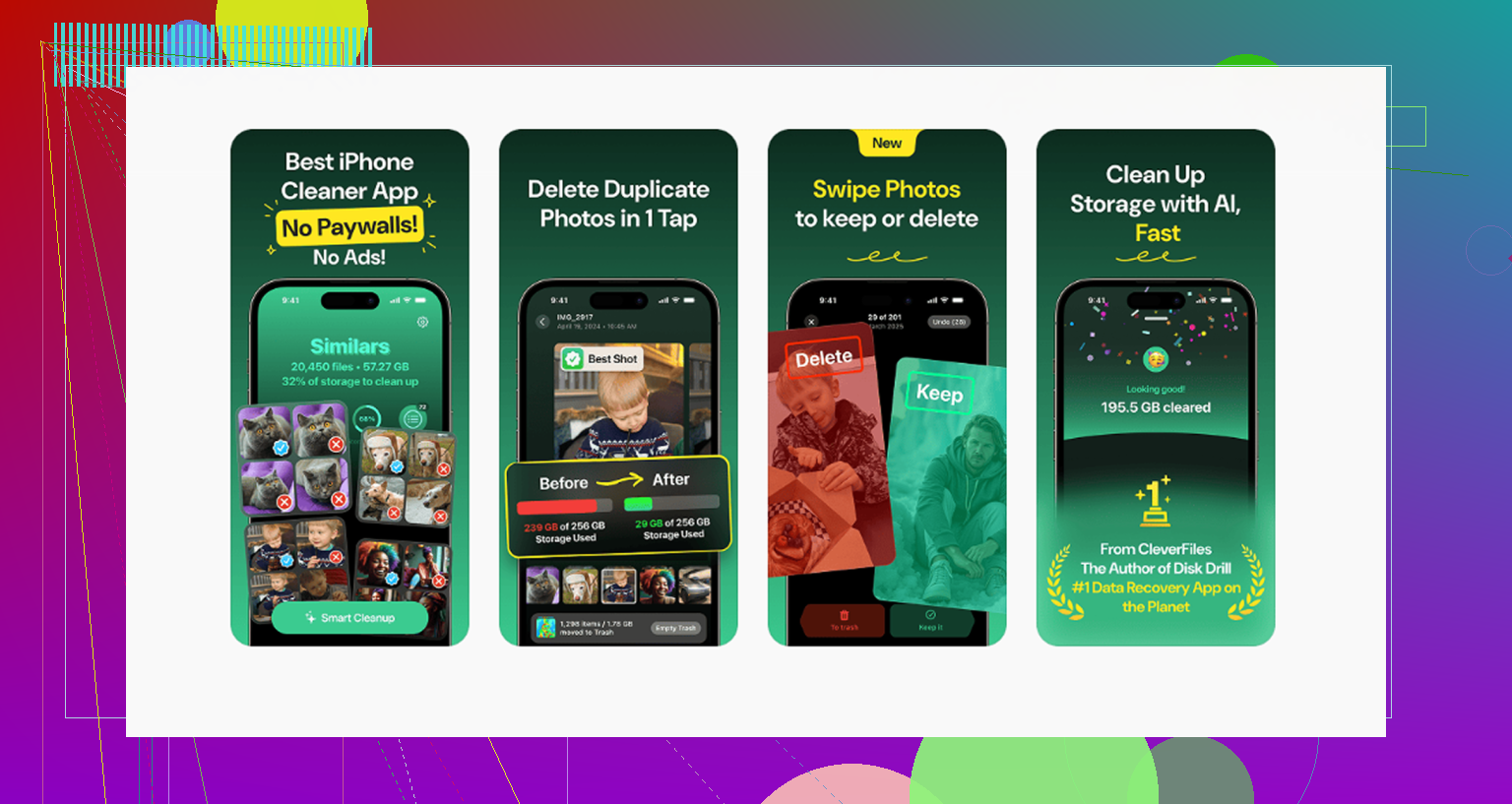
My iPhone photo library is a mess after years of screenshots, duplicates, and random albums, and the apps I’ve tried all say free but lock the useful tools behind a paywall. I need help finding a genuinely free iPhone photo organizer app that makes it easy to sort, delete, and organize pictures without a subscription.
If your photo library has turned into a landfill of old screenshots, blurry dinner pics, and twelve versions of the same sunset, yeah, it starts dragging the phone down. I ran into this once the library got into the tens of thousands. Space vanished, Photos felt sluggish, and finding one pic from last fall was annoyngly slow.
Do you need to wipe the whole thing?
No. I tried the scorched-earth idea in my head and dropped it fast. What worked was being harsher with duplicates and near-duplicates. I kept the one frame I’d want to look at again, then trashed the extra attempts. Phones make it too easy to keep every miss. If you trim hard, your library starts looking like your life again instead of a backup dump.
Why a huge library makes the iPhone feel worse
When storage gets packed with years of photos, videos, screen recordings, and random screenshots, iOS starts running short on breathing room. Apps take longer to open. Scrolling gets choppy. Stuff hangs for a second longer than it should. I noticed it most when storage was close to full. Cleaning photos is not only about neatness. It helps the phone move normally again.
How I cleared the mess without losing stuff I cared about
Deleting one photo at a time is a bad use of your life. I used Clever Cleaner for the bulk pass. It’s free, no ads, no subscription nonsense.
This order got me the most space the fastest:
- Heavies first. This is where the real storage hogs show up. Files are sorted by size, biggest at the top. In my case, old videos and forgotten screen recordings were eating more space than whole years of normal photos. I deleted those first and storage jumped fast.
- Then Similars. The app groups near-identical shots, burst photos, repeated attempts, slightly different angles, all of it. It marks a Best Shot, then you dump the rest in one tap. This cut down the library way faster than I expected.
- After that, Screenshots. Seeing the file size on each one helped. A few screenshots are nothing. A few thousand is a diff story. Old receipts, memes, parking spot pics, login codes, half of them had no reason to still be there.
- Last, Swipe mode. This part felt less brutal. You go month by month. Swipe left to delete, right to keep. Breaking it into months made it feel manageable instead of endless.
One thing I liked, all the processing stays on the phone. Nothing gets sent off somewhere else. If your library has years of family photos or personal docs, that matters.
After clearing about 10GB with Clever Cleaner, I felt the phone speed up. Not magic. Still, app launches were smoother and Photos stopped feeling bloated.
A photo system I could stick with
I stopped treating Recents like storage and started treating it like an inbox. If it sits there, it’s unprocessed. Once a week, I spend around ten minutes cleaning it up. Best shots get a heart. The rest either go into an album or get deleted.
I kept the folder setup simple so I wouldn’t abandon it three days later:
- One folder per year
- Inside each year, subfolders by month
- Albums only for specific events, trips, birthdays, holidays
- One Reference album for non-memory stuff, recipes, notes, useful screenshots, serial numbers, forms
This split helped a lot. Family pics stopped getting mixed in with screenshots of Wi-Fi passwords and furniture dimensions.
How I avoided paying for more iCloud storage
Every few months, I plug the phone into a computer and move older organized folders off the device. On Mac, Image Capture works fine. On Windows, a plain USB transfer does the job. Once the files are confirmed on two separate drives, I delete them from the phone.
If you want cloud backup without jumping to a bigger iCloud plan, Google Photos is the obvious backup option. You get 15GB free there, compared with Apple’s 5GB. I found it useful for keeping the better photos backed up while keeping local storage from filling up agian.
The part that matters most
Big cleanups feel productive, then the mess comes back. Short weekly maintenance worked better for me. Ten minutes is enough to stop the pile from turning into a project. Your library stays usable. Your phone keeps more free space. You spend less time hunting for one photo from months ago.
If you want a free iPhone photo organizer, start with Apple Photos before you install anything. A lot of paid apps sell features your phone already has.
My take is a little diff from @mikeappsreviewer. Cleanup apps help, sure. But for organizing, most third-party apps are weak unless you move your whole library into their system. I would not do tht.
Best free setup for most people:
1. Apple Photos
Use built-in filters for Screenshots, Duplicates, Videos, and Receipts.
The Duplicates album is free and works well on iOS 16 and newer.
Search is better than people think. Try “document,” “dog,” “beach,” or a month.
2. Clever Cleaner
This is one of the few free ones worth trying for bulk cleanup.
Better for reducing clutter fast than for long-term album organization.
Good if your main problem is duplicate pics and junk screenshots.
3. Google Photos
Free tier gives you 15GB shared with Gmail and Drive.
Best for search, backup, and finding old pics fast.
Not ideal if you want everything to stay only in Apple’s app.
What I’d do:
Keep Apple Photos as your main library.
Use Clever Cleaner for the first purge.
Then make 5 to 10 albums max. Trips, Family, Pets, Work, Screenshots to Review.
More than tht and most people stop using the system.
Also, if you want a solid video walkthrough on cleaning up iPhone storage and sorting photos faster, this helped:
watch this iPhone photo cleanup review and storage guide
Short version, the most genuinely free option is Apple Photos plus Clever Cleaner. Most others go freemium fast.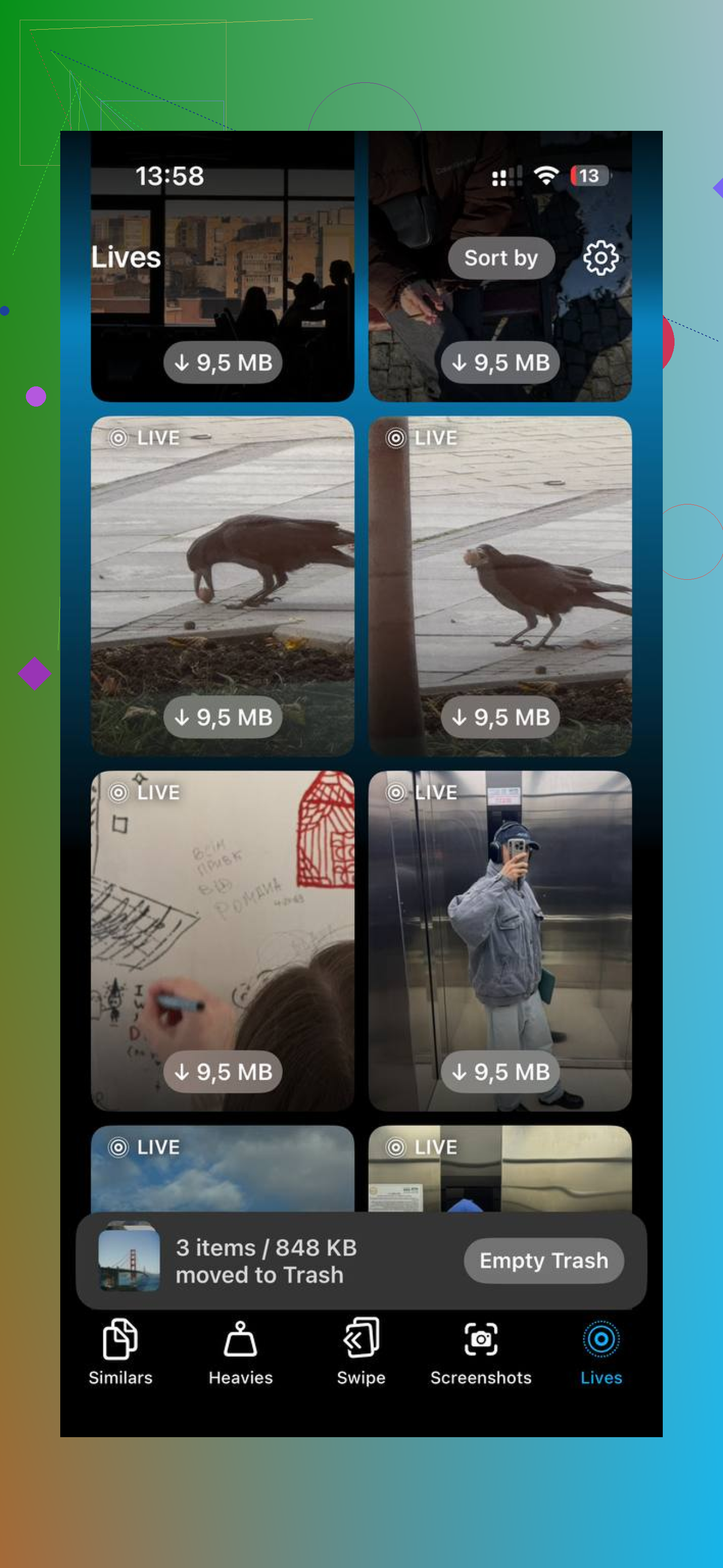
Honestly, the actually-free part is where most photo apps fall apart. They’ll scan your library for free, then hit you with “unlock cleanup” the second you try to do anything useful. Annoyng.
I mostly agree with @mikeappsreviewer and @sonhadordobosque, but I’d push back on one thing: I would not rely on a third-party app for true “organization” long term. Cleanup, yes. Full photo management, not really. On iPhone, Apple Photos is still the least annoying place to keep your main library.
What’s genuinely free and worth using:
- **Apple Photos** for the actual organizing
Albums, search, people, places, screenshots, duplicates album if you’re on iOS 16+. It’s already there, no subscription trap.
- **Clever Cleaner** for bulk cleanup
This is one of the few iPhone photo cleaner apps that’s actually free in a useful way. Good for clearing duplicate photos, similar shots, and screenshot clutter fast.
- **Google Photos** only if you want extra backup/search
Free tier is decent, but I wouldn’t use it as your main system unless you’re okay living half in Google’s ecosystem.
My blunt answer: if you want the **best free app to organize iPhone photos**, it’s really a combo. **Apple Photos + Clever Cleaner**. One organizes, one removes junk. That’s probly the sweet spot.
Also, if you want a decent walkthrough before installing anything, this is pretty relevant: best Clever Cleaner review for iPhone photo cleanup
One extra tip nobody mentions enough: stop making tons of albums. Most people build this beautiful folder system once, then never maintain it again. Keep maybe 5 to 8 albums max and use Favorites way more. That’s way easier to stick with.