I accidentally did a quick format on my pen drive and lost important files I still need. The drive is detected, but I’m not sure if the data can be restored or which recovery steps are safest to try first. Looking for help with pen drive data recovery after a quick format without making things worse.
I did this once with a USB stick full of family photos, and yeah, my stomach dropped fast. Still, a format does not always wipe the files for good.
The first thing I’d figure out is what kind of format happened. A quick format usually finishes fast, sometimes in seconds. In that case, the file map gets cleared, but the data often still sits on the drive until new stuff lands on top of it. A full format is rougher and takes longer because it writes across the drive. If yours wrapped up in less than a minute, I’d bet it was the quick one.
Stop touching the drive for now.
- Do not format it again.
- Do not run CHKDSK or any repair app.
- Do not copy a test file onto it.
Any write to the USB chips away at your recovery odds.
Before you spend an hour with recovery tools, do the boring check I skipped the first time:
- Look in Google Drive, OneDrive, iCloud, or Dropbox.
- Check old Downloads, Desktop, and Documents folders.
- Search your email and chat apps for files you sent before.
I once went through a full scan, then noticed a chunk of the files was already sitting in cloud sync. Felt dumb, but it saved time.
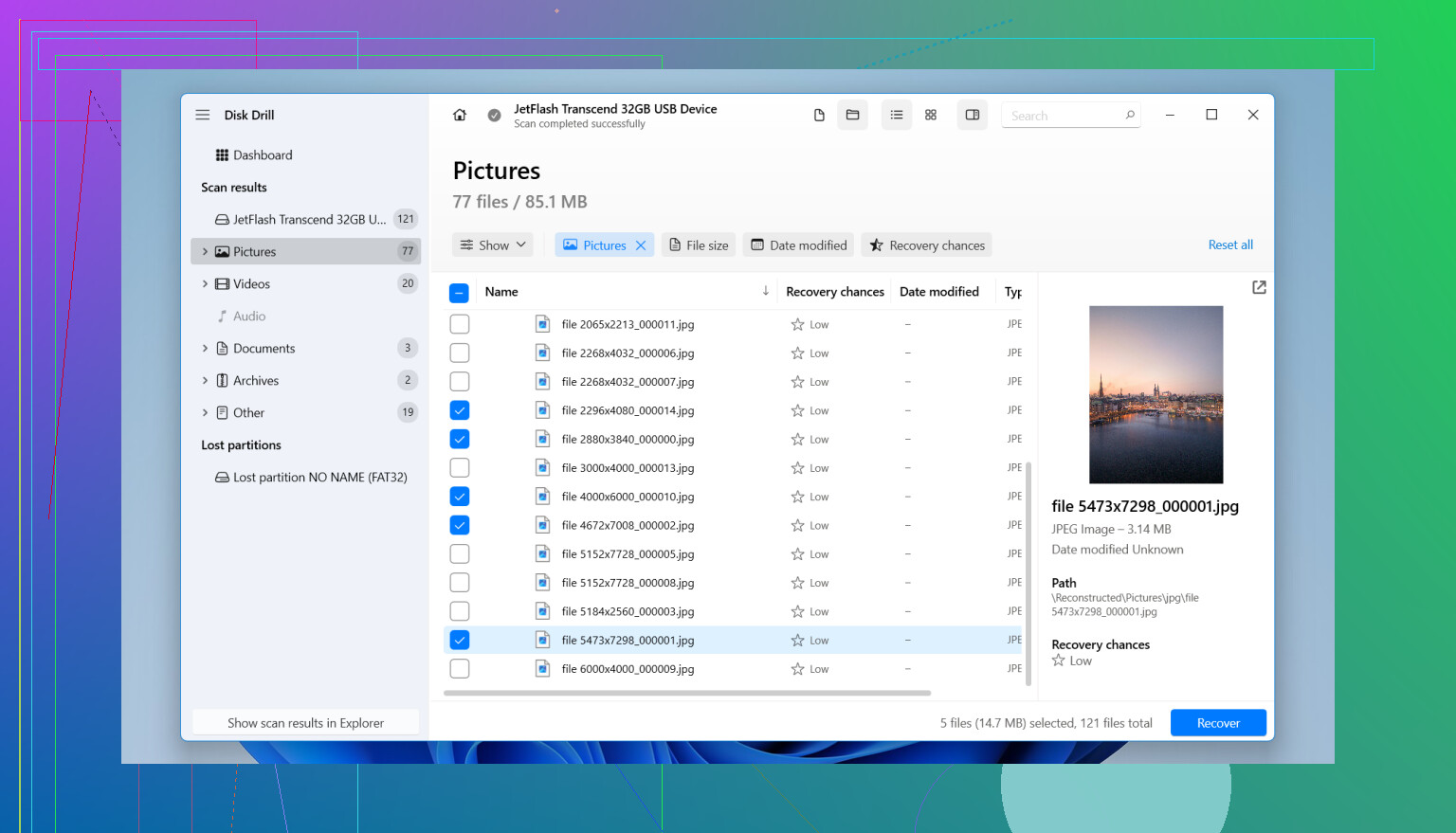
If the files are nowhere else, then I’d move to recovery software. I used Disk Drill after I formatted the wrong drive, and it got most of it back for me, somewhere around 90%.
What I did:
- Installed it on my computer, not on the USB.
- Plugged in the USB and opened Disk Drill.
- Picked the USB from the device list and clicked Search for Lost Data.
- Ran Universal Scan, since the drive had been formatted.
- Let the scan finish fully. Mine kept finding more files later in the scan.
- Previewed files before recovery. If a file opened in preview, it was usually fine after recovery too.
- Saved recovered files to a different drive.
Do not restore anything back onto the same USB. I know it sounds obvious, but people do it, and it wrecks the rest.
If the drive starts acting off, random disconnects, errors, crawling transfer speed, stop scanning it over and over. Disk Drill lets you create a full byte-for-byte image first, then scan the image instead of the physical drive. I’d do that if the hardware looks shaky.
I would not write it off yet. If it was a quick format and you have not added new files, your chances are still decent. If the software comes up empty and the files matter, like personal photos or work docs, a recovery shop still has a shot where home software fails.
1 Like
Yes, if it was a quick format, your files still have a fair shot.
I agree with @mikeappsreviewer on the main point, stop using the pen drive. I differ on one part though. Before running any long scan, check the file system shown in Windows. If the USB was FAT32 or exFAT before, recovery rates are often better for photos, docs, and videos than people expect. If it was encrypted or turned into NTFS after the format, results drop fast.
My order would be:
- Plug it in and confirm size looks normal in Disk Management.
- If the capacity looks wrong, stop there. That points to hardware trouble.
- If size looks right, make an image of the USB first if the files matter a lot.
- Then scan the image, not the stick, if possible.
This matters because cheap USB drives fail mid-scan all the time. I learned this the hard way. One rescan too many, and the drive went read-only.
For software, Disk Drill is a solid pick for quick format recovery on USB flash drives. It tends to do well with common file types and gives previews, which saves time. Recuva is fine for a fast first pass, but formatted drives often need a deeper scan and better file-signature support.
A few signs your odds are still decent:
- Format finished in seconds
- You saved nothing new after it
- Drive opens and shows the right storage size
- No clicking, disconnects, or I/O errors
A few signs things got worse:
- You copied files onto it after formatting
- Windows asks to format it again
- Capacity shows 0 bytes or some weird number
If you want plain, useful USB file recovery advice, this video is worth a look:
watch this USB data recovery walkthrough
Best move now is image first, scan second, restore to another drive. Do not keep poking at the original stick. Thats where people lose the last recoverable bits.
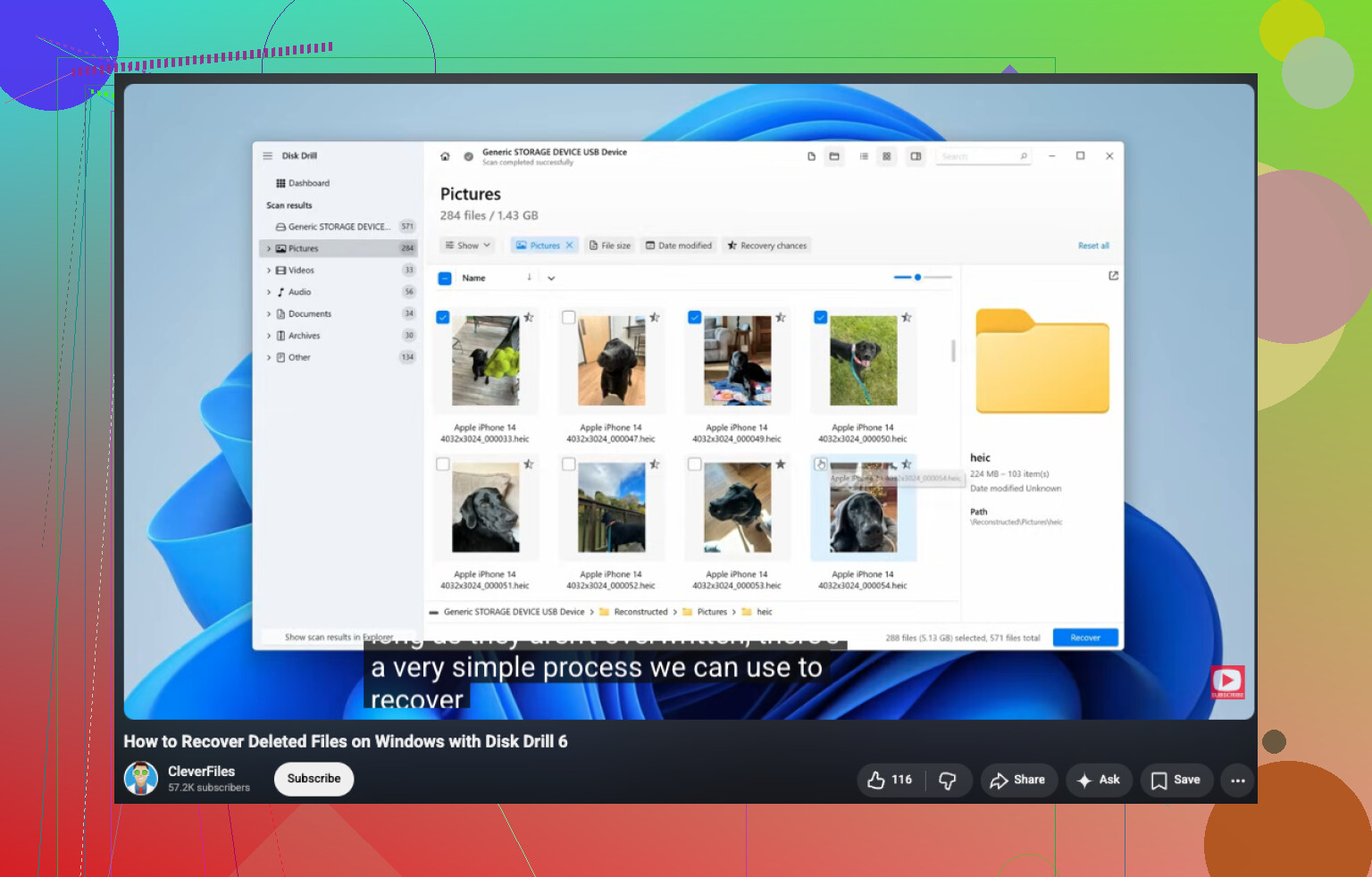
Quick format is one of the few ‘oops’ moments where recovery is actually pretty possible. So yeah, you may still be able to restore a formatted pen drive after a quick format.
I mostly agree with @mikeappsreviewer and @viajantedoceu, but I would push one extra thing harder: check the recovered files for integrity, not just whether they show up. A lot of people see filenames return and think they won. Then the videos won’t play, ZIPs won’t open, or docs are half-corrupt. Recovery is not just ‘found files,’ it’s ‘usable files.’
What I’d do first is this:
- Stop using the USB entirely
- Use a recovery tool from your computer, not the pen drive
- Recover only to another disk
- Test a few important files before spending hours recovering everyhting
If the pen drive is stable and still mounts normally, Disk Drill is a reasonable option for USB recovery after quick format because it can usually pull both file-system traces and signature-based results. That matters when the old directory info is partly gone. If the first scan gives a messy pile of raw files, don’t panic. Sort by file type and preview the stuff that matters most first.
One small disagreement with the ‘always image first’ advice: if it’s a tiny USB stick, healthy, and you don’t have another drive handy, a single careful read-only scan can be fine. Imaging is ideal, yes, but not everyone has the extra space ready. Just don’t keep rescanning it 12 times like a maniac.
Also, skip CHKDSK. People run it on everything like it’s holy water. On formatted media, it can make a bad sitution worse by ‘fixing’ structures you actually needed for recovery.
If the files are super important, try software once, maybe twice max, then go pro before the stick degrades. Also, this thread has some practical USB flash drive recovery tips from Reddit users that are worth skimming.
Short version: quick format = decent odds, full format = much worse, overwriting = game over fast.