I used Decopy AI Humanizer to make AI-written content sound more natural, but the results still felt awkward and easy to spot. I’m trying to figure out if I’m using it wrong or if others had the same experience. Looking for a real Decopy AI Humanizer review, honest feedback, and tips to get better results.
Decopy AI Humanizer
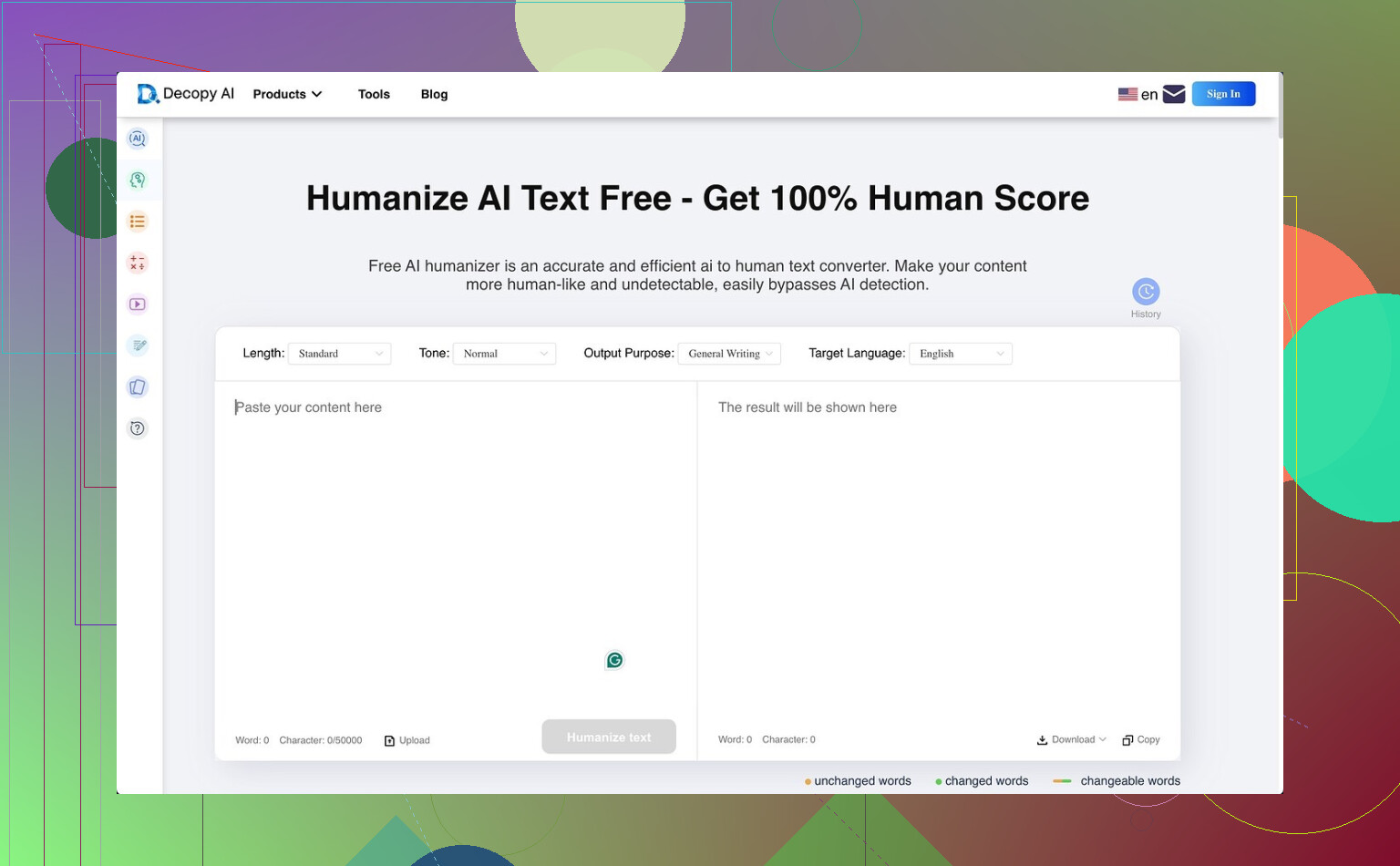
I tried Decopy AI Humanizer because the free tier looked kind of wild. You get 500 free runs, and each request takes up to 50,000 characters. For a free tool, that is a lot. It also includes 8 tone options, 9 output goals, and a sentence rewrite control where I could reroll one bad line instead of redoing the whole block. Nice setup on paper.
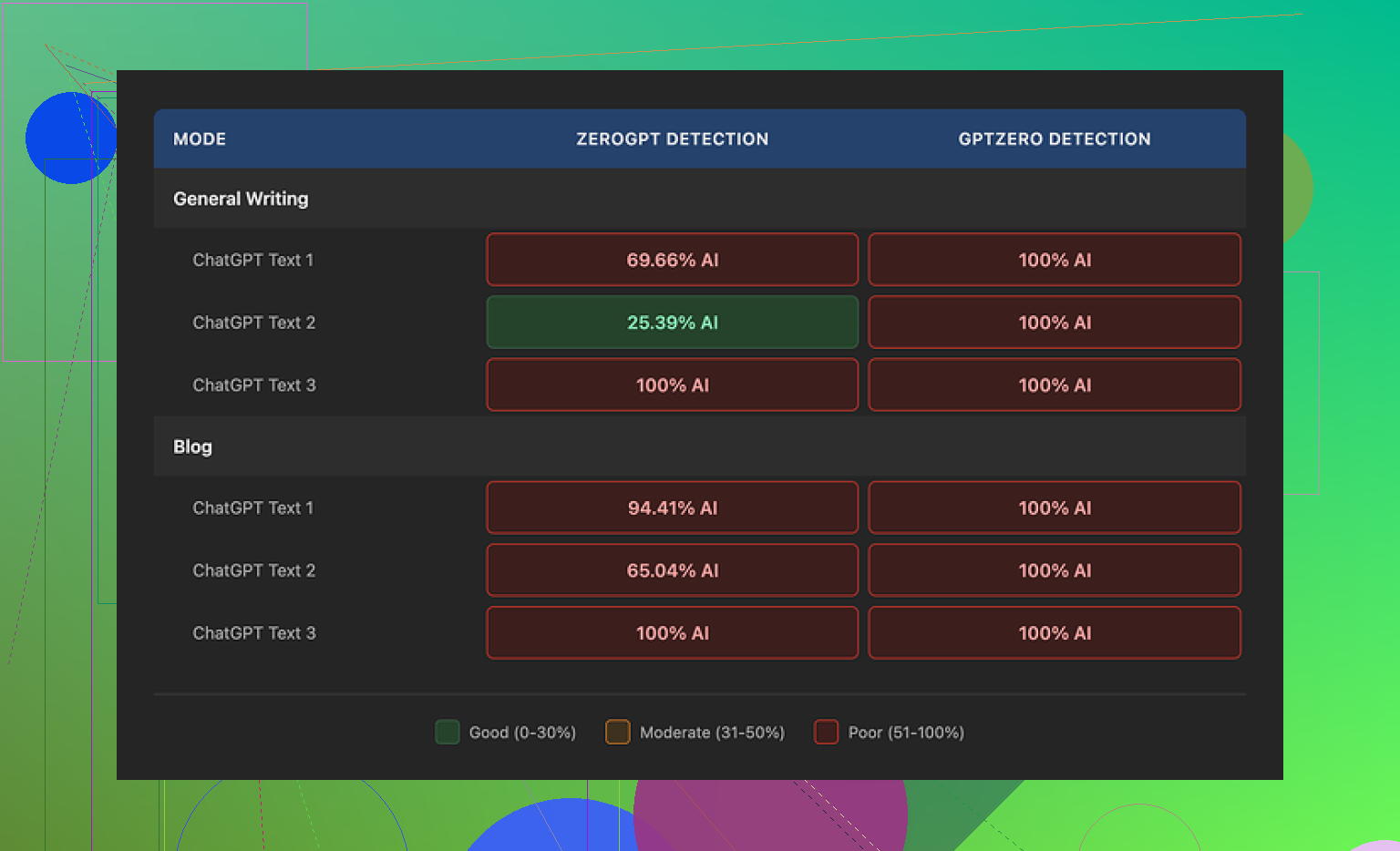
The part I cared about failed, though. I ran the outputs through detectors and got rough results. GPTZero marked everything as 100% AI, both in General Writing and Blog mode. ZeroGPT was less fixed, but still bad, around 25% to 100% AI depending on the sample I pasted in. So if your goal is getting past detection, I would not count on this one.
One thing I noticed, it does not trash the grammar. That already puts it ahead of tools like UnAIMyText and HumanizeAI.io, which gave me sloppier text in my own tests. For raw readability, I would put Blog mode around 7/10. General Writing felt a bit better, maybe 7.5/10.
Still, the writing style drifts into baby-talk fast. Blog mode seems to think a blog post should sound like it was written for a little kid. General Writing is less goofy, but I still saw phrases like ‘digital stuff’ and ‘totally changing tech,’ which made the output feel fake in a different way. At least it usually stayed close to the source length, so it did not bloat or crush the text.
I also checked the privacy side. The policy gives a clear retention window of three months, and it says GDPR and CCPA compliant. What I did not find was a clean explanation of what happens to the text you upload for rewriting. That gap bothered me a bit.
From my testing, Clever AI Humanizer did a better job on the humanization side, and it costs nothing.
1 Like
I had the same issue. Decopy cleaned up the text, but it did not fix the core patterning. The output still kept the same rhythm, same sentence balance, same safe wording. Humans spot that fast, even before detectors do.
I disagree a bit with @mikeappsreviewer on one part. I did not think the grammar was always solid. On longer inputs, I saw weird phrase swaps and a few lines that felt stitched together. Not broken, but off. Sorta robotic in a diff rent way.
What helped more for me:
- Feed it smaller chunks, like 120 to 200 words.
- Pick one tone and keep it there. Mixing tones made it worse.
- Rewrite the first and last sentence yourself.
- Add specifics, dates, numbers, opinions, small side notes.
- Cut generic filler words after the rewrite.
If your goal is natural writing, use it as a rough draft tool, not a finish tool. If your goal is beating detectors, my tests were prety bad too. It still looked machine-smoothed.
I do not think you are using it wrong. Decopy feels more like a paraphraser with a ‘humanizer’ label slapped on top. That is why the text can come out cleaner but still weird. It swaps words, softens phrasing, maybe changes flow a little, but the deeper structure stays AI-ish.
I mostly agree with @mikeappsreviewer and part of what @boswandelaar said, but I’m a little less forgiving on readability. For me, the awkwardness is not just detector stuff. Actual humans can spot it because the voice feels too evenly sanded down. No rough edges, no real point of view, no sentence that sounds like somebody had a thought mid-paragraph.
Where it really falls apart is with nuance. If the source text is bland, Decopy usually makes it bland in a diff rent way. If the source text is technical, it sometimes replaces precise wording with softer fluff, which makes it sound less natural, not more.
My take: use it only after you already have a strong draft, and only for a few stubborn lines. If you run full articles through it, it starts sounding like a content mill ghost wrote it at 2am. So yeah, same experiance here. Not broken exactly, just not very convincing.
I think you’re not using Decopy wrong. It just has a ceiling.
My take is a little different from @boswandelaar and @reveurdenuit and @mikeappsreviewer: I do think Decopy AI Humanizer can help readability a bit on stiff AI drafts, but only when the source already has a clear point. If the input is generic, Decopy tends to polish the surface and leave the soul missing.
Biggest issue for me was predictability. The text reads smoothly at first, then you notice every sentence lands with the same energy. That is why it still feels machine-made.
Pros for Decopy AI Humanizer:
- generous free usage
- decent interface
- rerolling single lines is useful
- grammar is often acceptable on short passages
Cons:
- voice stays flat
- weak with nuance
- can simplify precise wording too much
- detector performance is inconsistent to poor
- longer passages start sounding processed
What worked better for me was not “humanizing” after the fact, but changing the draft before it goes in:
- give it messier source text with real opinions
- include one strong claim and one mild contradiction
- vary paragraph length on purpose
- leave in a few sharp, specific phrases you would actually say
So yeah, I’d treat Decopy AI Humanizer like a cleanup tool, not a realism tool. If your goal is natural voice, you still need manual editing. If your goal is detection resistance, I would look elsewhere.