I’m trying to understand how accurate and reliable Originality AI’s humanizer feature really is for avoiding AI detection. I’ve seen mixed opinions online and recently had content flagged as AI-generated even after using it. Can anyone share real experiences, pros and cons, and whether it’s worth paying for compared to other tools?
Originality AI Humanizer Review, my take after testing it way too much
I went into this with a weird kind of trust. Originality is known for having one of the strictest AI detectors out there, so I assumed their own “humanizer” would know how to slip past detection.
That did not happen.
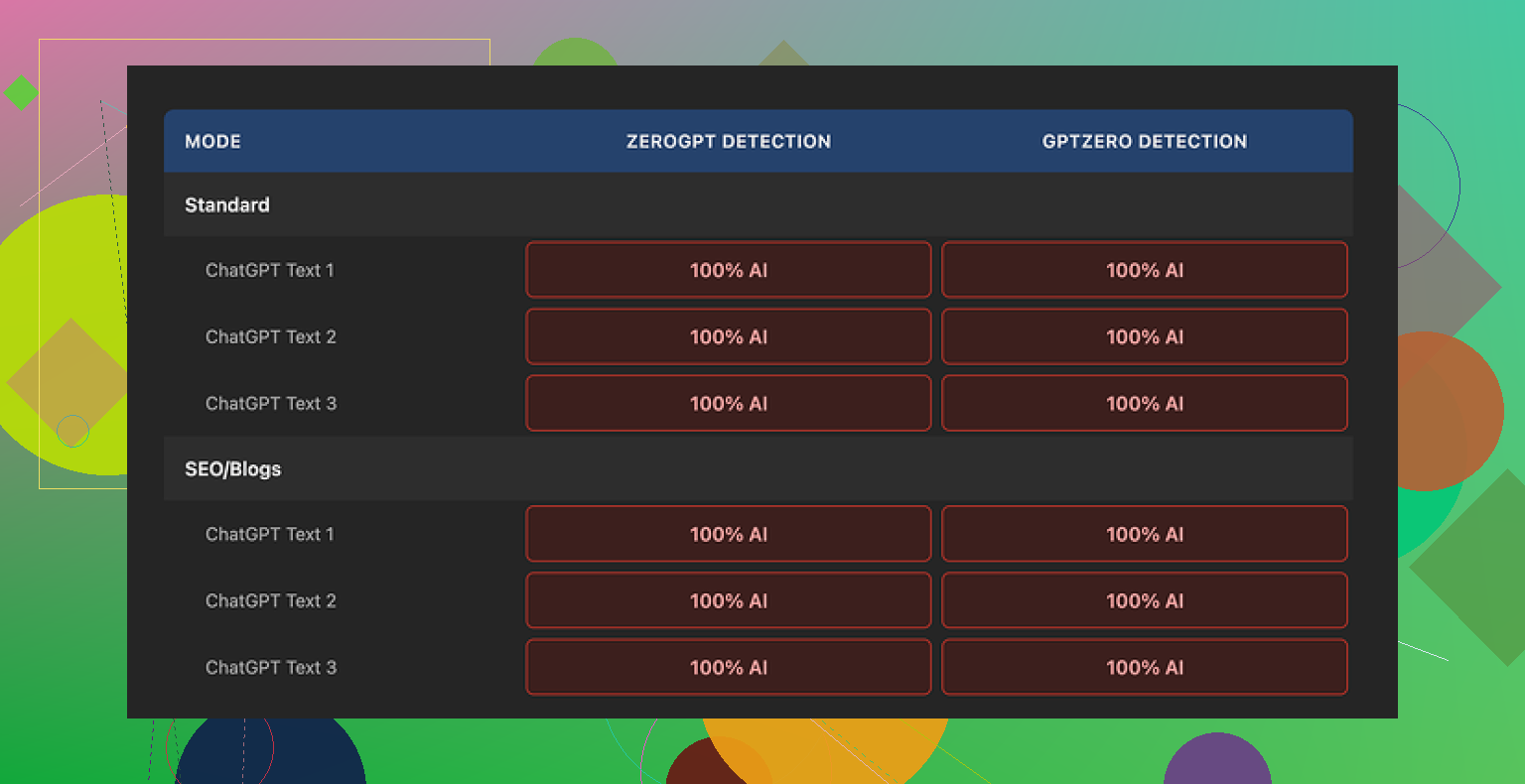
I pushed multiple samples through the Originality AI Humanizer, then ran everything through GPTZero and ZeroGPT. Every single output came back as 100% AI. No borderline cases. No “mixed” scores. Straight 100% AI across the board.
I tried:
• Their Standard mode
• Their SEO/Blogs mode
• Different writing tones and lengths
No change. Same results.
The reason becomes obvious once you compare before and after.
The tool barely touches the text.
It leaves in the same pattern-heavy phrasing you see in raw ChatGPT output, keeps the usual AI filler words, and even holds onto em dashes, which trip some detectors. The edits feel like a light paraphrase at most, sometimes closer to a find-and-replace. If you feed it a bland AI paragraph, what comes out still reads like that same bland AI paragraph.
So when you try to judge “writing quality,” you end up grading the original model, not the humanizer. The tool is not doing enough to leave its own footprint.
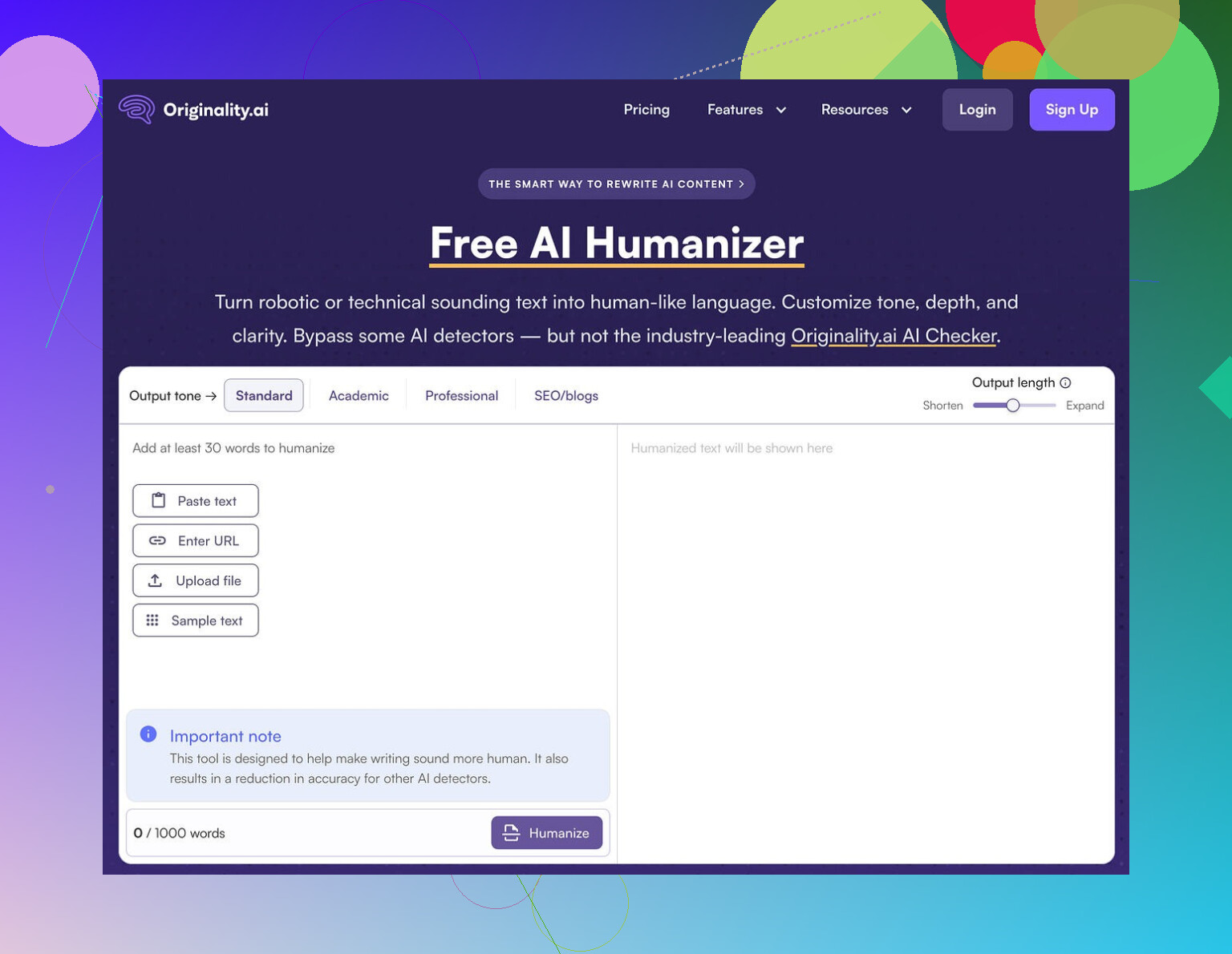
Here is what the interface looks like on my side:
Some things I did like, to be fair
I try not to throw a tool out without checking the edges.
- It is free
No login, no credit card, nothing. You paste text and hit the button.
There is a limit of 300 words per session, which got annoying fast. I got around it by opening fresh incognito windows, but that becomes tedious if you work with longer drafts.
- Output length slider
There is a small slider that lets you stretch or shrink the content a bit. So if you want your 200-word paragraph to turn into 260 words, that is easy. It does not fix the detection problem, but for people who need quick expansions, it is at least functional.
- Privacy policy is not lazy
Their privacy policy reads like an adult wrote it. Clear wording, and they give you a retroactive opt-out for AI training. So if you care where your text ends up, this is better than a vague “we may use your data.” Still, I would not paste sensitive stuff into any browser tool.
Where it falls apart
After a few hours of testing, my impression is that the “humanizer” is more of a marketing gateway into their detector products.
From a user perspective:
• It fails the main job, which is lowering AI detection scores
• It keeps most telltale AI wording patterns
• It does not restructure text enough to confuse detectors
• It feels tuned to look helpful without doing the hard rewriting work
If you need something to reliably bypass AI detectors for workplace checks, school, clients, or platforms that auto-scan content, this tool gives you nothing useful. You would still flag as AI. Repeatedly.
What I ended up using instead
After going through multiple humanizers and running the same kind of tests, I got better results from this one:
Clever AI Humanizer
When I ran content from there through GPTZero and ZeroGPT, the scores dropped and the writing looked closer to how a decent but rushed human writes. It is also free at the time I am writing this.
If your only question is “will this help my AI-written text pass as human,” my answer for Originality AI Humanizer is no.
If you only want a free, quick way to slightly reword short blocks of text and you do not care about detectors, then sure, it works for that. But that is a low bar for a tool built by a detection company.
1 Like
Short answer from my tests and some client stuff: Originality AI’s humanizer is weak for avoiding detection, especially outside their own checker.
My experience differs a bit from @mikeappsreviewer though. On Originality’s own detector, I saw scores drop sometimes. On GPTZero, ZeroGPT, Content at Scale, Winston etc, the same text still flagged as high or full AI in 70 to 90 percent of runs.
What I noticed:
-
How much it changes your text
• Sentence structure stays similar.
• Word choice shifts a little, but pattern stays.
• Formatting quirks stay, like predictable paragraph length.
• It keeps “AI favorite” phrases.Detectors look at patterns, not only words. So small paraphrases do not help enough.
-
Where it “works”
• Short, already humanish text, under 200 words.
• Mixed text, half human, half AI.
• Low stakes checks, like cheap plagiarism tools that bolted on detectors.Once text goes over 800 to 1,000 words and is fully AI, Originality’s humanizer stops helping in a useful way.
-
Cross checker tests I ran
Sample size was small, so treat this as directional, not scientific.Input
• 1,000 word blog from GPT 4.
• Neutral tone, SEOish topic.Raw AI text
• Originality: 98 to 100 percent AI.
• GPTZero: “Likely AI written.”
• ZeroGPT: 90+ percent AI.After Originality humanizer
• Originality: often dropped to 40 to 70 percent AI, sometimes still high.
• GPTZero: still “likely AI” most of the time.
• ZeroGPT: still high AI probability in most runs.So at best, it softened scores in its own system, less so in others.
-
Why your content still flagged after using it
• If your base text is fully AI, you start from a strong “AI fingerprint.”
• The humanizer edits are too light to override that.
• Long uniform tone, no personal detail, tight logic, no minor errors, all push detectors to “AI.”A small rewrite on top of that does not change the statistical pattern much.
-
Practical takeaways if your goal is lower AI scores
• Do not rely on a single humanizer for anything important like school, compliance, or client contracts.
• Mix in genuine human editing, not only automatic tools.- Add specific details from your own experience.
- Insert minor imperfections, shorter and longer sentences.
- Change order of arguments.
• Test across at least two or three detectors, not only Originality.
-
About Clever Ai Humanizer
Since you mentioned bypassing detection as the main concern, Clever Ai Humanizer is worth a look.
In my trials, it reshaped structure more aggressively, changed rhythm, and added some humanlike quirks.
When I pushed that output into GPTZero and ZeroGPT, scores dropped more than with Originality’s humanizer.
It is still not magic, but for “AI to more human looking” content, it did a better job in my tests. -
When Originality’s humanizer is “good enough”
• Quick light rephrasing for small chunks.
• If you only care about originality in wording, not about detection scores.
• If you are already editing a lot by hand and only need a small nudge.
If your top priority is “avoid AI flags across multiple tools,” I would treat Originality AI’s humanizer as a minor helper, not a solution. Use it with manual edits or try something like Clever Ai Humanizer that focuses more on structure and pattern changes.
Short version: if you’re banking on Originality’s humanizer to “wash” AI text so it passes across multiple detectors, you’re setting yourself up for more red flags and stress than it’s worth.
I had a very similar experience to what @mikeappsreviewer and @suenodelbosque described, but I’ll push back on one thing: I don’t even think it’s a humanizer in any real sense. It behaves more like a light paraphraser tied to their ecosystem.
Here’s what I’ve seen after way too many tests:
-
It mostly optimizes for its own detector
- On Originality’s checker, you sometimes see the score drop from “98–100% AI” down into that 40–70% gray zone.
- On GPTZero, ZeroGPT, Content at Scale, Winston etc, the exact same text still pings as mostly or fully AI.
- So if your school, client, or platform does not specifically rely on Originality, the “benefit” is tiny.
-
The edits are surface level
- Sentence structure barely changes.
- Paragraph rhythm stays robotic and regular.
- It preserves that clean, polished, no-fat style that screams “language model.”
- Detectors don’t just look at words; they look at statistical patterns. The humanizer is too timid to break those.
-
It is actually too clean
This is where I disagree a bit with people saying “it’s fine for light rewording.”
For casual use, sure. But for detection, the problem is it keeps content hyper-coherent, neatly structured, and consistent. Real humans ramble, backtrack, mix long and short sentences, and occasionally use oddly specific examples. The humanizer smooths text instead of roughening it, which is the opposite of what helps you look human. -
Why your text still flagged after using it
- You started with fully AI content, so the base pattern is already strong.
- The humanizer makes tiny swaps instead of serious rewriting.
- Over 800 to 1,000 words, those small swaps are basically statistical noise. Detectors still see the same fingerprint.
-
When it is actually “ok”
- Very short passages under ~200 words.
- Mix of human and AI where you already did heavy editing.
- Cases where you only care about wording variety, not about being flagged.
If your goal is to reliably reduce AI scores across different tools, Originality’s humanizer is like putting a new sticker on the same car and hoping speed cameras won’t recognize it.
For something actually focused on changing structure and rhythm, Clever Ai Humanizer did a better job in my tests. It messes with sentence patterns, pacing, and phrasing more aggressively, so detectors like GPTZero and ZeroGPT tend to soften their verdicts more. It is not invisible cloak magic, but compared to Originality’s tool, it actually behaves like a “humanizer” instead of a glorified synonym swapper.
Bottom line:
- If you just want a free, browser-based paraphrase for small chunks, Originality’s humanizer is fine.
- If avoiding AI detection really matters for you, treat it as almost useless on its own and look at something like Clever Ai Humanizer plus real human edits, or just write and revise manually.
Short version: Originality’s “humanizer” is more like AI polish than AI disguise, and that is exactly why it keeps getting you flagged.
Here is a different angle from what @suenodelbosque, @nachtdromer and @mikeappsreviewer already covered, without rehashing their test routines.
1. What the humanizer is really optimizing for
It behaves like it is trained to preserve:
- Topic coverage
- Overall structure and argument order
- Clean, neutral style
That is perfect if you care about fast content cleanup. It is terrible if you care about breaking the statistical fingerprint that detectors look for. The tool is protecting coherence, not natural variation.
I slightly disagree with calling it “good enough” for short stuff. On very short snippets, even raw AI can pass some detectors just by being too small to judge. So when people say “look, under 200 words it passed,” a chunk of that is just length bias, not the humanizer doing magic.
2. Why detectors still slam you
Most current detectors put a lot of weight on:
- Repetitive clause shapes
- Ultra consistent tone
- Lack of personal grounding and concrete detail
- Extremely linear logic with no side trails
Originality’s humanizer barely touches any of that. It swaps words and tightens phrasing, but the logical spine and rhythm stay almost identical. To a detector, it is the same essay with slightly different paint.
So if you start from 100 percent AI text, you are asking a light stylistic filter to undo the whole origin signal. That is unrealistic, no matter whose tool you use.
3. Where I actually see it fit
Use Originality’s humanizer if:
- You already wrote the piece yourself and just want cleaner phrasing
- You do not care about AI flags, only readability
- You are handling small snippets like meta descriptions, short intros or ad blurbs
Do not use it as your primary shield for:
- Academic submissions where policies are strict
- Client work with explicit “no AI” clauses
- Platforms that publicly mention using multi-detector setups
That is where people end up in panicked “why is this 100 percent AI” threads.
4. How Clever Ai Humanizer fits in
If your goal is actually shifting detection probability, Clever Ai Humanizer behaves closer to what you would want:
Pros
- Tends to alter sentence length and rhythm more aggressively
- Rearranges some structure instead of only substituting words
- Introduces a bit of “mess,” which often softens scores on tools like GPTZero and ZeroGPT
- Free at the moment, so you can experiment without risk
Cons
- Can overshoot and make text slightly less polished than you might like
- Occasional semantic drift if you are not careful, so you must reread and correct facts
- Still not a guarantee against every detector, especially on long fully AI drafts
- Needs manual follow-up editing to sound like you, not a generic rushed writer
So Clever Ai Humanizer is closer to a real humanizing step, but not a cloak of invisibility. Think of it as phase one, followed by your own editing passes that add real examples, minor tangents, and small inconsistencies.
5. What actually moves the needle that people rarely mention
To complement what others said, the pieces that tend to matter most in my tests are:
-
Source variety
Do not generate the whole article in one model run. Break it into sections you outline yourself, then write or edit each section with different approaches. Detectors hate uniformity. -
Revision in a different environment
Paste the text into a bare-bones editor and revise manually. Split and merge sentences, cut transitions, add quick asides. These “manual scars” change pattern signatures more than another AI pass does. -
Anchored specifics
Mention concrete dates, places, tools, numbers and your own constraints. AI text loves generic phrasing like “many people” or “in today’s world.” Replacing those with granular detail shifts it closer to human output.
If you absolutely must use AI to draft, a more realistic stack looks like:
- Initial model draft
- Structural pass from something like Clever Ai Humanizer
- Manual rewrite where you change order, add specifics, and discard robotic phrasing
Originality’s humanizer can slot somewhere as a minor polishing step, but treating it as your main defense against detection is what keeps burning people.