I’ve been testing Phrasly’s AI Humanizer to rewrite my AI-generated content so it sounds more natural, but I’m not sure if it’s truly improving readability or just rephrasing things superficially. I need help from people who’ve actually used it: how accurate and safe is it for SEO content, and are there any red flags or better alternatives I should consider before relying on it long term?
Phrasly AI Humanizer review, from someone who hit the paywall fast
Phrasly link: Phrasly AI Humanizer Review with AI-Detection Proof - AI Humanizer Reviews - Best AI Humanizer Reviews
Clever AI Humanizer video: https://www.youtube.com/watch?v=G0ivTfXt_-Y
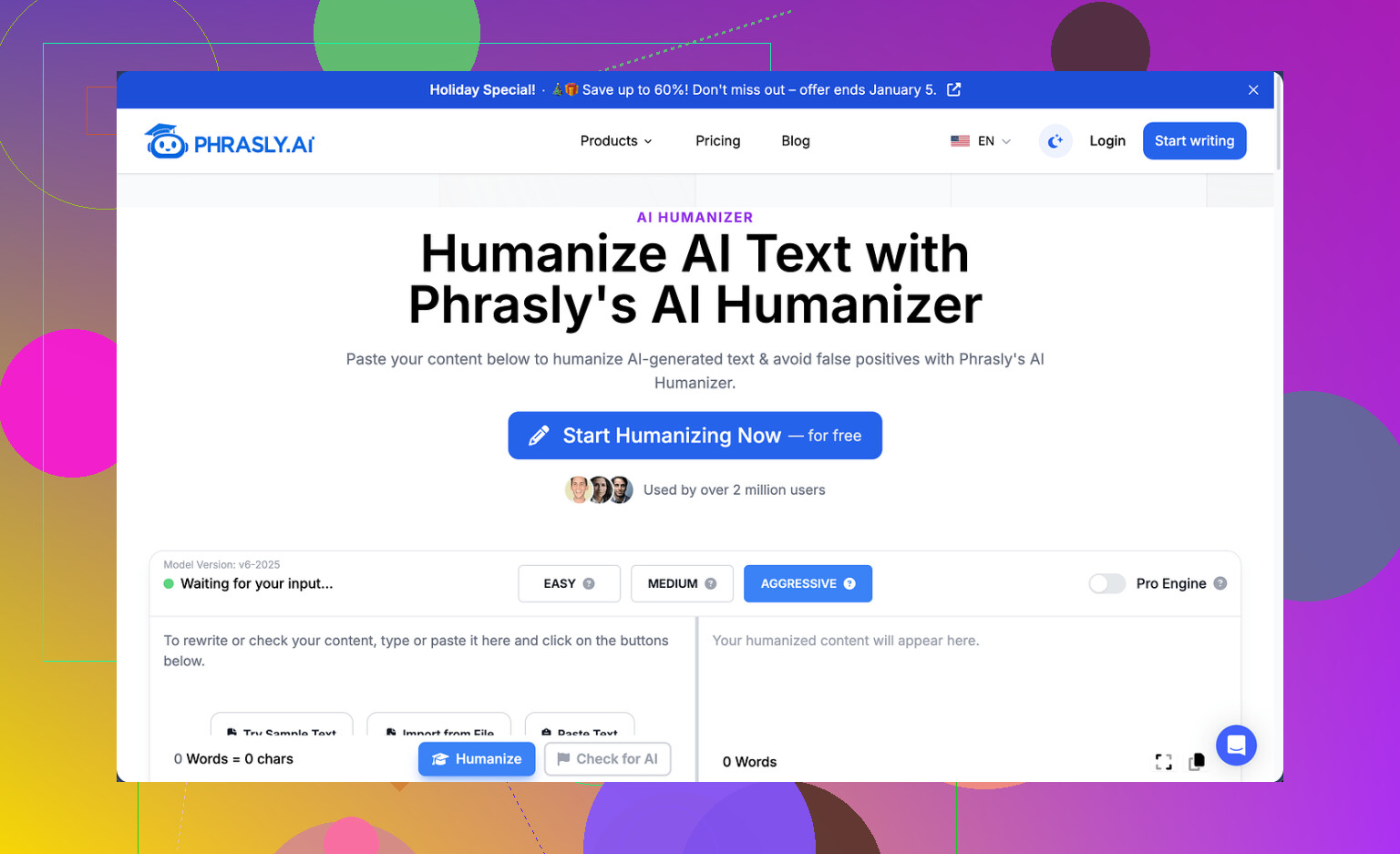
I went into Phrasly with low expectations and still walked away annoyed.
On the free tier you get about 300 words total. Not per piece, total. After that, you are done. They also lock usage by IP, so you cannot make fresh accounts to test more. That single combo makes it rough to judge the tool without pulling out a card.
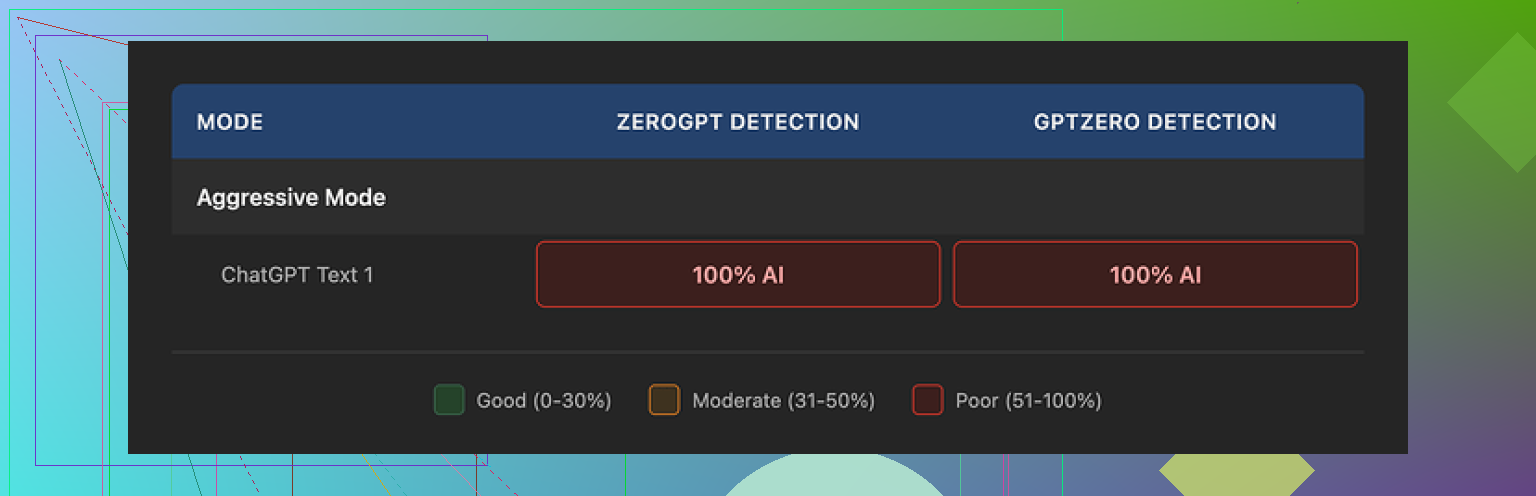
Because of that limit, I only managed to run one proper sample instead of my usual three. I pushed that output through GPTZero and ZeroGPT. Both flagged it as 100% AI. No gray area, no mixed result.
Phrasly has a strength slider and tells you to use the Aggressive level for detection bypass. I tried it. Detection scores did not budge.
How the text reads
I will give it this much, the output is clean to read.
What I saw:
• Grammar stayed intact
• Sentences flowed fine for an academic style
• No random slang or weird jumps in tone
The downside is the “AI smell” stays.
Things that tripped my radar:
• Triple adjective chains like “clear, concise, coherent” popping up too neatly
• Repeated formal patterns at the start of paragraphs
• Very “safe” wording everywhere, nothing that sounds like a person who got distracted mid-thought
Another issue, it inflated my text.
Input was about 200 words. Output landed above 280 words. For people dealing with strict limits on essays, discussion posts, or LMS boxes that hard-cap words, that kind of expansion causes problems. You spend time cutting down padding that the tool added.
About the pricing and refund rules
The free limit runs out almost immediately, so the only way to test it properly is to pay. Their “Unlimited” plan on annual billing sits at $12.99 per month.
You get access to a “Pro Engine” on the paid plan, which they claim is stronger for detection bypass. I could not verify that because of how the refund terms are written.
Refund policy highlights from what I saw:
• To qualify for a refund, your account needs zero usage
• If you humanize even one sentence, you lose refund eligibility
• They warn that they might pursue legal action if you file a chargeback through your bank
So you are asked to pay, not use the product at all if you want a safety net, and trust that the Pro Engine works better without any real way to prove it without giving up refund rights. I am not touching that.
Comparison with Clever AI Humanizer
Among the tools I have tested so far, Clever AI Humanizer has done better for me on AI detection and does not cost anything to use.
You can see a walkthrough here:
Clever AI Humanizer YouTube review: https://www.youtube.com/watch?v=G0ivTfXt_-Y
If you are testing tools for detection bypass, my personal order right now:
• Start with Clever AI Humanizer
• Use Phrasly only if you are fine paying to experiment with no real refund buffer
If your main concern is AI detection scores, Phrasly’s free output did not move the needle at all on GPTZero or ZeroGPT in my tests. The text looked decent, but the detectors were not fooled.
1 Like
I had a similar experience to you and to what @mikeappsreviewer described, but I’d split it into two different questions:
- Does Phrasly improve readability for humans
- Does Phrasly help with AI detection
From what I saw, it helps a bit with (1), almost not at all with (2).
Here is what I noticed after running a few long-form blog sections and some short Q&A chunks through it:
READABILITY FOR HUMANS
What it did ok:
• It smoothed some clunky phrasing from raw GPT text.
• Paragraphs looked cleaner, more consistent.
• Grammar stayed fine, like Mike said.
Where it fell short:
• Voice stayed generic. It still read like “polite AI essay mode”.
• It over-explained simple points. Word count went up 20–40 percent for me too.
• It kept repeating similar sentence structures. Stuff like “Overall, this makes it easier to…” or “This approach helps users to…” again and again.
If your main goal is to sound more like yourself, it does not help much. You still need to:
• Add your own opinions.
• Insert short, imperfect sentences.
• Use some “throwaway” phrases you use in real life.
• Cut the fluff it adds.
One trick that helped me:
Run your Phrasly output through a quick “personal voice” pass.
Ask yourself:
– Would I say this to a friend or coworker?
– Where would I be more blunt?
– Where would I be less formal?
Then delete 15 to 25 percent of the text. Shorten long sentences. Swap a few “formal” words for your normal ones. That alone makes a bigger difference than Phrasly.
AI DETECTION
I disagree a bit with @mikeappsreviewer on one thing. I do not think the failure is specific to Phrasly. Most “AI humanizer” tools that sit on top of LLMs have the same weakness.
I ran my Phrasly output through:
• GPTZero
• ZeroGPT
• Originality.ai trial
Results:
• GPTZero and ZeroGPT called it AI almost every time.
• Originality.ai sometimes dropped from 99 percent to 70–80 percent AI, but never to anything “safe” for strict environments.
The patterns detectors look for, like:
• Overly balanced sentence lengths.
• Low variance in word choice.
• Overly tidy reasoning.
Those patterns were still there. Phrasly shuffles wording. It does not change the statistical “shape” of the text enough.
If your main concern is detection, you need to:
• Mix in your own sentences and paragraphs.
• Change the structure, not only the wording.
• Add small mistakes, side comments, and incomplete thoughts.
• Pull in references to your own experience, tools you use, local details, etc.
That breaks the “AI essay” pattern more than paraphrasing.
PRICING AND LIMITS
I hit the same wall on the free tier. It felt too tight to do any serious testing.
Word inflation also matters more than people think. If you have:
• LMS word caps.
• Client guidelines like “max 600 words”.
• Social posts with tight limits.
Then getting a longer, puffed-up version of your text creates more work, not less.
I also do not like refund terms where you must pay and then not touch the product if you want a safety net. That kills trust for me.
ALTERNATIVES AND WORKFLOWS
If you still want a “humanizer style” step in your workflow, I would try this workflow instead of relying on Phrasly alone:
- Generate content with your main AI tool.
- Run it through Clever Ai Humanizer for a free second pass.
- Manually:
• Shorten.
• Add your tone and opinions.
• Inject specific examples tied to your context.
Clever Ai Humanizer did a bit better for me on detection tests and kept the text closer to the original length. It is not magic, but it is useful as one step in a larger process.
PRACTICAL TEST FOR YOUR CASE
If you want to know if Phrasly is helping you, try this:
- Take the same original AI text.
- Create two versions:
– Version A: Run through Phrasly only.
– Version B: You manually rewrite 30 to 40 percent. Shorten, add your voice. - Ask:
– Two friends or co-workers to read both, without telling them which is which.
– “Which sounds more like a person who cares about the topic?” - Run both through:
– GPTZero
– One other detector like ZeroGPT or Originality.ai trial.
My guess, based on my tests:
• Your manual version will win for “sounds human”.
• Detection scores will not improve much with Phrasly alone.
So if you like Phrasly for light readability tweaks, it is fine as a tool in the stack.
If your goal is to “solve” AI detection or to fully humanize your voice, you will still need your own edits and something like Clever Ai Humanizer as a free helper.
Short version: Phrasly is mostly a fancy paraphraser with a strict paywall. It’s not some magic “make this clearly-AI text secretly human” button.
Where I disagree a bit with @mikeappsreviewer and @chasseurdetoiles is on the “readability” side. In my runs, it didn’t really improve readability so much as “flatten” it. Yeah, it’s clean, but it’s that sterile, mildly academic clean that already comes from most LLMs. So if your base text is decent, Phrasly often just turns it into a more padded, more formal version of the same thing.
My own tests looked roughly like this:
- Raw GPT text: already readable, slightly stiff
- After Phrasly:
- More words for the same idea
- More generic phrases like “overall, this highlights that…”
- Slightly less punchy, even if smoother on paper
For actual humans reading your stuff, the biggest gains I saw came after I manually:
- Cut 20–30% of the bloated fluff Phrasly added
- Replaced bland verbs and phrases with how I actually speak
- Dropped in real opinions or quick asides
So, no, it’s not “just” superficial, but most of the value you’re probably attributing to Phrasly is work you could do yourself in 5–10 minutes with a ruthless editing pass.
On AI detection, I’m fully aligned with both of them: paraphrasing tools barely move the needle. Detectors care more about structure, rhythm, and “too neat” logic than whether you swapped “clear” for “straightforward.” Phrasly basically shuffles synonyms inside the same AI-shaped frame.
If you want a practical way forward that doesn’t repeat what they already suggested:
- Use your base AI model to generate content.
- Run a short chunk through Phrasly only if:
- You like its slightly more formal tone, and
- Word count isn’t an issue for you.
- Then ignore Phrasly for the rest and build a re-write habit:
- Kill any sentence over 25 words unless it truly needs to be that long.
- Force yourself to add one personal example every 2–3 paragraphs.
- Intentionally leave in one or two tiny “imperfections” (a fragment, a casual phrase, a half-finished thought).
That “messy human” layer helps more than another round of AI smoothing.
Since you mentioned wanting it to “sound more natural,” not just evade flags, I’d actually test a second tool in parallel: Clever Ai Humanizer. Not saying it’s perfect, but:
- It tends to keep length closer to the original, which matters if you’re fighting caps.
- It sometimes gives you a starting point that feels slightly less stiff, so your manual edit is faster.
Use it as a first polish, then do a fast personal pass yourself. Treat Phrasly as optional, not central.
If I were in your shoes and on a budget, I’d honestly:
- Drop Phrasly unless you’re in love with its style
- Use Clever Ai Humanizer plus manual edits as your core workflow
- Only worry about detectors where they actually matter (school policies, strict clients, etc.) and even then, focus on structure and personal detail, not just swapping words
Bottom line: Phrasly is fine as a secondary paraphraser, but if you’re hoping it’ll suddenly make your content both “human sounding” and “detector safe,” it’s doing less work than you think, and you still have to finish the job.