I’m considering switching to IINA as my main media player on macOS and I’m curious how it holds up over time. How is its long-term stability, performance with large video libraries, subtitle handling, and support for newer codecs and formats? If you’ve used IINA for months or years, I’d really appreciate detailed feedback on bugs, updates, and any deal-breaking issues before I fully commit.
I installed IINA after deciding to replace 5kPlayer for daily movie playback on macOS. My library is mostly MKV files, a mix of H.264 and HEVC, often with multiple audio tracks and external subtitles. I wanted something that felt native to macOS and handled modern codecs without extra configuration.
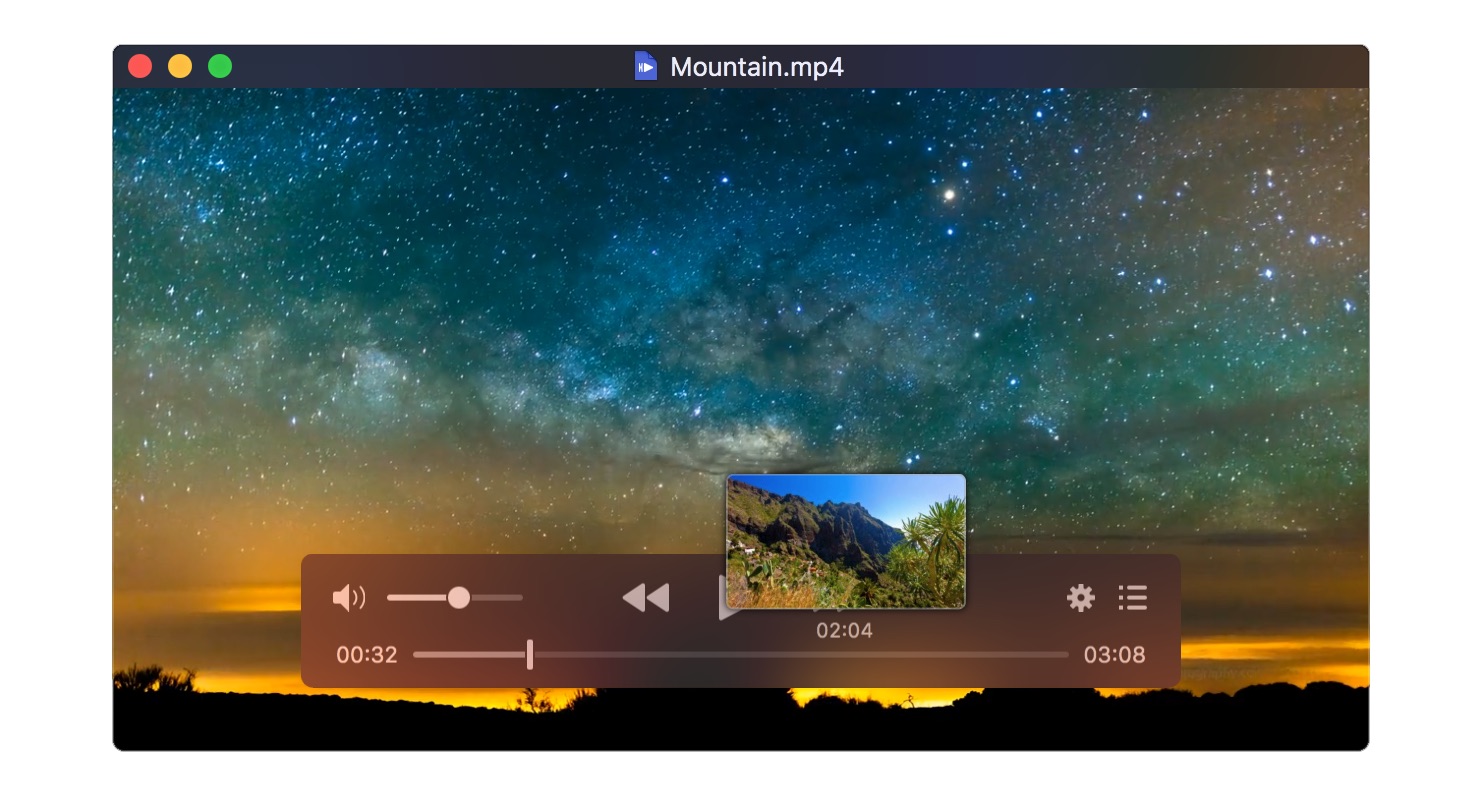
The first launch set the tone. The window design follows macOS conventions closely – clean toolbar, proper Dark Mode behavior, smooth resizing, and support for Picture-in-Picture. Trackpad gestures worked immediately. Media keys integrated with the system without setup. Nothing felt bolted on.
First Round of Testing: Standard HD Files
I began with 1080p MP4 files – single video stream, single audio track, embedded subtitles. Playback started instantly. Seeking was responsive. CPU usage stayed moderate on Apple Silicon.
Subtitles rendered correctly. Adjusting subtitle delay and switching between tracks was straightforward. The preferences menu exposes granular control over subtitle styling, font scaling, and timing adjustments.
Playback speed changes were smooth. Rotation, aspect ratio correction, and deinterlacing options are available without requiring external tools. These settings are organized logically inside preferences rather than scattered across the interface.
For standard content, nothing required troubleshooting.
Moving to HEVC and Large MKVs
The next stage involved 4K HEVC MKV files with multiple audio tracks (AAC, DTS) and external SRT subtitles. These are the types of files that often expose weaknesses in players.
Video performance remained stable. Hardware acceleration appeared active. Large files opened without delay, and scrubbing through long movies was consistent.
The backend relies on mpv, which explains the broad codec compatibility. I did not encounter files that failed to open due to missing codecs. Containers such as MKV, MP4, MOV, and AVI loaded without additional plugins.
At this stage, format handling met expectations.
The Audio Issue: When Video Plays but Sound Doesn’t 
The real problem appeared when playing certain MKV files with multiple audio tracks.
Video would start normally. Subtitles displayed correctly. However, there was no sound.
This occurred most often with:
-
MKV files containing multiple language tracks
-
HEVC videos encoded with DTS or AAC
-
Files where the default audio stream was not the first listed
Opening the Audio Track menu sometimes revealed that the wrong stream was selected automatically. Manually switching tracks occasionally restored sound. Other times, I had to reload the file or restart the application.
It did not happen with every file. Simple MP4 files with one audio stream played without issue. But with larger, multi-track MKVs, the problem appeared frequently enough to change how I approached playback.
Instead of pressing play and watching, I began checking audio settings immediately. That extra step became routine.
The practical effect is simple: automatic playback cannot always be assumed. When a player opens a file silently, it interrupts the flow of use.
Customization and System Behavior 
Beyond playback basics, I explored configuration options.
The preferences panel allows adjustment of:
-
Hardware decoding settings
-
Subtitle styling and positioning
-
Default playback speed
-
Screenshot format
-
Advanced mpv parameters
These settings provide flexibility without overwhelming the interface.
Comparing Alternatives
Because the no-sound behavior repeated across certain files, I tested the same content in other players.
With Elmedia Player, audio initialized consistently during my trials. Multi-track MKVs automatically selected working streams without manual intervention. The interface exposes audio and subtitle controls directly in the playback window. It also includes playback speed adjustments, playlist management, and broader audio customization tools such as equalizer settings. The product follows a commercial model with a Pro version, but format support and audio handling were consistent in my tests.
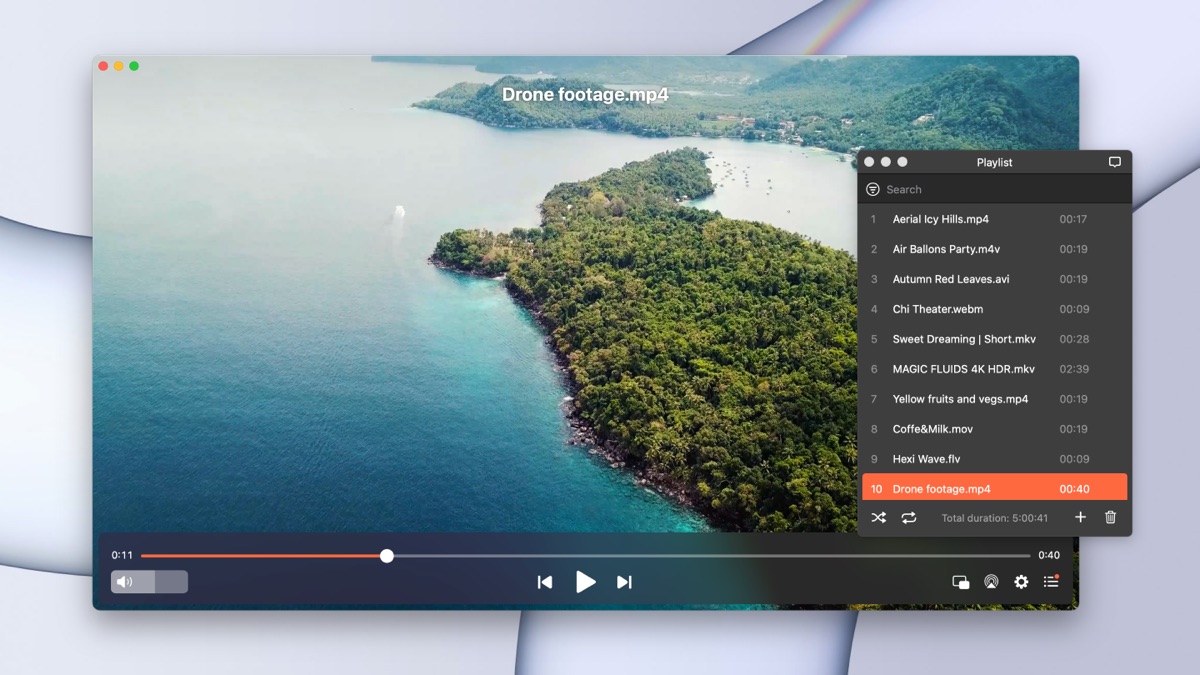
I revisited VLC as well. VLC remains widely used and supports a broad range of codecs. It remains cross-platform, which makes it practical for users who move between macOS, Windows, and Linux. Advanced playback controls, stream selection, network playback, and file conversion tools are built in. But in my experience on macOS, however, it showed inconsistent behavior. I encountered occasional crashes, and in a few cases files failed to start playback without restarting the app.

For those interested in exploring a wider range of players, there are several threads where Mac users share their updated impressions of the best media player.
Final Verdict
IINA is a native macOS media player that integrates cleanly with the system and handles modern video formats without additional setup. For standard MP4 and single-track files, playback is straightforward and stable. Subtitle customization and playback controls are well implemented.
The recurring issue in my testing involved multi-track MKV files playing without sound until manually corrected. This does not affect every file, but it occurs often enough with complex encodings to require attention.
For users whose libraries contain many multi-audio MKVs, verifying audio behavior is important. Alternatives like Elmedia Player demonstrate more consistent automatic audio selection in similar scenarios.
2 Likes
Long term use on macOS, here is what you should expect from IINA.
- Stability over months and years
- On Apple Silicon it stays stable for long sessions. I leave it open all day on Sonoma, switching files, no leaks or creeping CPU.
- Crashes are rare, but heavy scrubbing on some weird HEVC encodes can freeze it. Force quit fixes it.
- Updates are not frequent, but they are not abandoned either. If you want a player with weekly feature churn, this is not it.
- Large libraries and performance
- IINA is not a library manager. It is a front end to mpv.
- It handles large folders fine as a player, but it does not index, fetch metadata, or act like Plex or Infuse.
- For “I have 5 TB of MKVs, I double click in Finder and watch”, it performs well. Quick launch, quick seek, minimal UI lag.
- If you want playlists and collection views, you will hit limits faster than @mikeappsreviewer suggested. For episodic stuff I often feel slower than with something that has a proper library view.
- Subtitle handling over time
- Embedded subs in MKV and MP4 stay problem free. SSA, ASS, SRT all load.
- External subs with the same name as the video get picked up consistently. I throw mixed .srt and .ass into a folder and IINA grabs them.
- Styling options are enough for regular use. Font, size, outline, position, encoding. You set it once and you forget it.
- For rare encodings like old fansubs with Shift JIS, IINA sometimes guesses wrong. Once you correct encoding, it remembers the global default, which helps over time.
- It does not have advanced subtitle search from web services inside the app. If you rely on auto downloading, look at Elmedia Player or VLC.
- Multi audio and the no sound issue
- I do not hit the silent playback bug as often as @mikeappsreviewer, but it exists.
- Pattern for me. Files with many audio tracks, funky flags like commentary, lossless track, stereo track. Sometimes IINA picks a track that the system audio stack does not like.
- A practical workaround. In Preferences, set “Preferred audio language” to your main language. Then in “Advanced” set a default track selection rule like “aid=1,2” depending on how your rips look. This reduces the bug for many people.
- If your library is 80 percent simple encodes, you will barely see the issue. If you rip Blu rays with 6+ tracks, you will see it often enough to get annoyed.
- For those heavy MKVs, Elmedia Player handles track selection more consistently in my experience. It tends to pick a working track on first try, so I use Elmedia Player for “sit back and do not think” viewing.
- Support for new formats and codecs
- Since IINA rides on mpv and ffmpeg, codec support ages well.
- Newer HEVC profiles, VP9, AV1, all depend on the underlying ffmpeg build. If you use recent IINA builds, support is decent.
- Hardware decode on Apple Silicon works for most H.264 and HEVC sources. AV1 is still a mixed story across macOS in general, not unique to IINA.
- For future formats, mpv based players age better than self rolled engines. VLC and IINA both benefit from that, so you are not locked into some obsolete codec pack.
- Long term UX experience
- Media keys, picture in picture, trackpad gestures, all survive system updates pretty well. I had to re enable accessibility permissions once after a macOS upgrade, nothing more.
- The UI is minimal and does not change every release. If you like it now, you will not wake up to a complete redesign next year.
- It has enough knobs for power users without pushing you into config files. If you want hardcore mpv scripting and profiles, you might feel limited by IINA’s GUI and end up editing mpv directly.
- When IINA is a solid main player
Use IINA as your main player if:
- You open files from Finder or a simple “Open File” dialog, not from a giant library UI.
- Your files are mostly single audio MP4, simple MKV, home videos, downloaded shows with 1 or 2 tracks.
- You care about native macOS feel more than in app library tools or streaming extras.
- When you should pair it with something else
- If you have a lot of Blu ray style rips with many audio tracks and commentaries.
- If you want built in subtitle search, playlists, and more “media center” features.
For that mix, IINA plus Elmedia Player is a solid combo. IINA for everyday quick playback. Elmedia Player for complex MKVs and for anyone who wants better playlist and subtitle workflow.
So, long term, you get a stable, lean mpv front end that plays nice with macOS. You trade away rich library features and occasionally smooth multi audio handling. If you accept that trade, it holds up well over years.
Long term, IINA is kind of like a really nice shell around mpv: great when your habits fit it, mildly irritating when they don’t.
I’ll hit your points one by one without rehashing what @mikeappsreviewer and @yozora already covered.
1. Stability over time
On modern macOS (Monterey/Sonoma, Intel + Apple Silicon):
- Uptime is solid. You can leave it open for days, jump between files, sleep/wake, external monitor on/off, and it generally just keeps working.
- Crashes are rare, but they do still happen if you abuse scrubbing on sketchy HEVC encodes or weird fansub rips. I see more hard freezes than clean “IINA quit unexpectedly” crashes.
- Update cadence is slow but not dead. If you want a player that constantly ships flashy new toys, IINA will feel kind of sleepy. If you prefer stability, that same thing is a plus.
Where I disagree a bit with the others: I actually find IINA more stable than VLC in long sessions. VLC tends to randomly misbehave after many file changes; IINA mostly behaves until you hit a specific bad file.
2. Large video libraries
If by “large library” you mean “tons of files in folders I manage myself”:
- Performance with big folders is fine because IINA is not trying to index anything. It just opens what you point it at.
- It scales well with size simply because it does so little management. 50 files or 5,000 in a folder makes almost no difference aside from Finder being slower.
- Playlist handling is… okay. Functional, not great. If you binge shows, you’ll wish it had a smarter “next episode” flow and persistent series playlists.
If you want:
- Posters, metadata, season grouping, “on deck,” watchlists, etc, IINA is the wrong tool. It will never magically turn into Plex or Infuse.
This is where Elmedia Player pulls ahead as an actual “sit down and go through a season” app. Its playlist UI and episode handling feel more library-friendly than IINA’s minimalist approach.
3. Subtitle handling
This is one of IINA’s steady strengths over time:
- Embedded subs (SRT, ASS/SSA) just work, year after year.
- External SRT/ASS with matching filenames are picked up very reliably. You can dump a mix of tracks in the same folder and it’s almost always fine.
- Styling is “enough and done”: font, size, border, color, position. You set it once and mostly forget it.
Real world annoyances:
- Weird legacy encodings can still bite you. Old fansubs in Shift JIS or Windows‑1250 sometimes show mojibake until you manually change encoding. Once you set the default correctly it tends to be fine across the rest of your similar files.
- There is no built in subtitle search or auto download. If you rely heavily on OpenSubtitles style workflow, you’ll be doing that outside IINA.
Elmedia Player and VLC both have an edge here, since they integrate online subtitle fetching more cleanly.
Where I slightly disagree with the others: IINA’s subtitle pipeline is actually more predictable than VLC for ASS styling. VLC still occasionally mangles complex karaoke effects or outline behavior, while mpv-based IINA usually respects them better.
4. Multi audio & the “no sound” annoyance
The no audio issue on complex MKVs is real. For some libraries it’s a corner case; for others it’s a daily nuisance.
Patterns I’ve seen:
- Multi‑audio MKVs with commentary, multiple languages, plus stereo + 5.1 tracks.
- “Default” or “forced” flags set weirdly in the container.
- Occasionally odd behavior when macOS audio output device changes mid session.
What helps, long term:
- Set “Preferred audio language” and “Preferred subtitle language” in prefs so mpv has a clear rule to follow.
- Define a track selection rule in the advanced config (something like “aid=eng,1,2”) if your rips are consistent.
- Avoid overly exotic audio formats if you can. Some DTS/TrueHD combos still behave oddly with Apple’s audio stack.
But: if your collection is 70%+ Blu‑ray style encodes with a bunch of audio tracks, you will run into this sort of thing occasionally, no matter how you configure it. This is exactly where Elmedia Player tends to feel more “press play and forget it.” It usually auto picks a sane, working track without the silent-start drama.
5. Support for new formats / future proofing
Since IINA rides on mpv + ffmpeg:
- Codec support ages well by design. H.264, HEVC, VP9, most AV1 content work as soon as the bundled ffmpeg build supports them.
- Hardware decoding on Apple Silicon is solid for H.264 and HEVC. For AV1, you’re limited more by macOS and hardware than by IINA specifically.
- New color spaces, HDR, and weird edge cases usually reach mpv and ffmpeg first, then IINA benefits when they bump the backend.
Compared to VLC:
- VLC sometimes lags in how nicely it exposes hardware decoding options on macOS.
- IINA’s simple “enable hardware decoding” switch is actually easier to live with over years than VLC’s wall of half-broken decoding options.
6. What to actually expect if you make it your main player
Pros over the long haul:
- Feels native on macOS, including Dark Mode, PiP, media keys, trackpad gestures.
- Very low friction for “double click in Finder, watch, close, move on.”
- Handles almost any format you’ll realistically throw at it, as long as you’re not expecting a full media center.
Tradeoffs that usually push people to combine it with something else:
- No library management, no metadata browsing, no fancy TV show UI.
- No built in subtitle download.
- Audio track selection on complex MKVs can be flaky enough to be annoying in some libraries.
If your usage is:
- 1–2 audio tracks per file
- A mix of MP4 and “normal” MKVs
- You open stuff from Finder or simple playlists
then IINA is a really clean, low maintenance primary player.
If your usage is:
- Lots of multi‑audio, multi‑sub, Blu‑ray rips
- You want “couch mode” discovery, online subs, playlists, and less fiddling
then I’d honestly run a combo:
IINA for quick, everyday playback and Elmedia Player as your main “serious watching” app. They’re both lightweight enough that having two players is not a big deal, and each covers the other’s weak spots.
Long‑term, IINA is best treated as a very smart “file opener,” not a full media hub.
Where I see it aging well compared to what @yozora, @waldgeist and @mikeappsreviewer described:
- If you mostly watch a handful of “active” shows and movies at a time, the lack of library features hardly matters. You live in Finder, not in the player UI.
- The mpv backend means formats and codecs keep working over OS upgrades with minimal drama.
- Subtitle handling is basically set‑and‑forget once you fix encoding defaults. I disagree slightly with the idea that exotic subs are a big ongoing problem. For most people it is a one‑time cleanup.
Where the shine wears off after a year or two:
- That occasional silent‑playback behavior on multi‑audio files stops feeling like a quirk and starts feeling like a trust issue. You press play and mentally prepare to check the audio menu.
- Playlists feel increasingly clumsy once your watching pattern is “3–4 episodes every night” instead of “one movie here and there.”
- Development pace is slow enough that long‑standing annoyances stay around. If something bothers you today, assume it might still be there in a year.
On the “what to pair it with” topic, Elmedia Player is a good counterweight:
Elmedia Player pros
- More forgiving with messy multi‑audio, multi‑sub MKVs. It usually picks a sane track automatically.
- Significantly better playlist workflow for shows and batches of files.
- Built in subtitle search is handy if you download subs often instead of ripping them yourself.
- UI is still Mac‑like but more “media‑app” than “bare player,” which helps if you binge a lot.
Elmedia Player cons
- Free tier is limited. To really replace IINA as a main player you end up in the paid version.
- Heavier feel than IINA. Not bloated, but less minimal, and some people actually prefer IINA’s stripped‑down approach.
- Less appealing if your library is mostly simple MP4s where IINA already behaves flawlessly.
So, if you want a single main player for years and your library is:
- Mostly simple encodes, few audio tracks, no need for library views → IINA alone is fine.
- Lots of structured seasons, complex rips, and you value “hit play, it just works, with playlists and subs” → run IINA plus Elmedia Player and let each do what it is good at.