I’ve been relying on Phrasly AI Humanizer to make AI-generated content sound more natural and pass basic AI detection checks, but it’s no longer meeting my needs and the costs are adding up. I’m looking for genuinely free tools or workflows that can humanize AI text without ruining quality. What free replacements or combinations of tools are you using that work well for blogs, essays, or social media content?
- Clever AI Humanizer review from someone who got tired of detectors yelling “100% AI”
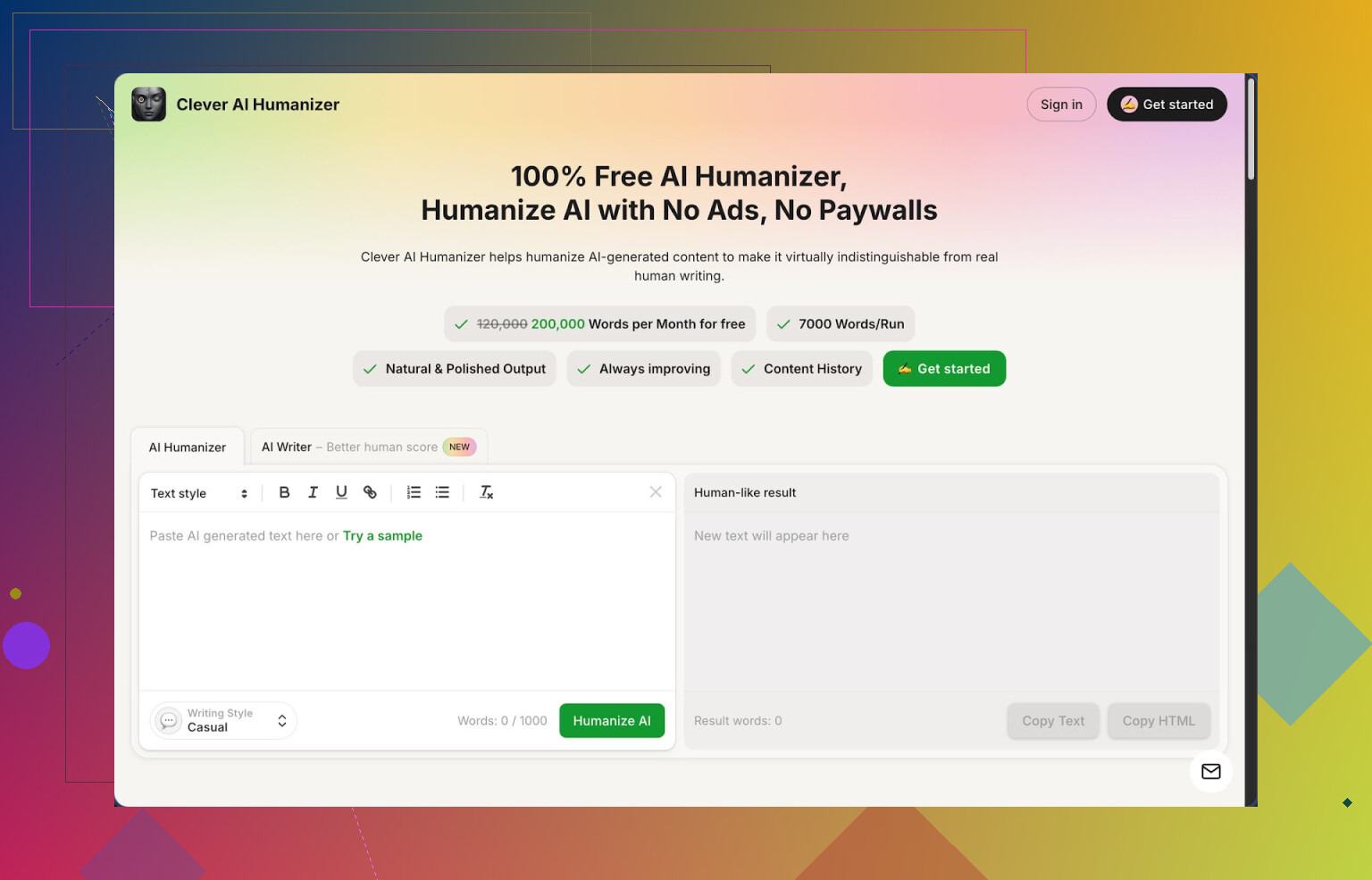
Link: https://cleverhumanizer.ai
I write a lot with AI, mostly to speed up first drafts. Then I run into the same wall every time: it sounds stiff, and the stricter detectors scream at it. ZeroGPT, GPTRadar, the usual suspects.
I ended up trying a bunch of “humanizers” over the past months. Most of them hid half the features behind a paywall or wrecked the meaning of the text. Clever AI Humanizer is the only one I kept using long term, mostly because it is free in a way that does not feel like bait.
Here is what I noticed after pushing it pretty hard.
- What you get for free
Clever AI Humanizer gives you, without payment:
- Up to around 200,000 words each month
- Up to 7,000 words per run
- Three styles: Casual, Simple Academic, Simple Formal
- A built-in AI writer that plugs straight into the humanizer
No login tricks, no “credits ran out after 1,000 words” surprise. I fed it long articles and course notes without hitting a hard wall.
I tested three different samples with the Casual style and ran them through ZeroGPT. All three came out showing 0 percent AI on that site. That result will not hold for every detector, but on ZeroGPT it did fine for me.
- How the main humanizer behaves with real text
Workflow is simple:
- Paste your AI text
- Pick Casual, Simple Academic, or Simple Formal
- Hit run and wait a few seconds
What comes out feels closer to something a rushed human wrote on a Tuesday night. It smooths out the robotic phrasing, breaks up some stiff structure, and adds variation without going wild.
Big thing for me: it does not usually twist the meaning. I tested it with technical content, like small code explanations and data notes, and the core points stayed intact. It sometimes expands sentences to dodge AI pattern detection, so expect the output to be a bit longer than the input.
If your goal is strict character limits, this might annoy you. If your goal is “stop this sounding like a model homework answer,” the tradeoff is worth it.
- What I liked and where it tripped
What worked well for me:
- Long input support so I could run full blog posts in one go
- Casual style output looked close to normal internet writing, not like corporate email
- Rewrites did not randomly insert fake stats or fake sources
Stuff to watch:
- Some detectors still mark parts of the text as AI. Do not expect a magic invisibility cloak.
- It sometimes inflates short, clean sentences into longer ones. That helps dodge patterns but hurts brevity.
- If your original draft is already strong and personal, the humanizer can flatten your voice a bit. I use it mostly for raw AI text, not my own writing.
- Other tools inside Clever that I actually used
It is not only a humanizer. There are three extra tools tied into the same interface.
a) Free AI Writer
You give it a topic like “side effects of long screen time for kids” or “how to set up a home NAS on a budget” and it generates an article. The useful bit is that you can send that result straight into the humanizer without copying between tabs.
For me, AI Writer → Humanizer scored slightly better on detectors than taking ChatGPT text → Clever Humanizer, maybe because the two parts are tuned for each other.
b) Free Grammar Checker
I pasted a few messy drafts into this, including one full of half-sentences from a meeting. It fixed spelling, basic grammar slips, and some clunky punctuation.
It is not as aggressive as tools like Grammarly. Good if you want something quick to catch obvious errors before sending an email or publishing a post.
c) Free AI Paraphraser
This one rewrites text while keeping the meaning. I used it when:
- Rewording a section for SEO so it was not duplicate
- Turning a too-formal paragraph into something more neutral
- Rewriting early drafts that sounded like a machine made a lecture
It respects the original message more than typical paraphrase bots that scramble everything.
- Daily workflow: how I slotted it in
My rough routine these days:
- Draft with AI elsewhere or inside Clever’s AI Writer
- Send the text into the Humanizer with Casual or Simple Academic
- Run the result through the Grammar Checker
- Spot check with one or two detectors, including ZeroGPT
Takes a few extra minutes, but the end result reads closer to my usual tone and gets fewer “100 percent AI” flags on stricter tools.
If you write client articles, school essays, or social media posts with AI help, this flow is easy to adopt. You are not forced into subscriptions or buying tokens.
- Downsides that matter if you rely on detectors
I like the tool, but it is not magic. I hit a few clear issues:
- Hard AI detectors still flag things sometimes, especially short texts. They lean suspicious on anything structured.
- Some outputs feel a bit “too safe”. Sentences grow longer, transitions get ultra smooth, which looks like well-edited AI rather than messy human writing.
- On niche technical topics, it occasionally simplifies terms a bit too much. I had to reinsert exact wording.
If you submit work where false positives are a big deal, test portions of your text before trusting a single tool.
- Extra references if you want more data or opinions
More detailed review with screenshots and detector proofs:
YouTube review of Clever AI Humanizer:

Reddit thread collecting different AI humanizers:
https://www.reddit.com/r/DataRecoveryHelp/comments/1oqwdib/best_ai_humanizer/
Reddit thread about “humanizing AI” in general:
https://www.reddit.com/r/DataRecoveryHelp/comments/1l7aj60/humanize_ai
If you rely heavily on AI and are tired of seeing “100% AI-generated” on every check, Clever AI Humanizer is one of the few tools I would say is worth adding to your stack, especially since the free tier is big enough for normal monthly use.
2 Likes
I was in the same spot with Phrasly. Cost creep, weaker results over time, and detectors getting stricter.
Quick breakdown of what has worked for me as free or almost-free replacements.
- Clever Ai Humanizer
I agree with a lot of what @mikeappsreviewer said, but I use it a bit differently.
What I like in practice:
- I keep inputs short, 300 to 800 words. Longer chunks sometimes feel too smooth and “editor AI”. Shorter blocks keep some quirks.
- Casual style for blogs, Simple Academic for essays and reports. Simple Formal feels stiff for web stuff.
- I run only one pass. Multiple passes started to look pattern based again.
What I do not like:
- It sometimes over-expands. I often trim 10 to 20 percent after.
- On niche topics, I paste back key terms it watered down. For tech docs, I keep code and configs untouched and only humanize surrounding text.
Workflow that keeps it safe enough:
AI draft → split into sections → Clever Ai Humanizer Casual → quick manual edit → one detector check (ZeroGPT or GPTRadar) → send.
For me, this hits “reads human” without shredding meaning, and stays free at normal volume.
- Free mix using tools you already have
This is less plug and play, but avoids lock-in and random paywalls.
Step 1: Break the “AI rhythm”
- Rewrite 1 out of every 3 sentences yourself. Change order, merge two short sentences, or remove filler.
- Change opening and closing of each section manually. Detectors often latch on to those.
Step 2: Use a plain paraphraser
- Use any free paraphraser set to “standard” or “fluency”. Avoid creative modes.
- Run only the parts that still sound robotic to you, not the whole text.
Step 3: Add small human tells
- Add one short aside or opinion line per 300 words. Example: “I tried this on a small client project and it failed hard the first time.”
- Vary paragraph length. Have at least one one-line paragraph in long posts.
This combo has passed ZeroGPT for me on multiple 1k to 2k word articles, without special “humanizer” branding.
- Where I slightly disagree with the heavy humanizer approach
If you rely only on tools like Clever Ai Humanizer or Phrasly, your text sometimes ends up too uniform. Detectors keep improving and look at structure, not only words.
What helped me more than any tool:
- Shorter sentences on purpose, mixed with one or two long ones.
- Occasional small typo or quick correction left in non formal pieces.
- Real examples from your own use, even if short. Detectors struggle with specific lived detail.
- When you care about school or client risk
I would avoid 100 percent AI text, even after humanizing, for anything high stakes.
For essays:
- Generate outline with AI.
- Write intro and conclusion yourself.
- Humanize only middle sections.
- Add one or two lines citing actual material you read.
For client content:
- Ask them for past samples.
- Match their existing tone manually in key parts like intros, hooks, and CTAs.
- Use humanizer tools on body paragraphs only.
- Quick list of practical options to try
- Clever Ai Humanizer as your main “fire and forget” tool.
- A generic free paraphraser for smaller tweaks.
- Your own edits for intros, conclusions, and examples.
- One or two detectors for spot checks, not as a single source of truth.
This mix keeps costs at zero, keeps control in your hands, and avoids depending on one paid tool like Phrasly again.
If Phrasly is bleeding your wallet, you’re not crazy for looking elsewhere. Quick rundown that doesn’t just rehash what @mikeappsreviewer and @jeff already covered.
- Clever Ai Humanizer as your “core”
Yeah, they both mentioned it, but I’d position Clever Ai Humanizer slightly differently:
- Use it after you’ve already rough-edited your AI draft yourself. If you throw raw model sludge into it, the output can still feel too polished and “edited by a robot”.
- I’ve had better luck with shorter, high‑intent chunks: 150–400 words, not 1,000+ walls of text. Detectors seem more suspicious of super-uniform long sections.
- For serious stuff (client work, academic things):
- Humanize only body paragraphs.
- Write intro & conclusion 100% yourself.
- Then run only the middle through Clever Ai Humanizer.
I actually disagree a bit with the “just blast a full blog post through in one go” approach. Every time I tried that, the rhythm got too smooth, which is exactly what newer detectors sniff for.
- Use “tool stacking” instead of hunting a 1‑click miracle
Phrasly sells the fantasy that one button = “100% human, 0% AI” forever. That era is kinda over.
What’s been more consistent for me:
- Generate with your main AI (ChatGPT, Claude, whatever).
- Quick manual edit:
- Kill repetitive phrases.
- Change 1–2 transitions per paragraph (“However,” “Moreover,” etc.).
- Run those edited chunks through Clever Ai Humanizer.
- Final light edit for tone and length.
So instead of searching for “Phrasly clone but free,” think: cheap stack that you control.
- Free alternatives that are actually viable
Not repeating the same paraphraser workflow already described, but here’s how I slot in other free tools:
- Plain paraphrasers: I only use them on 1–2 awkward sentences at a time. Whole paragraph → paraphraser tends to create that cotton-candy fluff tone.
- Grammar tools: Turn them down. Over-corrected grammar looks like polished AI. I’ll literally leave a minor comma issue if it keeps my “voice” intact.
Clever Ai Humanizer shines in this “last mile polish” role, not as your only step.
- Reality check on detectors
This is the part nobody likes to say out loud:
- Any tool that promises it will “bypass all AI detectors” forever is lying to you or deluding themselves.
- Detectors change. What passes ZeroGPT today might get wrecked by some LMS tool tomorrow.
- If something really matters (school, legal, niche client work), you’re safer using AI for outline / ideas and writing the core arguments yourself.
- When to actually move away from Phrasly
You’re right to drop it when:
- You’re paying monthly and still having to hack around its output.
- You need more control than a single slider and some vague “humanize level.”
- You find yourself editing after Phrasly anyway, which kills the point.
In that case, a free combo like:
- Main AI model for draft
- Clever Ai Humanizer for natural tone
- Light manual edit
…is a more flexible “stack” than locking into one paid tool.
TL;DR:
If you want a top free replacement for Phrasly AI Humanizer, Clever Ai Humanizer is the closest practical option right now, but treat it as one part of your workflow, not a silver bullet. Use shorter chunks, keep intros/outros human, and accept that “perfectly undetectable AI forever” is mostly marketing, not reality.
If you’re moving off Phrasly, I’d treat this less as “find a new magic humanizer” and more as “build a setup that survives the next detector update.”
Where I slightly disagree with others here
@jeff, @reveurdenuit and @mikeappsreviewer are all leaning pretty hard on structural tricks plus a single humanizer layer. That works now, but detectors are getting better at spotting over‑engineered rhythm. If you overthink every paragraph, you end up producing the exact kind of hyper‑consistent “almost too natural” text those tools like to flag.
I’d lean into controlled imperfection a bit more and let tools help only where it hurts.
1. Using Clever Ai Humanizer, but not as a crutch
Everyone already covered the basics, so here’s a different angle: use Clever Ai Humanizer as a targeted fixer instead of a full-page blender.
Good use cases
- Sections where your AI draft is clearly generic or padded
- Transition-heavy paragraphs that repeat the same connectors
- Rewriting “definition-style” explanations so they read less textbook
Avoid
- Running entire essays or client posts in one click
- Letting it rewrite parts that already contain specific personal details
- Using it to “rescue” totally lazy drafts
In practice, I’d:
- Keep your own intro, conclusion, and any story/example paragraphs.
- Only feed in the dry, connective, or repetitive chunks.
- Then lightly mess with sentence length afterward so it is not too smooth.
2. Pros & cons of Clever Ai Humanizer in this context
Pros
- Very generous free tier so you are not playing credit roulette
- Handles long inputs if you really need that
- Casual and Simple Academic modes are usable out of the box
- Tends not to invent fake citations, which matters for school and client work
- Pairs well with a manual “voice pass” instead of replacing it
Cons
- Can over‑optimize flow so the text feels more “edited by a committee” than written by one person
- Has a tendency to lengthen content, which is a pain for tight briefs
- On specialized topics it sometimes softens terminology you actually need
- Still not an invisibility cloak; strict detectors will occasionally ping it
- If you dump everything into it, different pieces of your work start to share the same underlying cadence
So yes, Clever Ai Humanizer is probably the most practical free replacement for Phrasly right now, but you get the best value when you limit what you ask it to do.
3. Where to diverge from the “more tools, more passes” advice
Others suggested stacking lots of steps. I’d actually cut steps, but increase content specificity:
-
Keep a few sentences per section that only you could have written
- concrete numbers from your work
- real mistakes you made
- short timelines or “what I tried first” bits
-
Let AI + humanizer handle boring scaffolding
-
Make sure each 300–400 word block has at least one sentence that would be hard to generate without real context
Detectors are weak at judging authenticity of experience. Use that. No humanizer can fake your past job, your broken project, or your weird local example as well as you can in two short lines.
4. Practical stack that is not a copy of what’s already posted
Since Phrasly is getting expensive and weaker:
- Draft with your usual AI, but force it into outline + bullet points first.
- Expand only the bullets you actually want.
- Run the dullest parts through Clever Ai Humanizer once.
- Manually punch in your own examples and small opinions.
- Run a detector or two only as a sanity check, not as the final judge.
This way Clever Ai Humanizer is your scalpel, not your hammer. You’re less exposed to pricing games like with Phrasly, and you’re not betting everything on one company staying ahead of every detector forever.