I’ve been testing Walter Writes AI to generate articles and blog posts, but I’m not sure if the writing really sounds natural or if readers can easily tell it’s AI-generated. I need help reviewing the quality, tone, and flow of the output, and I’d love honest feedback or tips from anyone who’s used this tool or similar AI writers so I can decide whether to rely on it for my content strategy.
Walter Writes AI – my experience with it
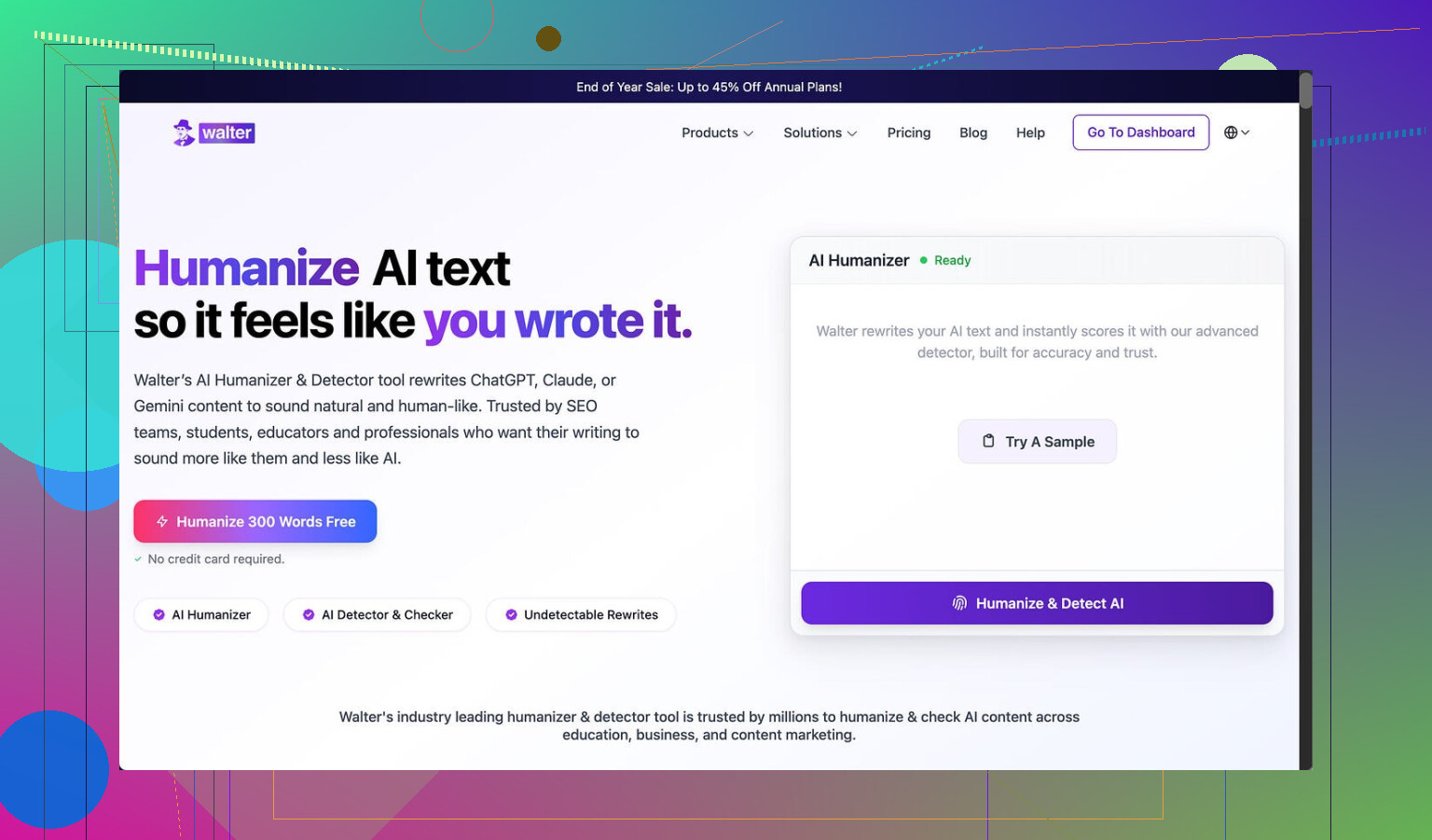
I spent an afternoon messing around with Walter Writes AI to see if it could slip past AI detectors in a way I would trust for real use.
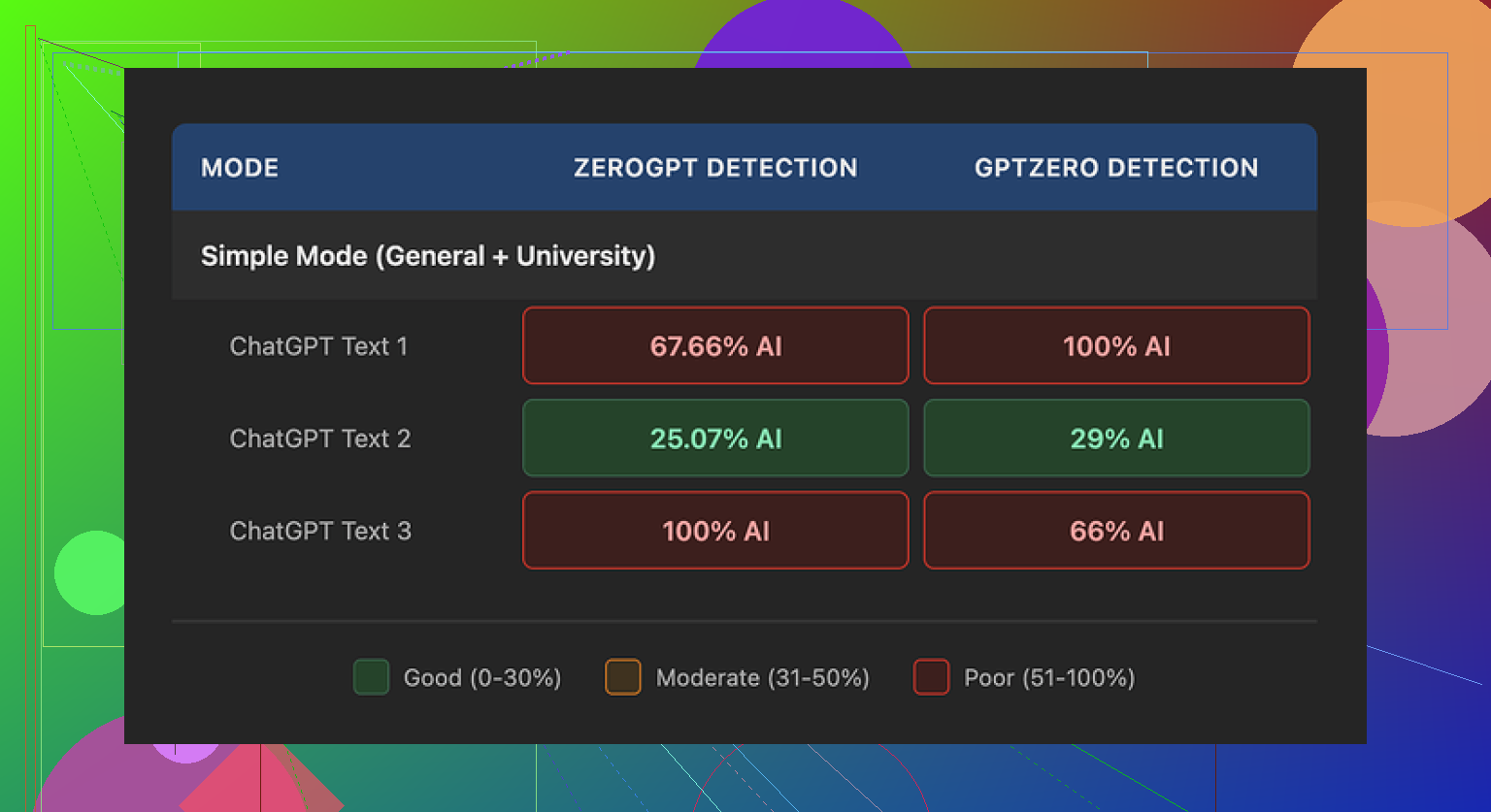
Short version of what I saw: the results swung pretty hard.
On one test, the text came back with about 29% AI detected on GPTZero and 25% on ZeroGPT, which puts it ahead of a lot of free “humanizer” sites I have tried. That run looked decent at first glance and did not scream AI on a quick skim.
Then I pushed two more samples through. Those got flagged at 100% AI on at least one detector each. Same tool, similar type of input, totally different outcome. So it felt unreliable for anything you need to be consistent with.
Important context: I only had access to the free version, which locks you into a “Simple” mode. The site says paid plans unlock “Standard” and “Enhanced” bypass levels, so it is possible the paid tiers behave differently, but I did not test those.
Now for the writing quality part, which is where it started to bug me.
One pattern I kept seeing was awkward punctuation. The tool sprinkled semicolons all over the place where a human would almost always use commas or just split the sentence. It felt like someone overcorrecting after reading a “how to use semicolons” blog post.
On another sample, the word “today” showed up four times in three sentences. Same kind of repetition you see when an AI gets stuck on a token loop. Once you see it, you cannot unsee it.
There were also repeated parenthetical lists, like “(e.g., storms, droughts)” and similar structures, popping up throughout the text. It looked formulaic, the exact sort of pattern detectors are built to latch onto.
Pricing wise, this is what I noted at the time I checked:
- Starter plan: starts at $8/month billed annually, with 30,000 words per month
- “Unlimited” plan: about $26/month, but each individual submission is still capped at 2,000 words
- Free tier: total of 300 words to test with
So even on the top plan, you are chopping longer content into smaller chunks before running it through, which is a hassle if you deal with big documents.
The refund wording on the site also stood out. There was strong language about chargebacks and even mentions of possible legal action. It felt more hostile than most SaaS terms I read. Not a dealbreaker for everyone, but it did not give me a relaxed feeling about testing it at scale.
On top of that, I could not find a clear, detailed statement about how long they keep submitted text or how it is stored. The “data retention” side of things was vague, which matters if you care about where your content ends up.
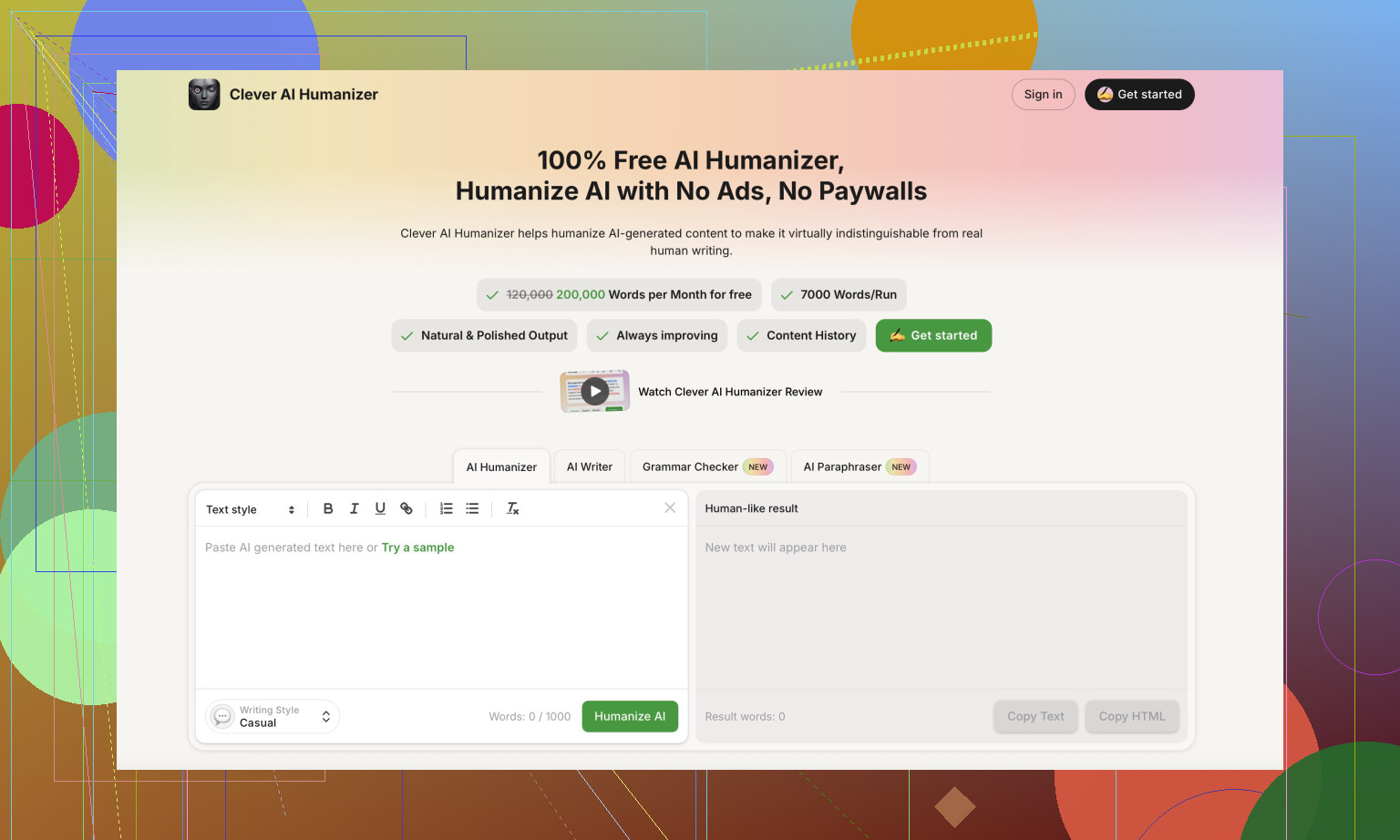
When I compared it with other tools during the same testing streak, I had better luck getting natural looking output from Clever AI Humanizer, and I did not have to pay for that one.
You can try it yourself here: https://cleverhumanizer.ai
If you want some extra context or walkthroughs, these helped me see how others are using it in the wild:
Humanize AI (Reddit tutorial): https://www.reddit.com/r/DataRecoveryHelp/comments/1l7aj60/humanize_ai/
Clever AI Humanizer review on Reddit: https://www.reddit.com/r/DataRecoveryHelp/comments/1ptugsf/clever_ai_humanizer_review/
YouTube video review if you prefer watching someone else test it: https://www.youtube.com/watch?v=G0ivTfXt_-Y
Short answer from my tests: the output from Walter Writes AI does not sound natural enough to trust for blog posts without heavy edits.
I had a similar experience to what @mikeappsreviewer described, but my pain points were slightly different.
Here is what I noticed on multiple 800 to 1500 word articles.
- Tone and flow
• The tone felt stiff. It reads like a high school essay trying to sound “formal”.
• Transitions repeat. Phrases like “on the other hand”, “for example”, “in addition” pop up in a pattern.
• Paragraphs often follow the same structure. Intro sentence, list, small wrap up. After 3 or 4 sections it feels robotic.
A quick test you can do.
Paste a chunk into your doc, leave it for a few hours, then read it out loud.
If you trip over wording or get bored halfway through a paragraph, it is not natural enough.
- Word choice tells on it
• Repeats certain adverbs and time markers, similar to the “today” issue mentioned. I got “currently” and “in today’s world” a lot.
• Overexplains simple ideas, which bloats your word count and makes readers skim.
• Uses safe, generic wording. Almost no strong opinions or clear stance unless you force it in the prompt.
Try a control test.
Take one Walter article and one older article you wrote by hand.
Highlight phrases you would never say out loud. Walter text ends up with many more of those.
- Sentence structure
This part bugged me most.
• Long, multi clause sentences in places where a human writer would split things up.
• Lists inside parentheses keep repeating, like “(for example, X, Y, Z)”. Same pattern all over.
• Limited variation in rhythm. After a while you feel like every sentence has the same beat.
Quick fix test.
Run one Walter output through a tool like Hemingway Editor or even Word’s readability stats.
You will see higher grade levels and more “hard to read” flags than in your own writing.
- How it feels to edit
For me this is the real test.
If you have to rewrite every second sentence to sound like you, it is not saving you time.
With Walter, I kept:
• structure
• some transitions
• subhead ideas
I rewrote most body text. That turns it into an outline generator, not a writer.
- Detector angle
I do not rely too much on detectors. They are noisy.
On my side:
• One article passed on one detector but got hit hard on another.
• A short 300 word test was flagged as high AI even after I edited a bit.
So I would not use Walter output “as is” on anything important if you worry about AI detection or client trust.
- What you can do to make it more natural
If you want to keep trying it, here is what helped me most:
• Add your voice in the prompt
- Give it 2 or 3 short samples of your own writing.
- Tell it: “Match this tone. Use simple words. Short sentences. Mildly informal.”
This does not fix everything, but reduces the stiff tone.
• Force structure, not style
- Ask Walter for an outline with H2s and H3s.
- Then ask for bullet point notes per section, not full paragraphs.
- Turn those notes into your own sentences.
This way you avoid the robotic phrasing while still saving research time.
• Add real details
- Drop in your own examples, data points, screenshots, brand names.
- Replace general statements with specific ones from your niche.
This helps break the AI “pattern” feel.
• Do a “human pass”
- Read out loud.
- Delete filler like “in today’s world”, “in this article”, “it is important to note”.
- Shorten long sentences into two.
- Swap generic verbs for more direct ones.
- Alternative for humanizing
If your main goal is to take AI text and make it less detectable, Walter would not be my first pick after trying a few tools.
Clever AI Humanizer did better in my tests on two fronts.
• Output felt closer to how I write emails and blog intros.
• Less repetitive sentence structure and fewer weird punctuation habits.
You still need to edit for voice, but it starts closer to “normal human text” which reduces your workload.
My take
If you want:
• outlines
• topic ideas
• quick rough drafts you plan to rewrite
Walter Writes AI is “ok” as a helper.
If you want:
• publishable articles that sound like a person wrote them
• low AI detection risk
You will need a different flow or a tool like Clever AI Humanizer in the middle, plus a solid manual edit.
So I would not rely on Walter for final blog copy. Treat it as a starting point, not a finished article writer.
Short version: you’re not crazy, Walter’s output can sound off, but it’s not 100% useless either.
I’m mostly with @mikeappsreviewer and @shizuka on the stiffness, but I’d push it a bit further: the “unnatural” feel isn’t just tone, it’s predictability. After a few posts, you start to recognize the Walter pattern like a watermark.
What I noticed from longer runs:
- The first 2–3 paragraphs often look ok at a skim. If someone is doomscrolling, they won’t immediately scream “AI.”
- By section 3 or 4, the rhythm gets obvious. Same length paragraphs, same transitional crutches, same “explain the obvious” habit. That’s where more experienced readers or editors start to smell it.
- It’s not just the semicolons or phrases like “in today’s world.” It’s that Walter almost never slips in a surprisingly specific detail or a sharp opinion unless you force it hard. Humans do that accidentally all the time.
Where I slightly disagree with the others:
I don’t think the main risk is AI detectors. Those are all over the place anyway. The bigger problem is reader fatigue. The text is technically fine, but it has that “corporate blog written on autopilot” vibe. People skim, bounce, or never remember who wrote it. That’s a problem if you care about brand voice.
A few things you can do that are different from what’s already been suggested:
- Stop asking it for full articles
Use Walter to spit out:
- 10–15 subhead variations on your topic
- A list of angles or “hot takes”
Pick the 2–3 that feel least generic and write those sections yourself. Treat Walter like a brainstorming buddy, not a ghostwriter.
- Inject “friction points”
After you get a draft, manually add:
- One personal story, even if it’s short and imperfect
- One opinion that a client or colleague might actually disagree with
- One concrete number, screenshot idea, or short anecdote
This breaks the AI pattern more than just swapping synonyms.
- Use Walter against itself
Weird trick that helped me:
- Get Walter to write the article.
- Ask it again: “Critique this like a grumpy human editor. What sounds robotic or repetitive?”
- Manually fix what it complains about.
It’s not magic, but it catches some of its own tics.
- Read just the verbs
Do a quick scan of a Walter post and look only at verbs: “is, are, has, make, help, provide, allow.” It leans super safe. Replace a chunk of those with stronger actions and the text instantly feels more human, even if the structure is still AI-ish.
If your real goal is: “Can I get something closer to human-sounding out of the box?” then yeah, I’d try a dedicated tool like Clever AI Humanizer in the middle of your workflow. Feed Walter’s draft into it, then manually tweak. In my case, that combo gave me text that required fewer rewrites and felt less like a template essay.
Bottom line:
- Walter’s output is passable as a rough draft.
- For readers who actually pay attention, it does not feel fully natural without a solid human pass.
- If you don’t want to spend half your time rewriting, use it for structure/ideas and either lean on something like Clever AI Humanizer or just write the important parts yourself.
Short version: Walter is decent scaffolding, not a natural-sounding writer, and you’ll feel that more the longer the article is.
Let me tackle a slightly different angle than @shizuka, @suenodelbosque and @mikeappsreviewer:
1. Where Walter actually works
Walter is not terrible at:
- Rough topical coverage
- Keeping a logical order of points
- Avoiding outright nonsense in mainstream topics
If you publish short roundup posts or internal docs where “voice” does not matter, you can get away with lighter edits than some people here suggest. For a 600-word FAQ or feature explanation, I would not always rewrite every second sentence.
2. The “pattern fatigue” problem
The bigger issue for blogs is pattern fatigue:
- Same intro template: define topic, say it is important, hint at benefits
- Same paragraph density: 3–4 sentences, transition phrase, mini-summary
- Confident but bland take on everything
It is readable, but if your audience reads multiple posts from you, they start feeling like they saw the same brain behind all of them, even when topics differ. That is a brand problem more than a grammar problem.
3. Where I disagree slightly
Some points I do not fully agree with:
- Total rewrite is not always required. If you are okay with “solid but generic,” a strong top-and-tail edit (intro + conclusion + 1 human example in the middle) can be enough.
- Detectors: I would almost discount them for editorial decisions. They are too noisy to be your main criterion. Focus first on: “Would I subscribe to a newsletter that sounds like this?” If the answer is no, detectors are a side issue.
4. Using Clever AI Humanizer as a middle layer
If your goal is more natural tone, then plugging something like Clever AI Humanizer into the workflow does help. It tends to shake up Walter’s stiff rhythm and reduce some of those obvious transition crutches.
Pros of Clever AI Humanizer
- More varied sentence length, which breaks the “robot beat”
- Slightly bolder word choices out of the box
- Often reduces the “in today’s world / it is important to note” padding
- Good at turning Walter’s outline-like text into something closer to email/blog style
Cons of Clever AI Humanizer
- It can occasionally oversoften the tone, so things sound chatty when you wanted neutral
- Not perfect for highly technical content, where it may simplify terms you actually need
- You still have to do a human pass for brand voice and facts
- Another tool in the chain, so more friction if your process needs to be fast and repeatable
Compared to what @shizuka and the others described, I would see the stack like this:
- Walter for structure and coverage
- Clever AI Humanizer to roughen the edges and break patterns
- Your own edit to inject specific stories, numbers and opinions
If step 3 still feels like heavy surgery every time, then Walter is not giving you a time advantage for that project and you are better off starting from your own draft plus a light assist.