I need an AI headshot generator app for my iPhone that can create professional, realistic photos for LinkedIn and work profiles. I’ve tried a few random apps but the results looked fake, low quality, or way off from my real appearance. Can anyone recommend reliable iOS apps you’ve personally used, with good pricing and strong privacy for photo uploads?
Best AI Headshot Generators I Tried So You Don’t Burn Money For Nothing
I hit that point where every second profile pic on LinkedIn looked “AI polished” and my own photo screamed 2019. I did not feel like paying a photographer a few hundred dollars, so I went full nerd and tested a bunch of headshot tools on web, iOS, Android, and even tried to hack it with ChatGPT and Gemini.
Here is what I learned, with real results and where each one fell apart.
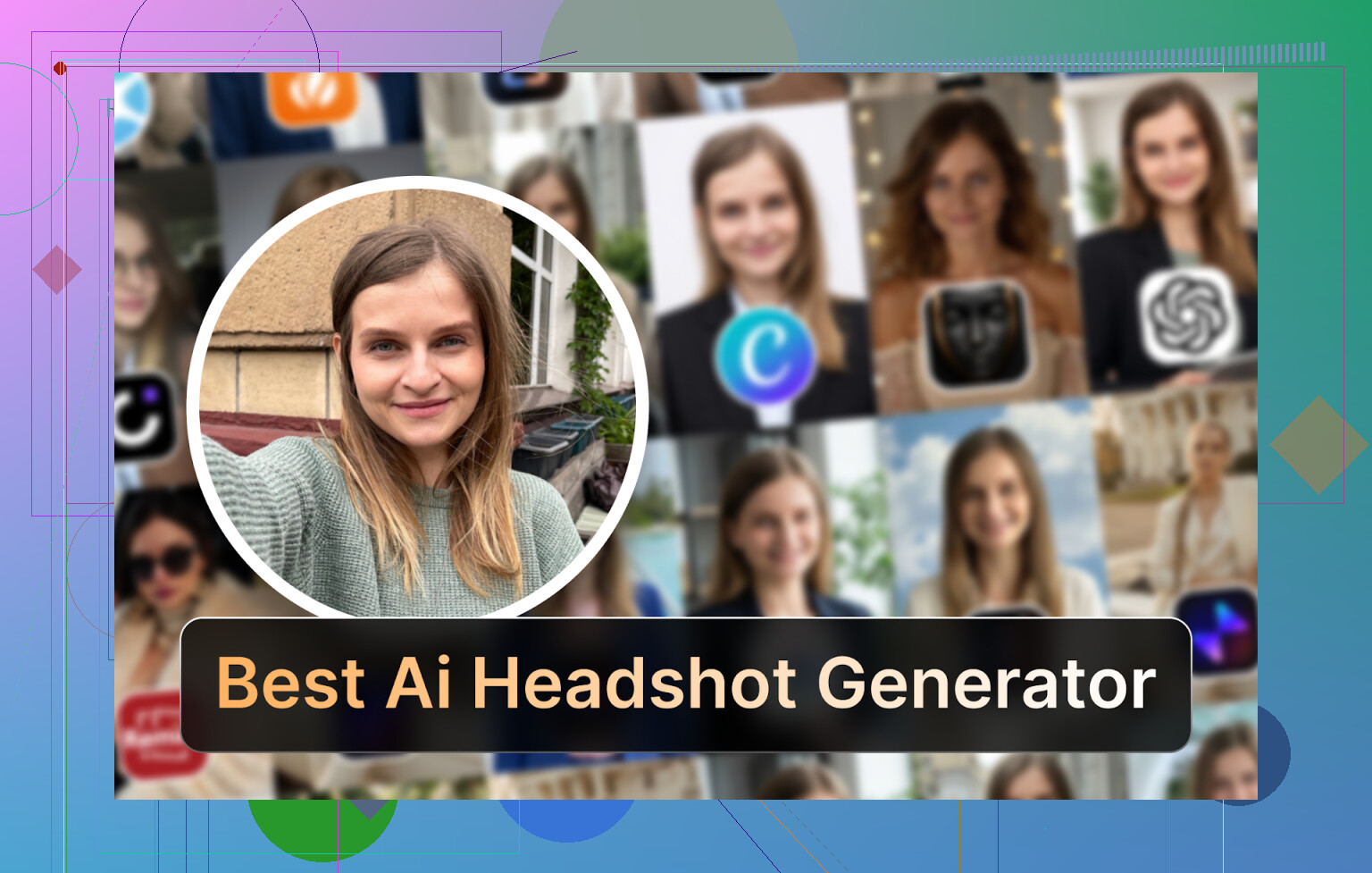
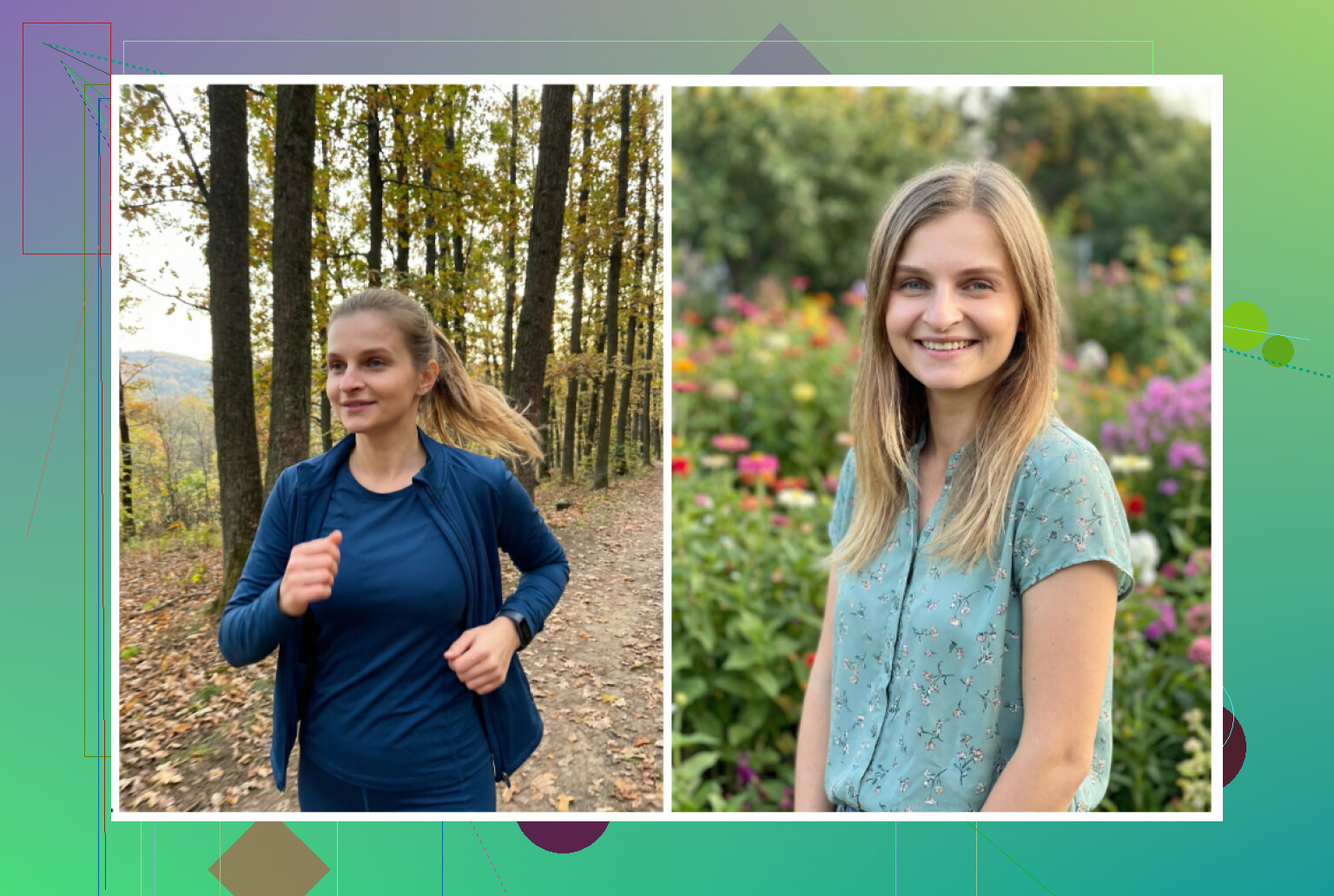
Main image comparison
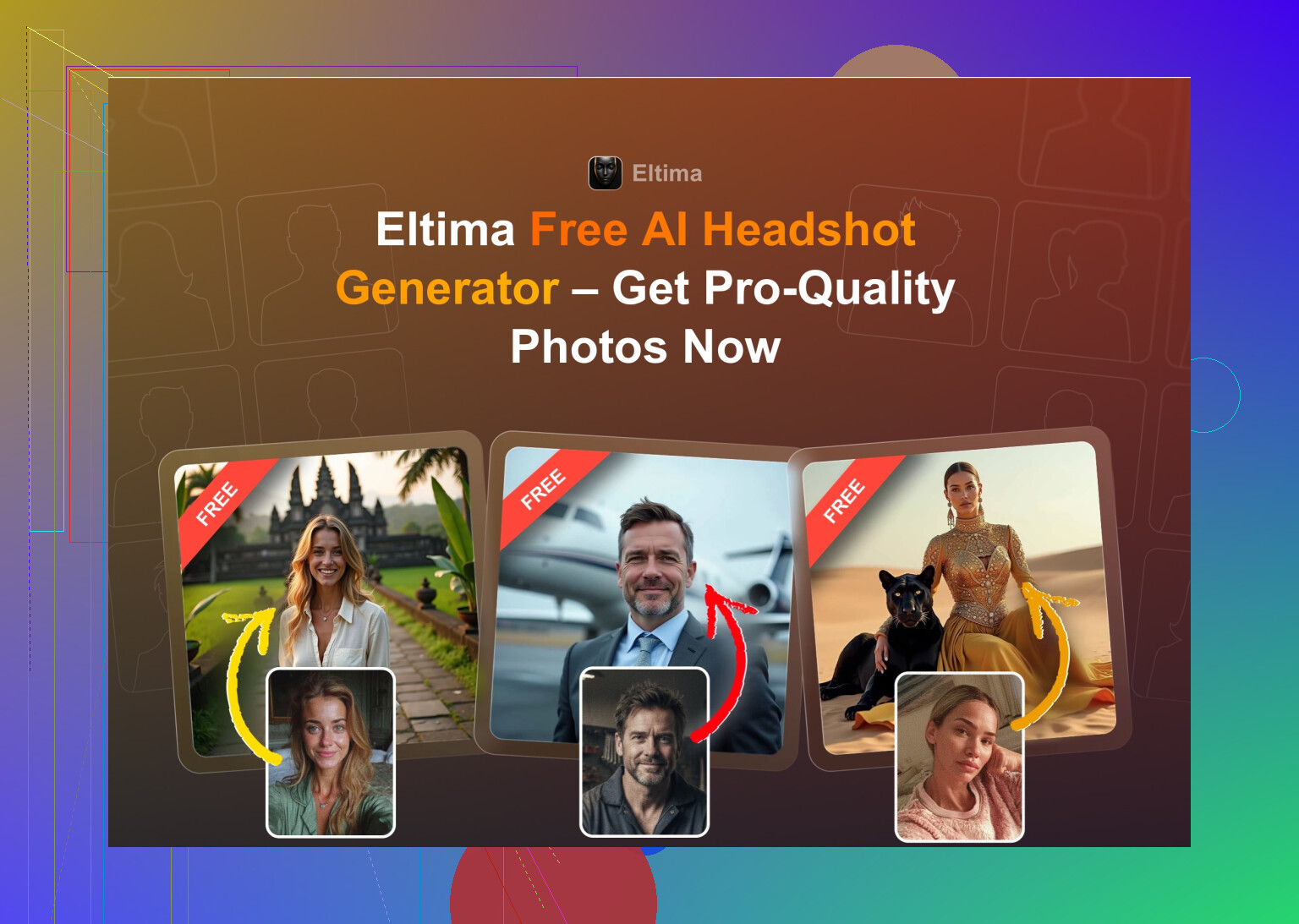
Best iPhone app I ended up keeping: Eltima AI Headshot Generator
Eltima AI Headshot Generator App
App Store:
This one kept coming up on Reddit and Quora when people asked for “realistic AI headshots” with lots of templates. I was suspicious, then I tried it.
Key things I noticed:
- You get one free photo generation per day
- It needs only one starting photo, which is nice if you hate digging up 10 selfies
- It supports group photos up to 3 people
- It can spit out video versions
- It tends to keep your actual face, without Barbie skin
- There are over 800 templates, which is way more than most
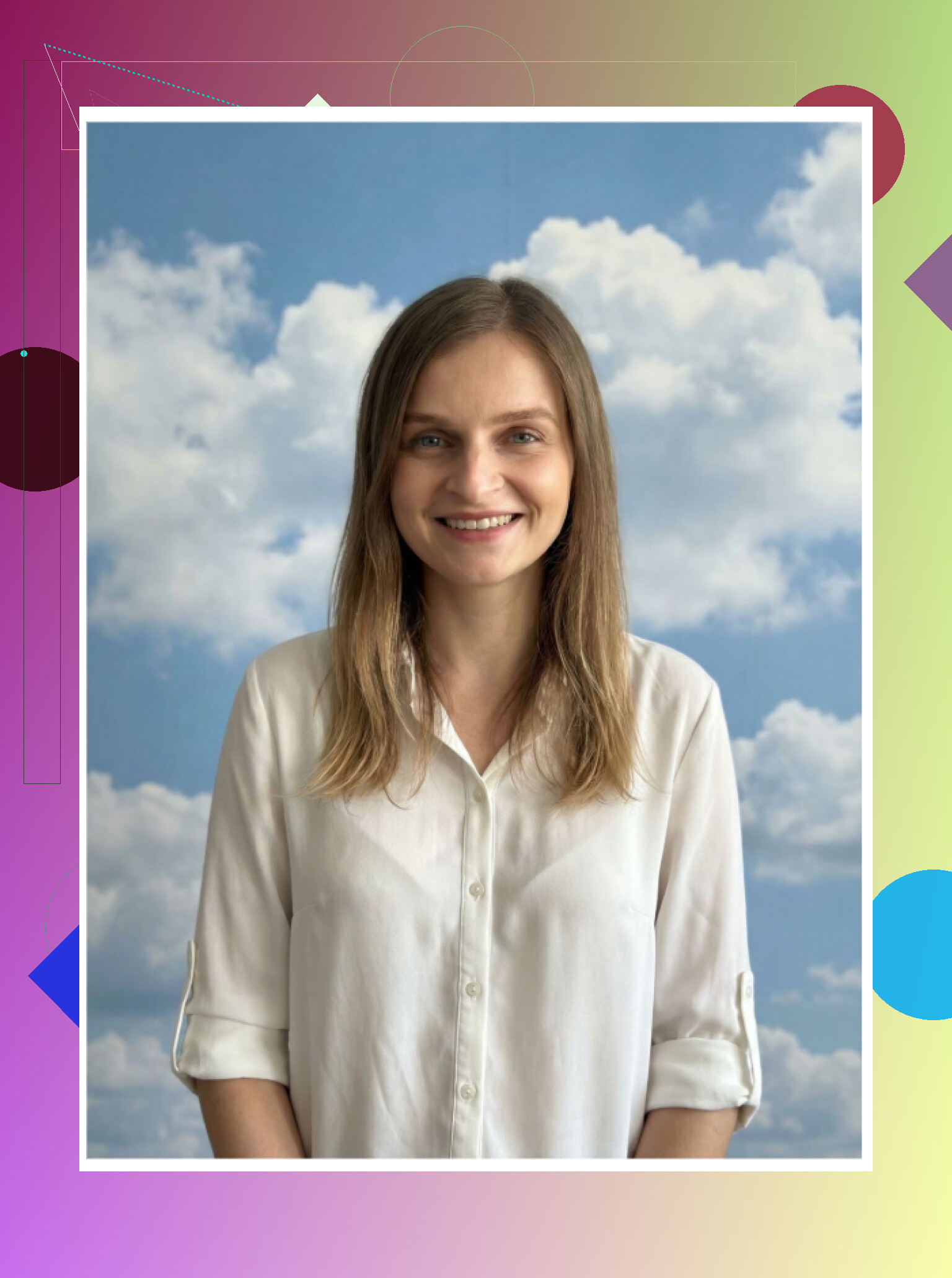
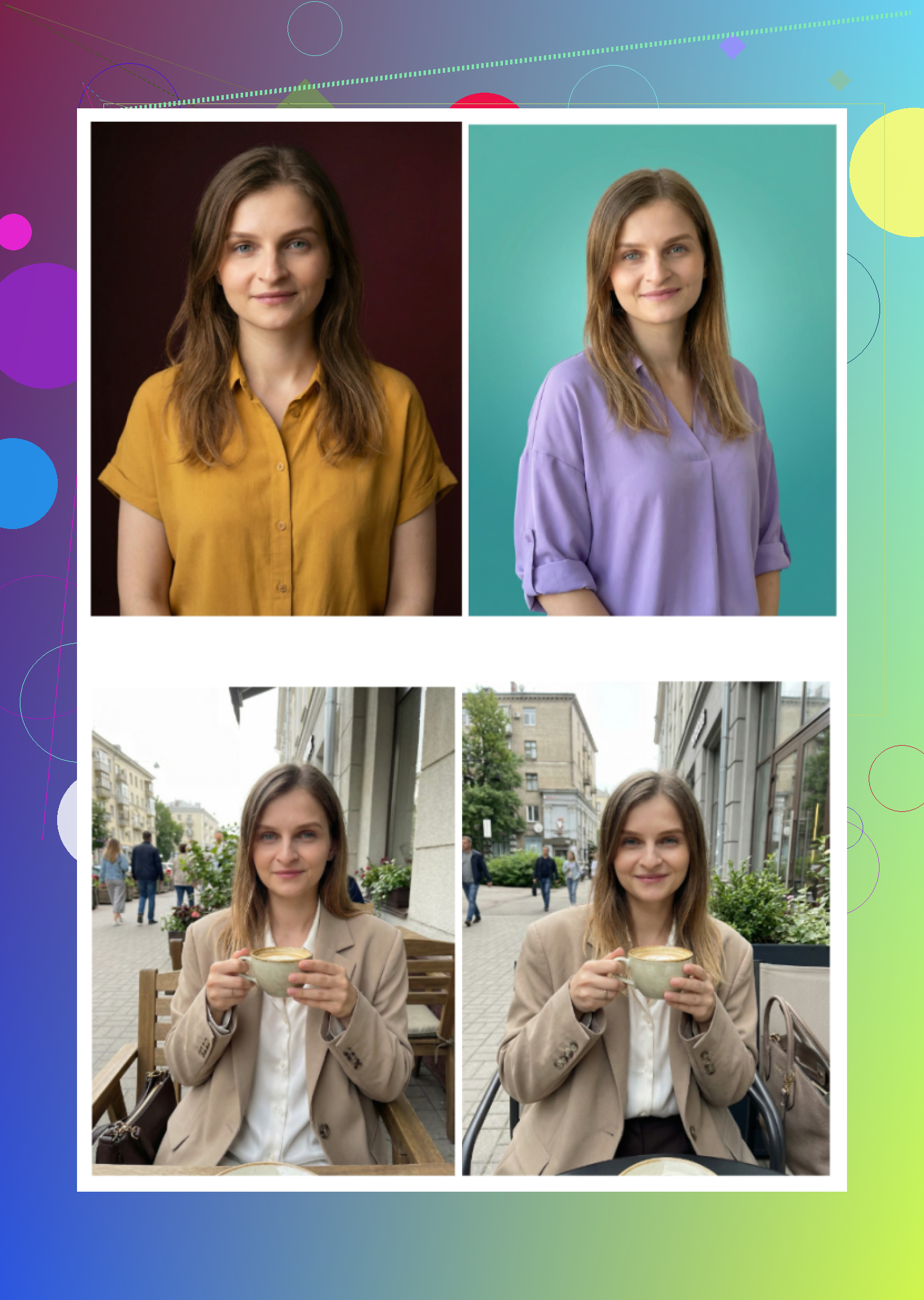
Quick look at my own test sheet:
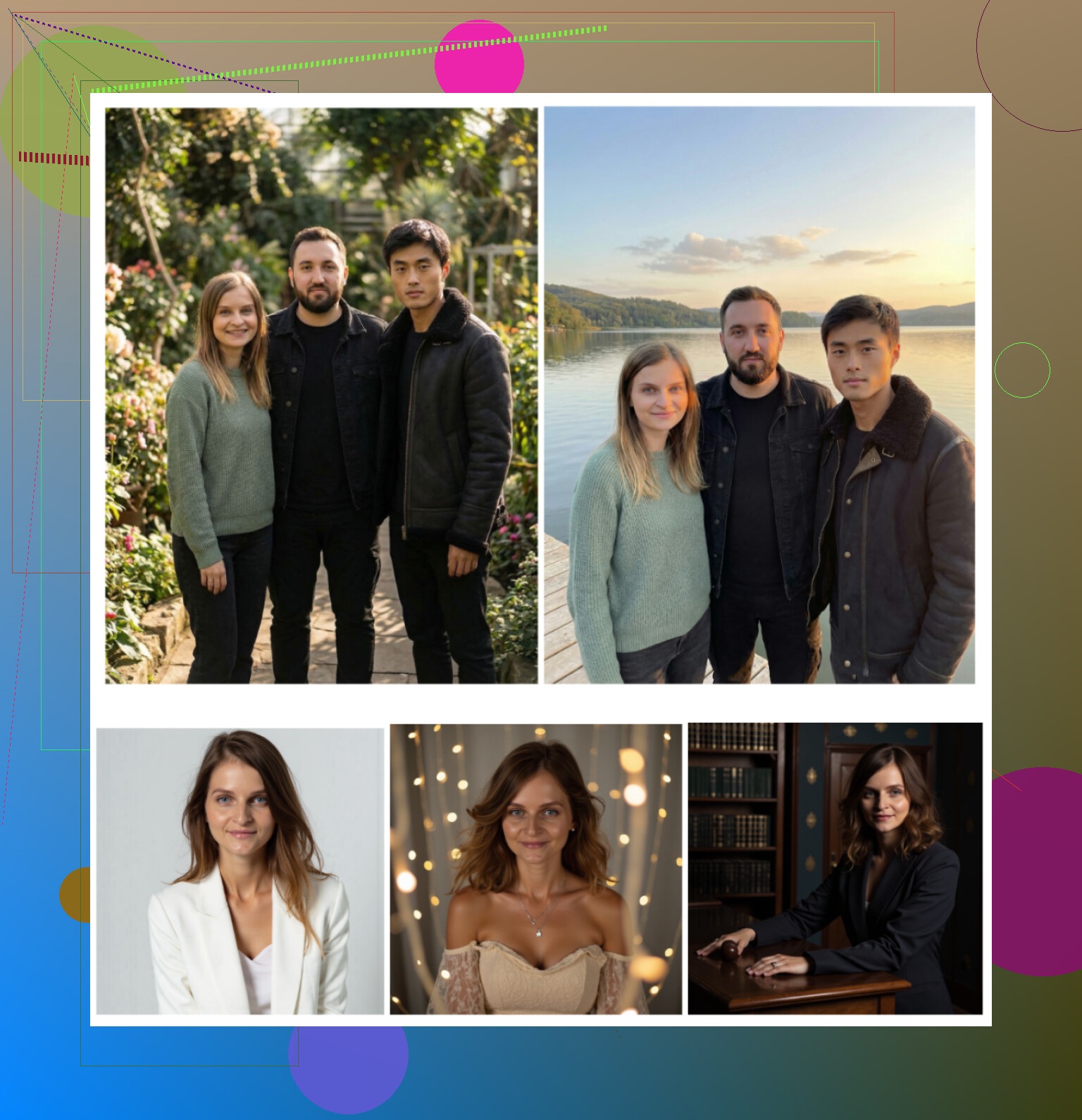
What stood out for me:
-
Photo realism
Output looked like I did a professional photo shoot on a good day. No wax skin, no melted ears. There is a “beauty” enhancement, but it didn’t wreck the face. I used several of them on LinkedIn and Slack, no one asked if it was AI. -
Styles
There are tons of presets. Classic business blazer, startup casual, hoodie tech founder, more “fun” ones too. I tried around 40 templates and at least 10 were profile-worthy. -
Pricing
7.99 per week or 49.99 per year, plus the one free photo each day. I stayed on the free route for a bit, then went yearly when I needed a whole batch. -
Speed
Fast enough that I got results during a coffee refill. No “30 minutes remaining” nonsense.
My verdict on Eltima
It felt like someone finally built an app that respects your actual face. It uses multiple shots internally, learns your features and sticks to it from style to style. For me this became the main “serious” headshot app on my phone.
App Store:
Promo video from them (if you want to see it in motion):

Product page:
Thread that sent me down this whole rabbit hole:
https://www.reddit.com/r/DataRecoveryHelp/comments/1qi12pn/best_ai_headshot_generator/
Web services people always bring up: Canva, Aragon, HeadshotPro
When you search “AI headshot generator” on Google, you see the same big three almost every time: Canva, HeadshotPro, Aragon. I tried all of them with the same type of selfies.
Canva
Website:
https://www.canva.com/
I already used Canva for random design tasks, so trying their headshot feature was quick. You upload a photo, click through options on the side, and it generates portraits with different styles.
Result looked like this for me:
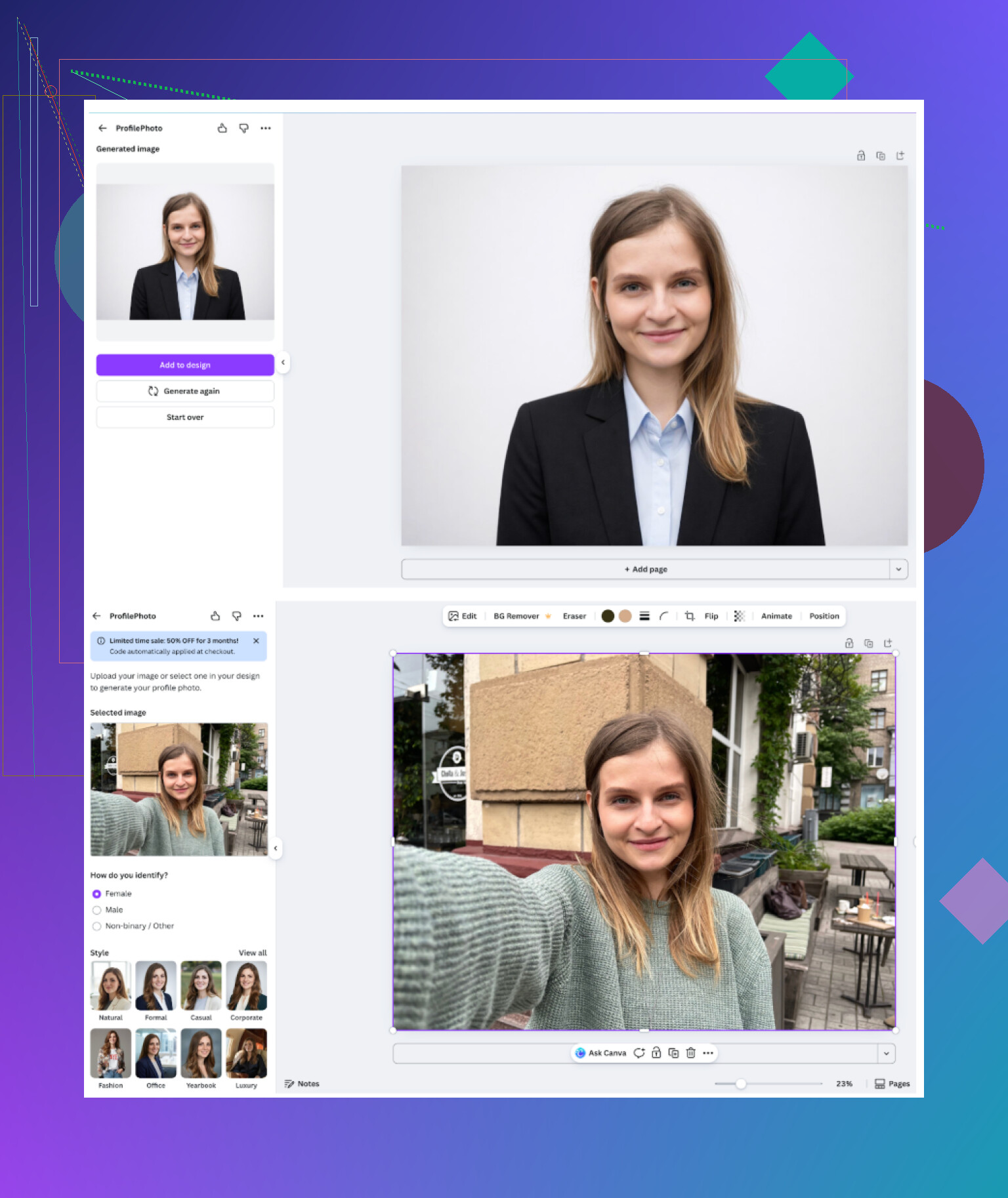
My notes:
-
Feel
More like a design platform that bolted on portraits, not a pure headshot tool, but it works. -
Upsides
You get free presets, lots of ways to tweak and edit after generation, and you stay in the same tool if you already use Canva for banners or CVs. -
Downsides
The output often gave me too smooth “plastic” skin. Looks okay at thumbnail size, but at full resolution I noticed it. It also gets pricey if you want Pro level and frequent use. -
Price
Around 120+ per year, although they run discounts all the time.
For people who already pay for Canva Pro and want basic AI headshots, it does the job. I prefer dedicated tools though.
Aragon AI
Website:
Aragon greeted me with a long questionnaire. It asked about role, purpose, goals etc. Then it pushed me to upload a good number of images before allowing generation. No free tier when I tried it.
Screenshot from my run:
<img alt=‘Part 4: The ‘Free’ Way (ChatGPT, Gemini, & Hustle)’ src=‘https://community.wally.me/uploads/default/original/image-1768926987.png’ height=‘537’ width=‘381’>
My notes:
-
Feel
This one comes up on Reddit a lot, usually when people want high likeness. -
Upsides
Out of all the SaaS tools, this did one of the best jobs at keeping me looking like me. Not the “glammed-up cousin” version. Turnaround was reasonable. -
Downsides
Needs a bunch of input photos. For a single set of headshots I had to pull at least 6 images. Not ideal if you do not have many selfies or hate your old ones. -
Price
Starting somewhere in the 12 to 25 range for new users, depending on pack.
If you want strong facial consistency and are okay dumping several photos and paying per batch, Aragon is worth a try.
HeadshotPro
Website:
This one is built specifically for company-like use, things like ID photos, staff pages, corporate accounts. Their site leans hard on security and data handling, which makes sense if HR teams upload whole teams.
My notes:
-
Feel
The shots look like “corporate photographer day in the office.” Very uniform. -
Upsides
Perfect if you want safe, compliant and boring in a good way. Lighting and background are consistent. Looks great on company websites and badges. -
Downsides
Limited creative vibes. Less variety. It felt stiff compared to others. -
Price
Plans started roughly at 29 when I checked.
If your goal is “I need something my company’s compliance team will never complain about,” this is tailored for that.
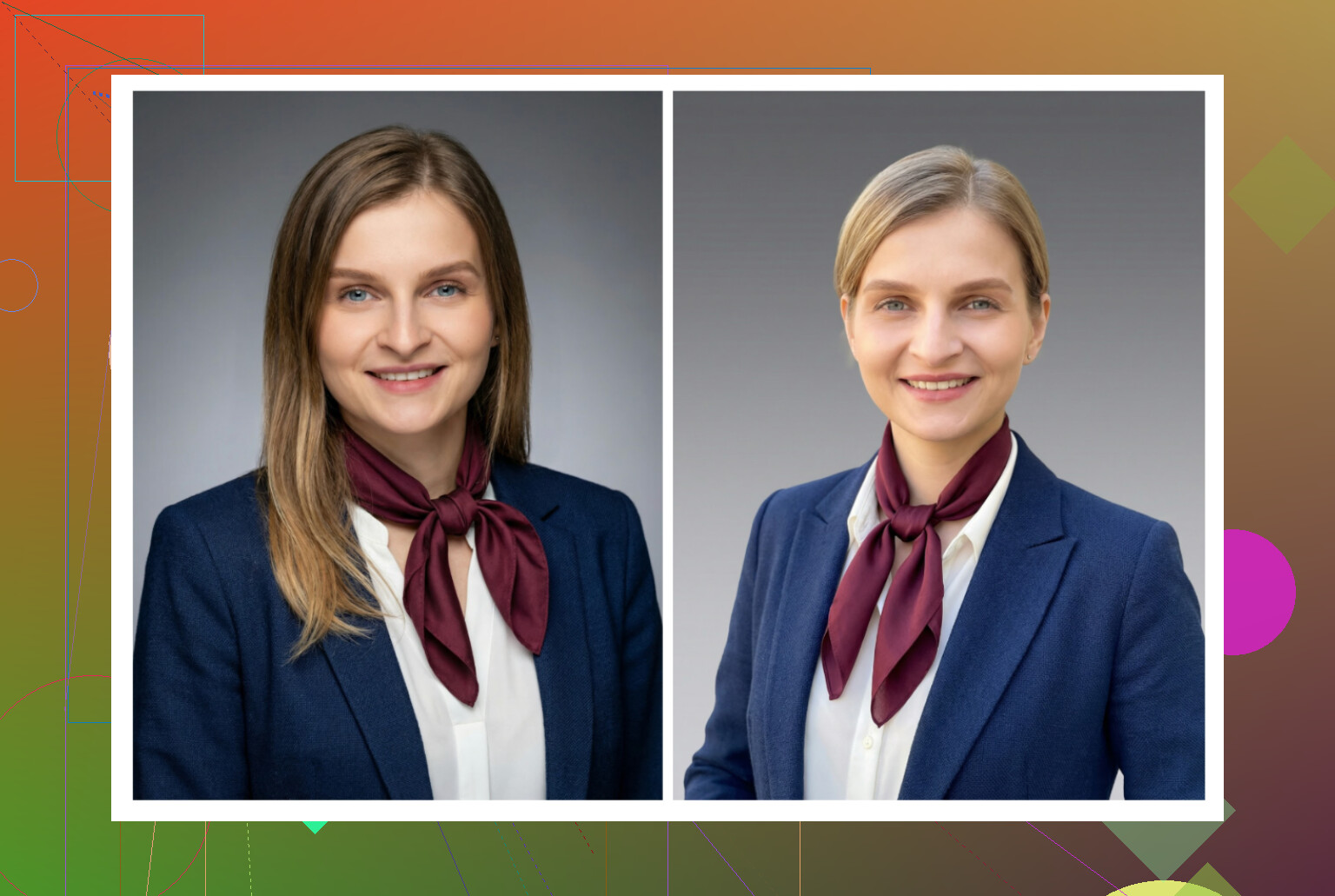
iOS apps: what I ran through on my iPhone
On iOS I tested:
- Remini
- Fotorama
- Collart
- IRMO
- Eltima AI Headshot Generator
I scored them on:
- Ease of use
- How well the face matched me
- Style options
- Price and free usage
- Generation speed
Here is the short version of each.
Remini (AI Photo Enhancer + Headshot)
App Store:
What I ran into:
-
Ease of use
Interface is clear. Uploading, picking a style and confirming is straightforward. No need to dig through menus. -
Video from photo
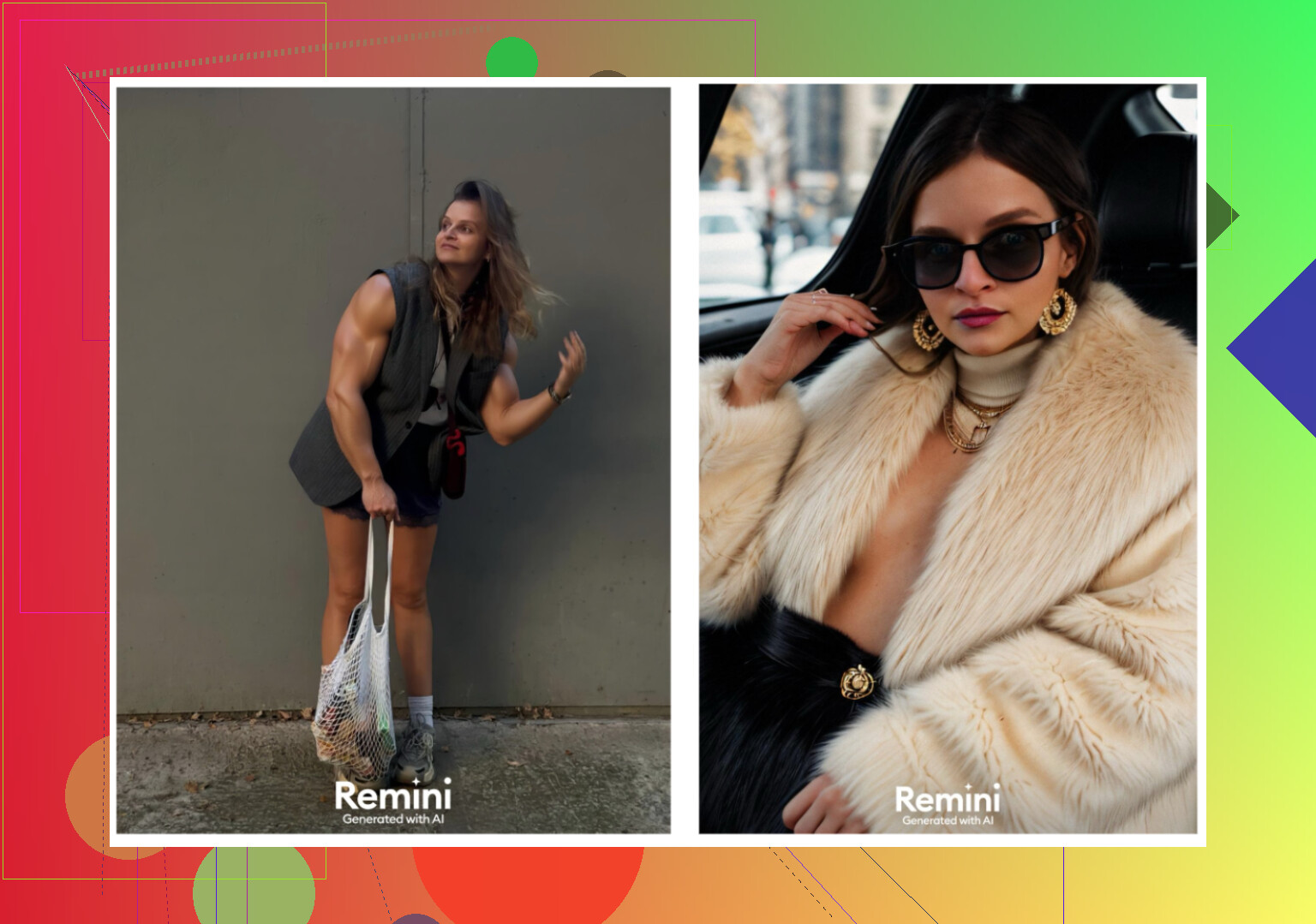
They offer an animation from one photo. I tried it on a family shot and got a super weird result, including an animation of a kid I was lifting from under some stairs. Looked off and slightly creepy. -
Photo realism
For still images, faces sometimes looked over-processed. Clothing and body proportions occasionally warped. -
Styles
Lots of scenes and filters. You can push it toward LinkedIn style, but results jumped a lot in quality between runs. -
Price
9.99 per week or 79.99 per year, first week trial was free. -
Speed
The video generation took about 13 minutes in my test, which felt slow.
My verdict on Remini iOS
Good concept, but too many glitches for professional usage. For fun or Instagram it is okay. For a serious profile photo, I do not trust it.
Sample result from my testing:
Fotorama AI Photo Generator
App Store:
Here is what happened:
-
Ease of use
Straightforward layout, buttons for upload, choose style, generate. No learning curve. -
Video and photo generation
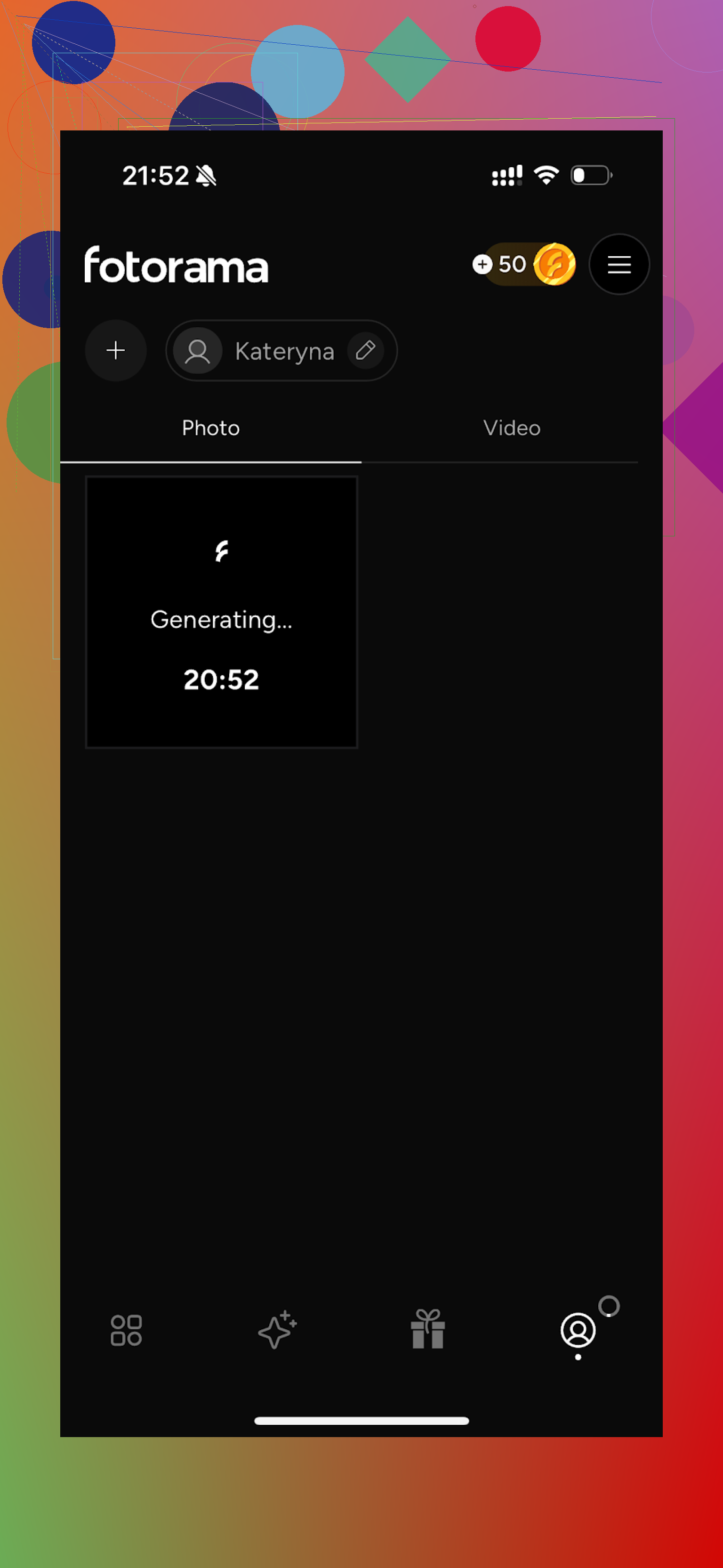
Generation was painfully slow for me. First attempt took around 30 minutes “analyzing” and then I ended up with no final image, but lost my coins. That annoyed me enough to close the app. -
Styles
There were fashionable and “editorial” type styles, plus character-like sets. -
Price
11.99 per week or 79.99 yearly. -
Speed
In practice, extremely slow during my tests.
My verdict on Fotorama
Lots of styling potential, but the coin system and generation time turned it into a time sink. Lost coins with nothing to show for it made me uninstall it. I do not recommend it if you value your time.
Collart AI Photo Generator
App Store:
What I noticed:
-
Ease of use
Simple and clear interface. No issues figuring out where things are. -
Video
It can animate photos, similar to other apps. -
Realism
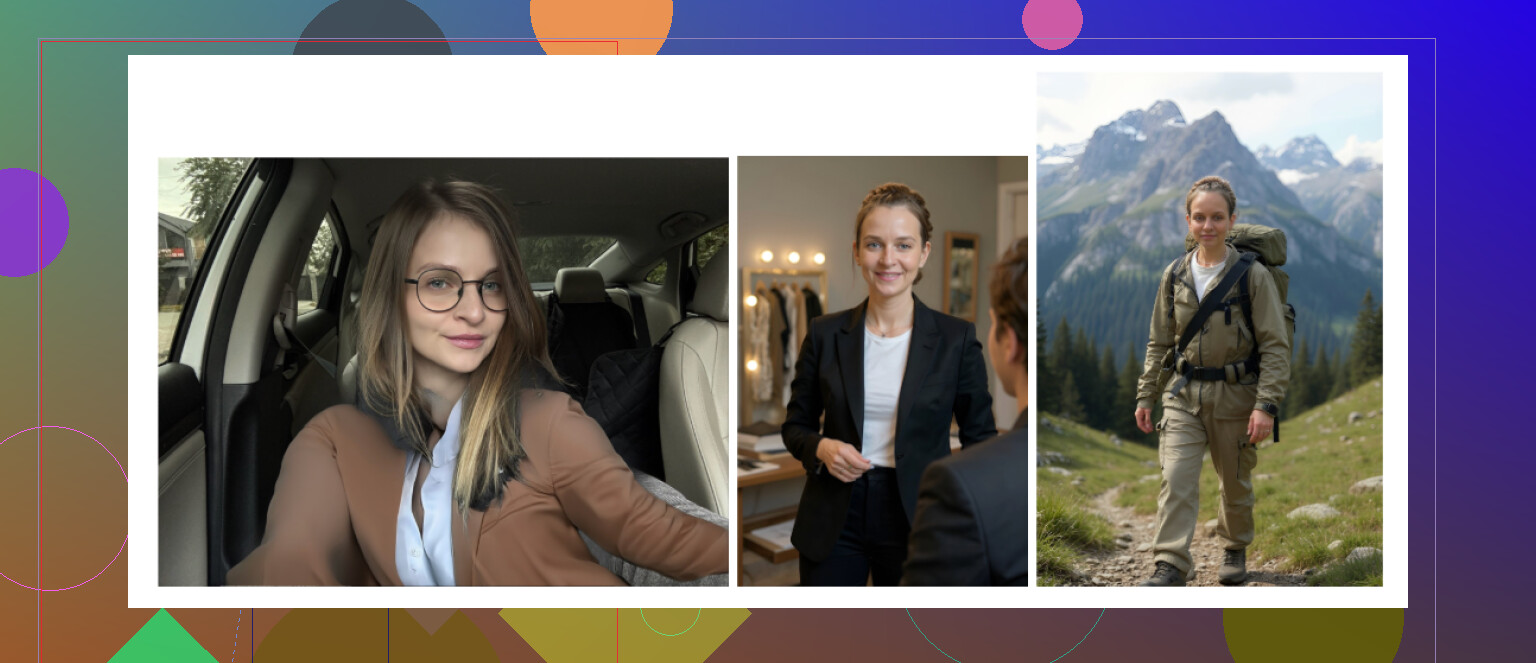
This is where it lost me. A big chunk of the results did not resemble me. Some were in that “cringe” territory you would not post anywhere. -
Styles
Tons of them. But it uses one reference photo, so the model has little info about your actual face. That shows. -
Price
3.99 per week or 59.99 per year. -
Speed
Output speed was decent.
My verdict on Collart
Fun as a toy, weak as a headshot tool. I kept laughing at some outputs, which is not what I want from a profile picture.
Example from my run:
IRMO AI Photo Generator
App Store:
How it went:
-
Ease of use
No issues. Menu is clean. -
Video
It handles video generation normally. -
Realism
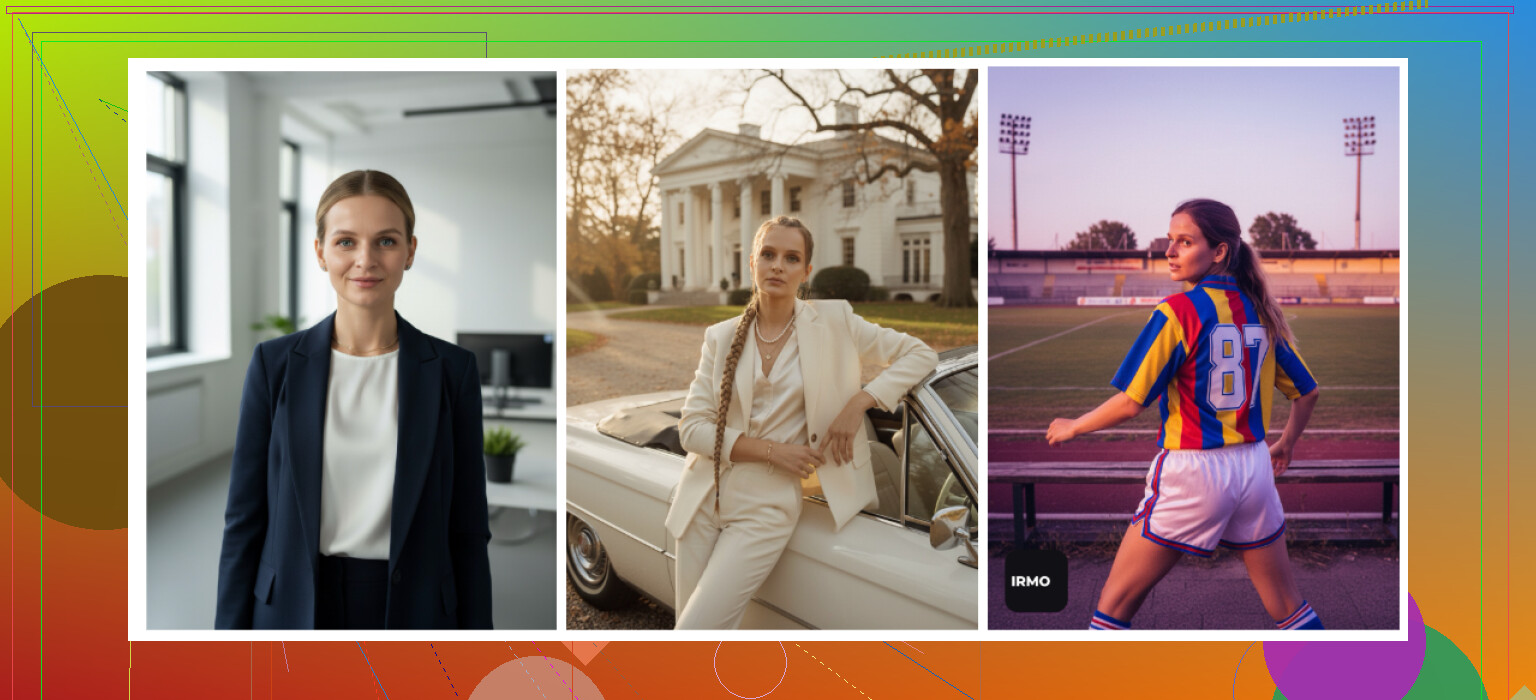
Photos look high quality, but since it only took one reference photo, the end result sometimes felt like a stranger with my hair and rough features. No multi-photo training, so consistency suffers. -
Styles
Big variety, including different outfits and moods. Fun to try. -
Price
Around 5.99 per week or 99.99 per year. -
Speed
Between 2 and 6 minutes per photo for me.
My verdict on IRMO
Good tech, fast output, but the portraits felt generic on my face. More like “a version of me” than something I would trust for a CV or website.
Result sample:
Eltima (again, but versus other iOS tools)
Out of all the iOS apps above, Eltima is the only one I ended up using long term for serious photos. Main reasons:
- Uses multiple photos to understand your actual face structure
- Keeps realism without defaulting to extreme smoothing
- Template count is huge, so I did not run out of usable styles quickly
- Free daily generation is enough for casual use or A/B testing
App Store:
Android apps: when I tried the “cheap and fast” route
Play Store on Android is full of trashy clones and ad farms, so I went in pretty skeptical. I focused on three that looked semi-legit.
- Remini
- GIO: AI Headshot Generator
- Momo
Remini on Android
Google Play:
What I saw:
-
Verdict
Same general story as iOS. It is mostly an “enhancer” that added an AI avatar function which works better than random no-name apps. -
Pros
Super easy. Upload some selfies, choose the style, let it do its thing. -
Cons
It tended to “beautify” me a bit too much. On professional settings it still made my jawline sharper and skin smoother than reality. Good for socials, but for strict professional use it might cross the line into “this does not look like your real face.”
Example:
GIO: AI Headshot Generator
Google Play:
Notes from my Android run:
-
Positives
Outputs felt less plastic than what I got from Remini in some tests. Clothing swap feature was not bad, suits, shirts and jackets looked ok. -
Negatives
Results were inconsistent. Some images came out good, others were complete fails, weird eyes or warped shapes. Quality varied more than I liked. -
Overall
If Remini makes you look like a wax figure, GIO is a slightly more grounded alternative. But failure rate was high enough that I lost trust for “first impression” photos.
Image from my test:
Momo
Google Play:
Quick summary:
-
Positives
Output was more stable than GIO. Quality was on the “not bad” level. Some shots were perfectly usable if you do not look too closely. -
Negatives
Price felt high compared to the results. Subscriptions and coins add up, and you still do not reach the realism I saw on Eltima or Aragon. Compared side by side with top tools, the lack of fine detail becomes obvious. -
My verdict on Momo
Better than some budget Android apps, worse value than serious options. Worked, but it did not earn a long term spot for me.
Sample:

The “free” DIY method with ChatGPT + Gemini
You can try to do zero-cost headshots with AI models if you are patient and do not mind some trial and error.
I had the best luck with what I started calling the “description loop” trick, using:
- ChatGPT with DALL·E
- Gemini image generation (Nano Banana style model they expose)
ChatGPT:
https://chatgpt.com/
Gemini images:
Here is the rough process I followed.
Step 1
Find a headshot you like online, same vibe you want. Something with pose, lighting and outfit close to your goal. Upload it into ChatGPT or Gemini and ask the model to describe it in detail.
Step 2
Copy the description text. Start a new chat so it does not bring old context.
Step 3
Paste the description and say something like “use this exact description but apply it to my face.”
Step 4
Upload your own best selfie into that same chat.
Step 5
Switch to image generation in that platform
- For Gemini choose an image capable model like Nano Banana Pro
- For ChatGPT pick DALL·E as the image model
Result samples from my runs:
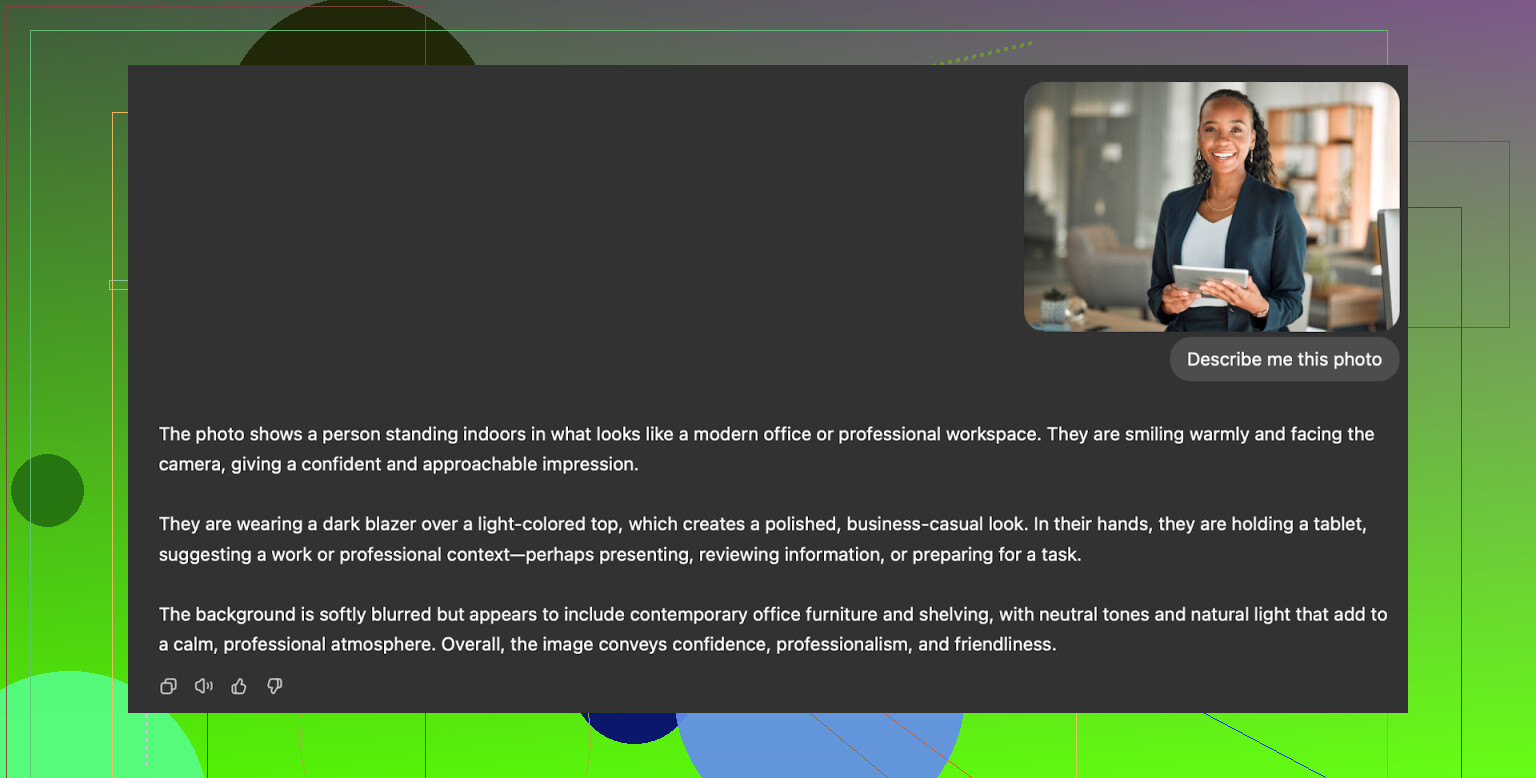
What I saw in practice:
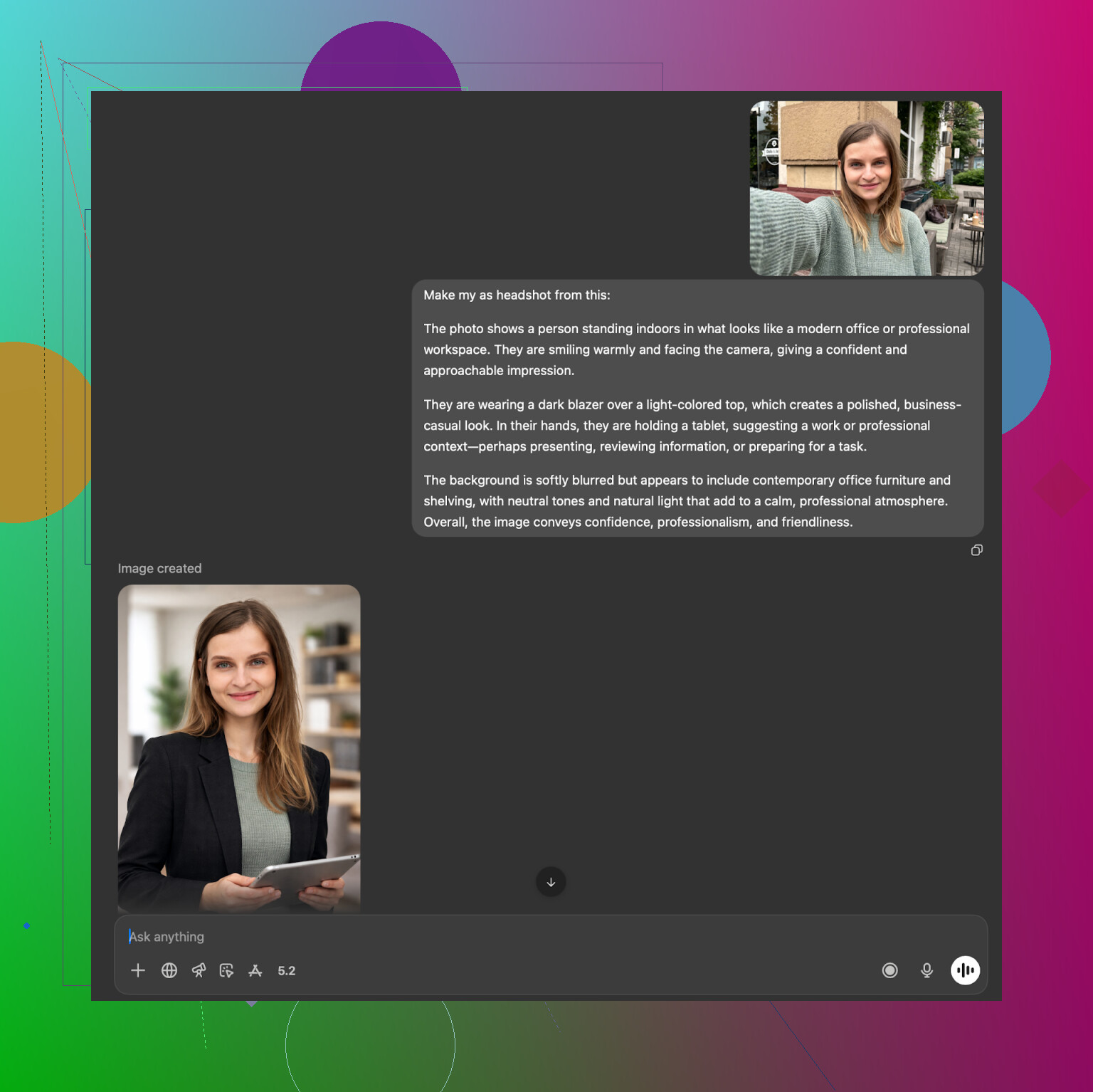
ChatGPT (DALL·E)
It usually produces someone who looks like your sibling, not identical. It nails clothing, angle and mood from the reference description, but the face carries DALL·E’s own style. Sometimes 70 to 80 percent match, rarely perfect.
Example:
Website:
https://chatgpt.com/
Gemini (Nano Banana Pro)
Gemini gave me more photoreal outputs, closer to actual portraits. On the other hand, its safety system sometimes refused to generate faces “too close” to real people, especially if the prompt sounded like I was copying a real person’s photo too literally. So it worked, but there were random blocks.
Example:
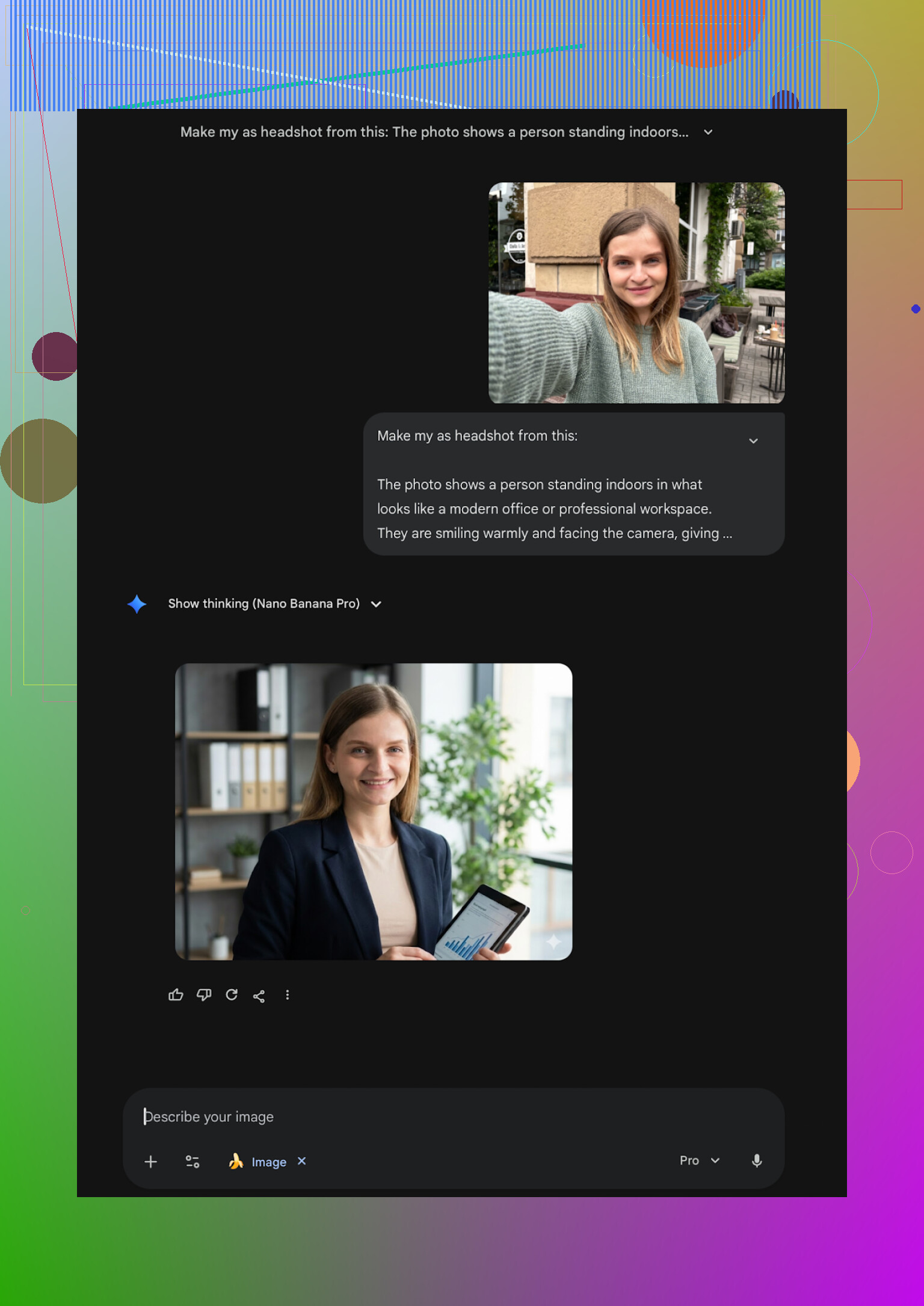
Website:
If you want free experiments and do not need pixel-perfect likeness, this method is fun. For something you send to recruiters, I would still lean on a dedicated headshot tool.
What I personally use now
After burning more time on this than I planned, here is how I ended up splitting things:
-
For fast, professional-looking photos on my iPhone
I use Eltima AI Headshot Generator. It gave me the best mix of realism, speed and template choice. Free daily photo is enough for casual needs, the yearly subscription made sense once I wanted many variations. -
For “serious” SaaS style runs on desktop
If I need corporate-safe portraits or multiple people, I prefer HeadshotPro for company-style shots and Aragon if I care more about likeness than strict corporate uniformity. -
For free tinkering
I still mess around with Gemini and ChatGPT using the description loop when I want to try weird concepts or see how close the models get.
Last note
The main thing I learned: get at least one headshot that looks like how you appear on a normal good day. No extreme smoothing, no warped clothes, no fantasy eyes. Once you have that clean base, you can reuse it everywhere and stop worrying about profile pics for a while.
1 Like
Short version. If your goal is “looks like me, good enough for LinkedIn,” on iPhone I would rank them like this:
- Eltima AI Headshot Generator App
- Aragon (web, use via Safari)
- Canva (only if you already pay for Pro)
You asked for iPhone app, so sticking to that first.
Eltima AI Headshot Generator App
This is the only iOS headshot app I keep installed now.
Where I agree with @mikeappsreviewer:
• Likeness is strong. It keeps your face structure instead of turning you into a model clone.
• Skin is not over-smoothed if you avoid the heavy “beauty” slider.
• Templates are huge in number. I had plenty of “consultant”, “PM”, “engineer”, “founder” looks to test.
Where I slightly disagree:
They say “one starting photo is enough”. Technically true, but my results got a lot better when I fed it 3 to 5 decent selfies over a few days. So I would not rely on a single bad bathroom selfie. Give it at least:
• One straight-on photo with neutral face.
• One slight angle.
• One in decent natural light.
Practical tips for Eltima so your shots do not look fake:
• Turn off or reduce the “beauty” or “retouch” controls. Start at zero.
• Stick to simple outfits first, like “dark blazer on neutral background”.
• Avoid dramatic bokeh or super bright colors if this is for work. Those look more AI-ish.
• Generate 10 to 15 variants, then zoom to 100 percent and check ears, hands, hairline, clothing folds. If something looks warped, scrap that one.
Aragon via browser on iPhone
Not an app, but worth mentioning if likeness matters more than convenience.
• Needs several photos.
• Strong face consistency.
• Better if you want one serious set for CV or portfolio.
The downside is no quick “try another template in 5 seconds” flow like Eltima.
Canva on iPhone
I am less positive on this than some people.
• Good if you are already in Canva making resumes or banners.
• Results look ok at small size, but at full size the skin often looks plastic.
• I would only use it if you already pay for Canva Pro and want one-off experiments.
iOS apps I would skip for professional headshots
This lines up mostly with what @mikeappsreviewer said, but my reasons are a bit different:
Remini
• Good as an enhancer for an already decent photo.
• For full AI headshots it tends to over-beautify and sharpen the jaw, which recruiters notice.
Fotorama
• Slow and unreliable in my tests too. Lost coins once, never went back.
Collart and IRMO
• Fun for social photos.
• For LinkedIn, faces looked “AI-ish” or not close enough to me.
If I were you, I would:
- Install Eltima AI Headshot Generator App on your iPhone.
- Take 3 to 5 new selfies in front of a plain wall, natural light from the side, no heavy makeup, no filters.
- Use a basic business or business casual template.
- Turn retouching down.
- Pick 1 or 2 images that look like you on a good day and reuse those everywhere.
That gives you a clean LinkedIn and work profile without looking fake or low quality.
If the goal is “realistic enough that nobody in HR asks if it’s AI,” my short answer on iPhone is: use Eltima Ai Headshot Generator App first, then treat everything else as backup or niche.
Where I line up with @mikeappsreviewer / @suenodelbosque:
- Eltima is the only phone-only solution I’ve seen that consistently keeps your actual facial structure instead of turning you into your hotter cousin.
- The template variety is genuinely useful for LinkedIn and work stuff (consultant, tech, PM, etc.), not just cosplay and “fantasy warrior” nonsense.
Where I don’t 100 percent agree with them:
- I actually don’t love the “one photo is enough” idea. Yes, it works, but if that one photo has weird lighting or a goofy angle, you’ll get subtle weirdness in most outputs. I’d bite the bullet and take 3 fresh selfies in good light and feed those into Eltima over a day or two.
- I’m slightly more forgiving of Remini than they are, but only as a final polish tool on a real photo, not for full AI headshots. As a generator, it still over-beautifies like crazy.
Since you said other apps felt fake / low quality / way off, a few practical points that might help more than just “install X app”:
-
Pick the right base app
- First stop: Eltima Ai Headshot Generator App on your iPhone. It’s built around headshots, not slapped onto a random photo editor.
- Use the office / business / business casual categories, skip anything that screams “influencer” or “portrait fantasy” if this is for LinkedIn.
-
Dial the “AI look” down
This is where a lot of people mess up and then blame the app:- Turn off or reduce beauty / smoothing / “enhance” sliders. Start at zero and only bump them slightly if needed.
- Choose neutral backgrounds and lighting. The more dramatic the bokeh and neon, the more AI-ish it feels.
- Avoid extreme smiles or weird angles. Straight-on or slight angle, neutral or mild smile, looks more like something a real photographer would take.
-
What I’d actually do in your shoes
- Take 3 new pics: plain wall, window light from the side, no filters, no hat, no aggressive makeup.
- Toss them into Eltima, pick 5 to 10 very normal corporate / business templates.
- From the results, zoom all the way in and hunt for glitches: ears, hairline, shirt collar, tie knot, hands if visible. If anything looks off, trash that one. You only need 1 or 2 keepers.
Quick takes on the other stuff, without rehashing everything they wrote:
-
Remini
Decent as a retoucher on a real photo. For full AI headshots, it still likes to “beauty pageant” your face and can cross the line into fake. I wouldn’t trust it for a first impression with recruiters. -
Canva
Fine if you already pay for it and only need light tweaks or basic AI help. At full size the plastic skin is real. I’d treat it as a design tool, not your primary generator. -
Collart / IRMO / random App Store clones
These are fun if you want to laugh at weird variants of your face, but for a serious LinkedIn headshot they’re exactly the kind of “AI-ish” look you said you’re trying to avoid.
So, stripped down:
- Best iPhone app specifically for realistic, professional headshots right now: Eltima Ai Headshot Generator App.
- Use multiple decent selfies, low retouching, boring backgrounds.
- If a result looks suspiciously perfect at thumbnail size, zoom in. Real clothes have wrinkles, real skin has texture. If the app erases that, recruiters will notice, even if they can’t say why.