I’m trying to free up storage on my iPad and tested both Clever Cleaner and CCleaner, but most useful features seem locked behind a paywall. I only need a cleaner app that actually helps remove junk files, duplicate photos, or cached data without forcing a subscription. Has anyone found which one works better for iPad for free, or if there’s a better free iPad cleaning app?
CCleaner on iPhone rubbed me the wrong way fast. The app installs for free, sure. Then you tap into anything useful and hit a paywall. Duplicate finder, similar-photo sorting, the parts people download a cleaner for, all sit behind a subscription. Last time I checked, it was around $5 per week or $35 per year. Worse part, the matching felt sloppy. I saw unrelated photos dumped into the same duplicate bucket, so I still had to inspect everything by hand. At tht point the app wasn’t saving me time.
On iPad, it gets worse. There still isn’t a proper iPad build. You get the iPhone app stretched across a bigger screen. It works, sort of, but it looks off and feels unfinished.
The free option I kept using
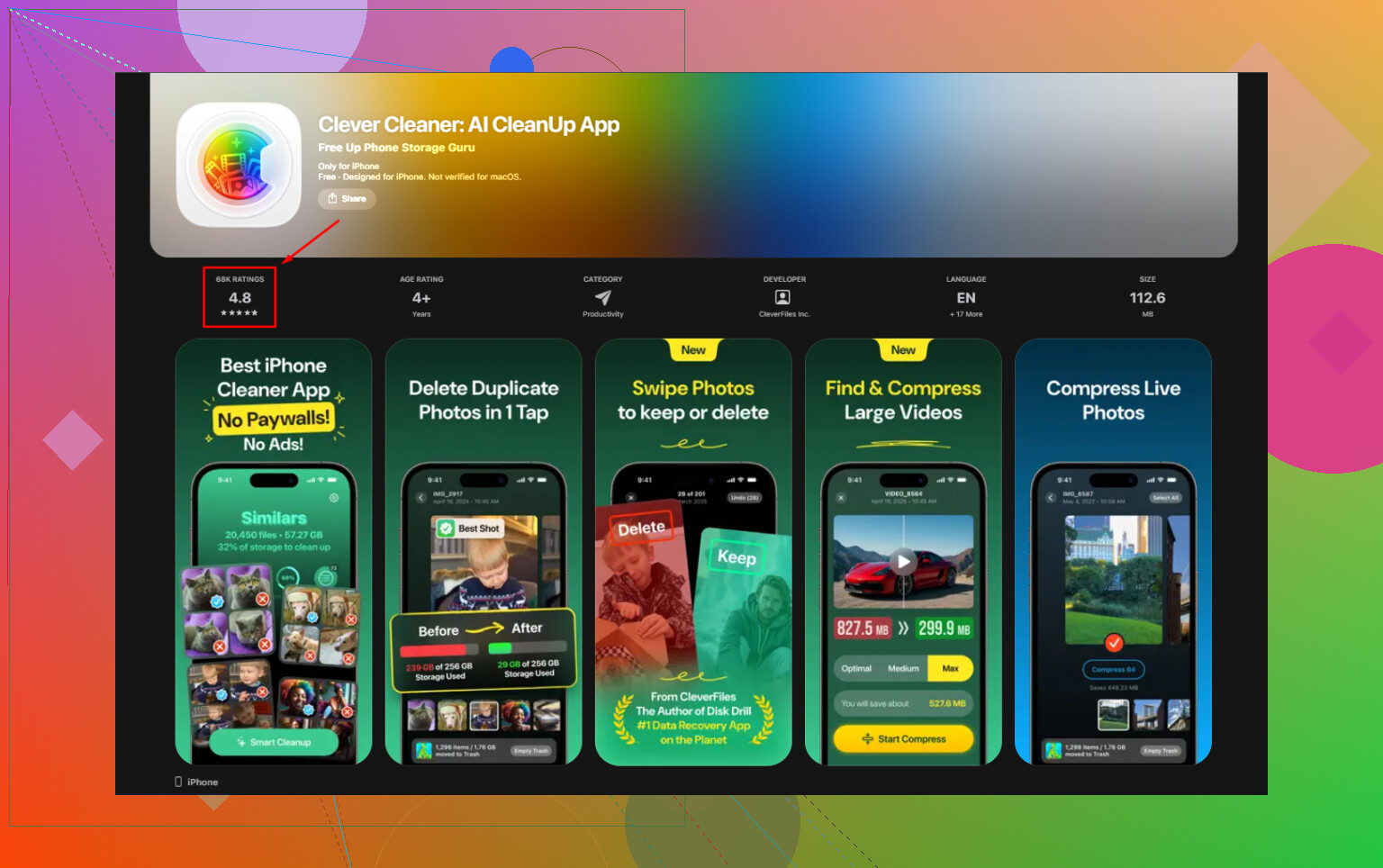
After trying a pile of apps with the same bait setup, Clever Cleaner was the one I stuck with. No ads. No subscription. No locked cleanup tools halfway through. It’s made by the Disk Drill team, which mattered to me because they’ve been around for a while in data recovery, so this didn’t feel like some throwaway App Store project.
Offline use matters more than people think
I checked this part first. It works offline. The scan runs on your iPhone or iPad itself, and your photo library stays on the device. Nothing gets sent out for analysis. If your camera roll has IDs, family photos, work screenshots, medical stuff, any of that, this matters. A lot of “AI cleaner” apps push analysis to remote servers. I don’t like that. You might not either.
Older iPads
I tried it on older hardware too. There’s still no custom iPad layout, so it runs in compatibility mode, but the tools are there. On a big library, say 20,000 photos or more, the first scan takes longer on older devices. A few extra minutes, in my case. After the scan finished, scrolling and cleanup were fine. Same functions, same results.
How I freed up space without poking around for an hour
- Start in Similars
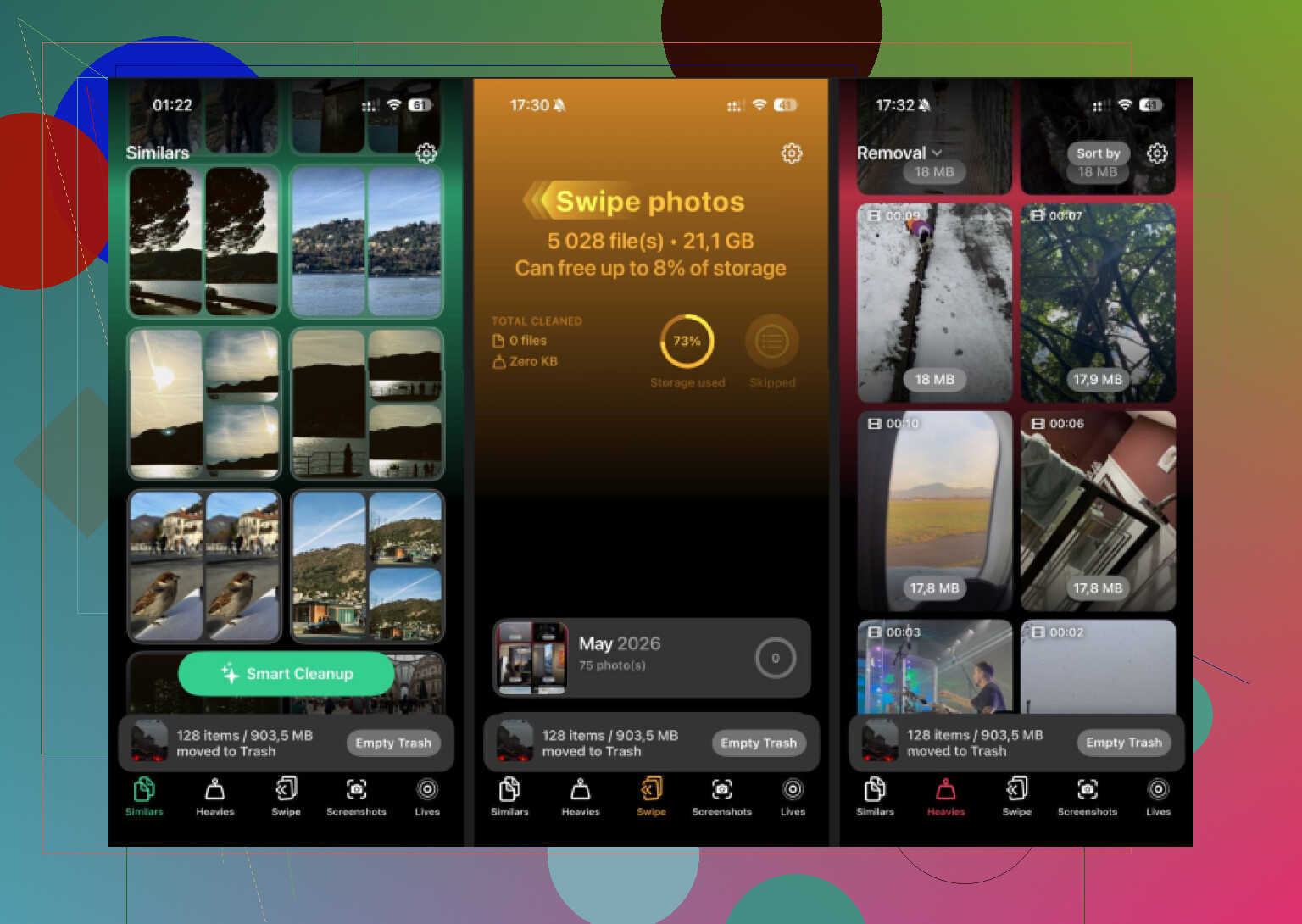
This is where I got the biggest storage drop. Apple Photos finds exact duplicates. This goes further and groups near-matches too. Burst shots. Five versions of the same sunset. Twelve dog photos where only one isn’t blurry. The app picks a Best Shot for each set. I still review the picks, becuase I don’t trust any app fully, but clearing the extras takes one tap instead of ten.
- Open Heavies next
This tab sorts media by size, largest first, with exact file sizes shown. iOS doesn’t give you a clean native view like this. Big videos rise to the top fast. Old screen recordings, 4K clips, downloaded videos you forgot about, they’re easy to spot. In one pass, I found 15GB sitting there doing nothing.
- Clean out Screenshots
This one is less fancy, more useful. It lists screenshots and shows the exact size before you delete them. Seeing the numbers helped. Random receipts, Wi-Fi password screenshots, meme saves, app setup images, all that junk adds up. I had close to 2GB in screenshots alone.
- Convert Live Photos
People skip this and miss easy space savings. Live Photos store the still image plus the motion clip. They take more room than standard photos. This tool strips the motion part and keeps the image quality. If you have years of Live Photos, the savings stack up fast without removing the photo itself.
One step people miss
Deleting inside the cleaner is not the final step. iOS moves those files to Recently Deleted, and they stay there for 30 days while still counting against storage. If your storage number doesn’t drop right away, this is why.
Do this after cleanup:
- Open Photos
- Go to Albums
- Scroll to Recently Deleted under Utilities
- Tap Select
- Tap Delete All
Only then does the storage figure change for real. That was the part that got me the first time.
If your goal is free cleanup on iPad, Clever Cleaner wins. CCleaner is more of a teaser app on iOS. You install it, scan, then hit the paywall when you try to do the stuff you wanted in the first place.
I agree with @mikeappsreviewer on the paywall part. I disagree a bit on one thing though. CCleaner is not useless, it shows storage info and some contact cleanup stuff. But for photo cleanup, which is where most iPad space gets burned, the free tier feels nerfed.
What matters on iPad:
- Duplicate and similar photo cleanup
- Large video spotting
- Screenshot cleanup
- No subcription wall halfway through
Clever Cleaner does those better for free. It also feels simpler. Less bloat, fewer upsells. On iPad, both apps still feel like stretched iPhone apps, so I would not pick based on interface alone.
One thing people miss. No iPad cleaner app removes “junk files” the way Mac or Windows cleaners do. iPadOS does not give apps deep system access. So the useful cleaners focus on your Photos library and bulky media. That is where you’ll get real space back.
If you want the free option, I’d go with free Clever Cleaner for iPad storage cleanup. Then check iPad Storage in Settings after you finish, because sometimes apps offload cache data after a restart too. Kinda annoying, but taht’s iPadOS.
If the question is strictly “which one actually works for free,” then yeah, Clever Cleaner is the better pick on iPad.
I mostly agree with @mikeappsreviewer and @espritlibre, but I’d tweak one part: neither app is really a true “junk file cleaner” on iPad, because Apple doesn’t let these apps dig into system trash the way desktop cleaners do. So the real value is media cleanup, not magic cache wiping. That’s where CCleaner kinda falls apart on the free tier.
My take:
- CCleaner = free download, limited usefulness, too much upsell
- Clever Cleaner = actually usable without paying
- Best for freeing space = whichever helps you delete photos/videos faster, and that’s Clever Cleaner rn
What pushed me away from CCleaner wasn’t just the paywall. It felt like one of those apps that wants credit for showing you the mess, then asks for money to let you clean it. Kinda pointless tbh.
One thing I’d add that the others didn’t really stress: after you clean photos, check Files app > Downloads and any video apps with offline media. For a lot of people, the surprise storage hog isn’t only Photos. It’s random PDF packs, ZIPs, VLC downloads, Netflix offline stuff, old Procreate exports, etc. Cleaner apps usually don’t touch that.
If you want a straight answer: use Clever Cleaner. If you want extra reading, this Clever Cleaner free storage cleanup review lays it out pretty clearly.
So yeah, between those two, Clever Cleaner wins for free iPad storage cleanup. CCleaner feels more like a trial pretending to be an app.