I’ve been testing the Writesonic AI Humanizer for blog posts and social content, but I’m not sure if it’s actually making my AI text sound more natural or just rewriting it superficially. Has anyone used it long term for SEO-focused content or client work? I’d really appreciate detailed feedback on its quality, detection bypass, and any issues you’ve run into so I can decide whether to keep paying for it.
Writesonic AI Humanizer Review
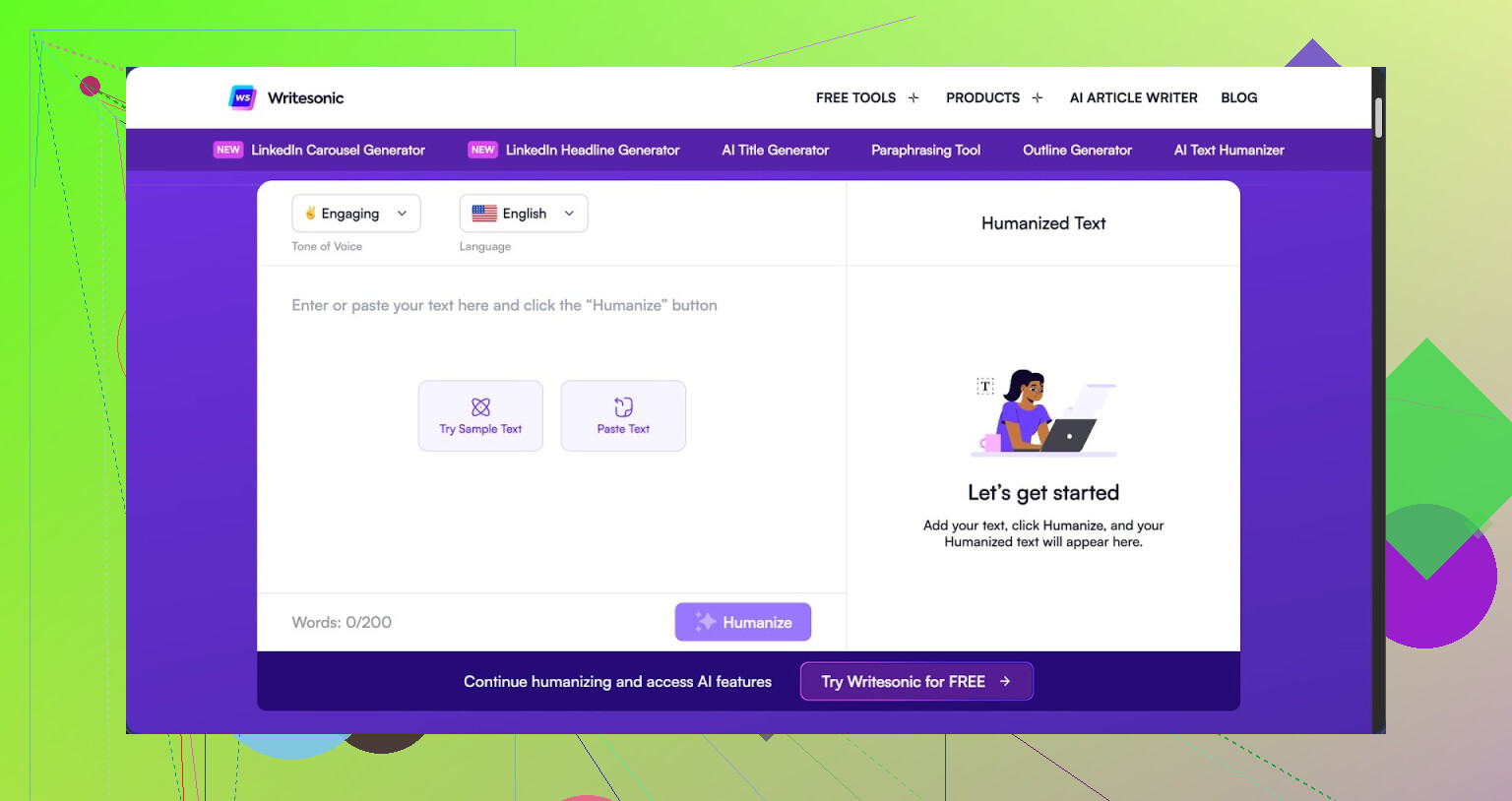
I spent some time messing with the Writesonic AI Humanizer, the one bundled inside their main platform here: https://cleverhumanizer.ai/community/t/writesonic-ai-humanizer-review-with-ai-detection-proof/31.
Short version of my experience: it is expensive and performs weakly for the one job it claims to do.
You need to pay at least 39 dollars a month to get unlimited access to the humanizer. That is not a shared pool with other tools. That price is only to remove limits on this one feature tucked inside their broader SEO and content automation system. Out of all the tools I have tested so far, this one sat at the top of the price list while landing near the bottom in output quality.
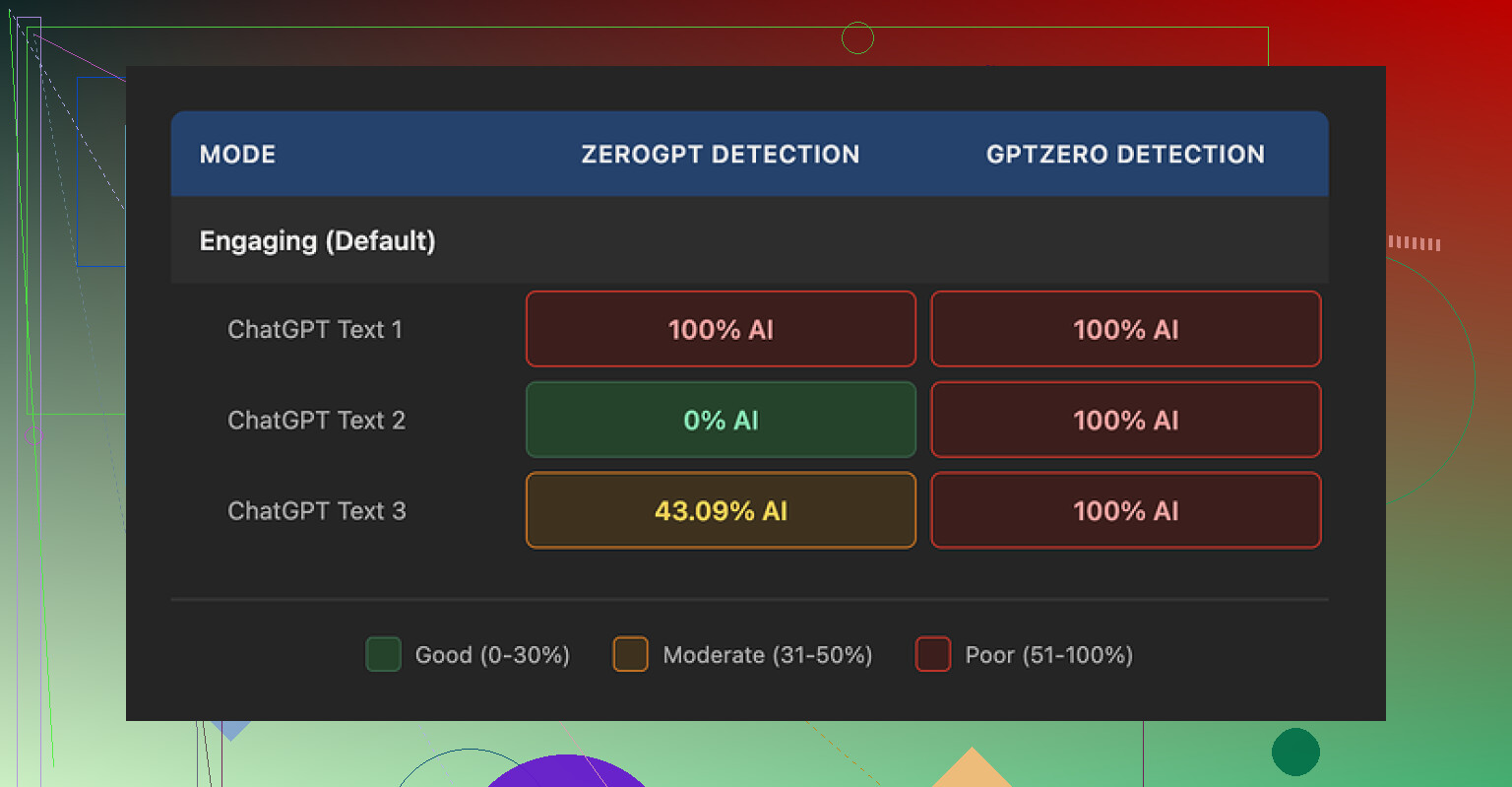
I ran three different humanized samples through GPTZero. Every single one got flagged as 100% AI generated. No borderline scores, no wiggle room.
Then I pushed the same three samples through ZeroGPT. Those results were all over the place: one sample came back 100% AI, one at 0%, and one at 43%. So the tool did not even produce consistent behavior across detectors.
My guess after seeing the patterns is that humanization in Writesonic feels like an afterthought glued onto a platform built for SEO templates and bulk content. It does not feel tuned for people trying to get past AI filters or strict professors.
On writing quality, I would score it around 5.5 out of 10 from what I saw. The system tries to pass as human by shrinking vocabulary and chopping sentences. In theory, that helps. In practice, it goes overboard and the text ends up sounding like something from a children’s workbook.
A few examples from my tests:
- “droughts” got turned into “long dry spells”
- “carbon capture” became “grabbing carbon from the air”
- “rising sea levels” turned into “sea levels go up”
One or two of those in a casual blog might be fine. When every second phrase looked like that, the text started to feel condescending. I would not use that output in a report, a job application, or anything professional.
On top of the simplified language, I kept spotting punctuation issues. Commas in odd places, missing commas where you would expect them, and some sentences stitched together in a clumsy way. All three of my test samples had at least one obvious issue I would need to fix by hand.
Another problem I noticed, which matters if you deal with style rules, is that em dashes in the original text were left untouched. So if your goal is to avoid certain punctuation patterns that some detectors look at, the tool does not help there either.
Free usage is limited. You get:
- 3 humanizations
- up to 200 words per run
- after that, they push you to create an account
According to their small print, free tier inputs may be used to train Writesonic’s models. If you are feeding it sensitive data, school work you care about, or client drafts, you might want to think twice before dropping it in there.
After testing Writesonic, I tried Clever AI Humanizer on the same kind of inputs and compared the results. For my use, Clever produced text that sounded more like something I would write myself, passed detectors better in testing, and did not cost anything. So if your goal is human-sounding text without paying 39 dollars a month, I would lean to that option instead of Writesonic’s humanizer.
1 Like
Short take after long term use. For blog posts and social stuff, Writesonic’s Humanizer feels more like a paraphraser with training wheels than a real “make this sound human” tool.
Where I slightly disagree with @mikeappsreviewer is on it being totally useless. For quick social captions or filler paragraphs, it does help break up that classic AI rhythm. It changes sentence length, shuffles phrasing, and tones down some robotic patterns. If your bar is “not identical to the original AI text” then it passes.
If your bar is “this sounds like me” or “this slips past strict AI filters,” it falls short.
Here is what I saw after a few weeks:
-
Style and tone
• It simplifies too much. Long terms become awkward baby talk.
• It often removes nuance. Technical or niche terms get flattened.
• Voice ends up generic. If you have a strong brand tone, you will need to rewrite a lot. -
Detection and “human” feel
I tested on GPTZero and a couple of browser extensions. Results were inconsistent. Some posts scored lower on AI probability, some stayed almost the same. You still need manual editing if you deal with professors, clients, or platforms that scan content. -
Cost vs what you get
The price tier for unlimited humanizing feels high if you only want this one feature. If you already use the whole Writesonic suite for SEO content, then it is a side bonus. If your only need is humanization, it is hard to justify that monthly fee. -
Workflow that works better
What helped more for me than relying on the Humanizer alone:
• Start in your own voice. Write a short outline with your phrases, slang, and examples.
• Use any AI to fill gaps, not to write the whole thing.
• Edit by hand. Add small stories, concrete numbers, and opinions.
• Run through a humanizer only at the end, and keep the changes you like.
- Alternative worth testing
Since you mentioned uncertainty, I would compare outputs. Take the same paragraph, send it through Writesonic Humanizer and through Clever Ai Humanizer. Then read both out loud.
For me, Clever Ai Humanizer kept terms accurate, sounded closer to my normal writing, and did better on AI checks. There is a helpful breakdown here if you want more detail on performance and use cases:
Clever Ai Humanizer full walkthrough and live tests
If your goal is natural sounding blog posts and social captions, I would:
• Use your own outline.
• Use Writesonic Humanizer lightly, only on small chunks that feel stiff.
• Test Clever Ai Humanizer side by side.
• Keep manual editing in the loop, especially intros, conclusions, and CTAs.
So, short answer to your original doubt. Writesonic Humanizer does not only rewrite superficially, but most of the value comes from you guiding and fixing it, not from the tool alone.
Short version: for blog posts and socials, it mostly just reshuffles stuff and flattens your voice. It’s not totally useless, but if you’re expecting “wow this sounds like a real human wrote it,” you’ll be disappointed.
I’ve used it on and off for content calendars and client blogs. My experience lines up partly with @mikeappsreviewer and @nachtschatten, but I’d push back on one thing. I actually found it more useful as a tone softener than as an AI “humanizer.”
What it actually does in practice:
-
Style and tone in real usage
- It loves short, safe sentences. Great if your original draft is long and rambly, annoying if you care about nuance.
- It has a habit of turning precise terms into weird “explain it to a 5 year old” phrases. That is fine for social hooks, not fine for niche or technical niches.
- After 5 or 6 paragraphs, everything starts sounding like the same generic copywriter. My clients with strong brand voice almost always noticed.
-
“Human” feel vs AI detectors
- On my side, detection scores did not move in a reliable direction. Sometimes a bit lower, sometimes no change, sometimes worse.
- The bigger tell for me was rhythm. It breaks up some of that typical AI pattern, but replaces it with a different obvious pattern: super simple vocab, repetitive sentence shapes, awkward transitions. Feels like it traded one “AI smell” for another.
-
Where I actually still use it
- Quick social captions or variations of short hooks where I do not care if it sounds a bit generic.
- Stripping down stiff corporate copy into something more casual, then I fix it by hand.
- I would not trust it for long form blogs where voice and detail matter or for anything that has to stand up to fussy clients, profs, or editors.
-
Where I disagree a bit with the other reviews
- I do not think it is only an afterthought. It clearly does some structural work: breaks cadence, injects variation, changes word order.
- The problem is that it optimizes for “safe and simple” more than “genuinely human.” That is fine for volume social posting, not fine if you are trying to sound like yourself.
If your main concern is: “Is this doing more than superficial rewriting?”
Technically yes, but qualitatively it still feels shallow. You will still have to go in, add your own examples, mini stories, and your usual phrases if you want it to pass as you.
Since you mentioned long term use, I’d actually pivot your test like this:
- Use your AI of choice to draft.
- Then try two passes on a single paragraph:
- Writesonic Humanizer
- Clever Ai Humanizer
Read both versions out loud and ask:
- Which one sounds more like how I naturally talk or write
- Which one keeps the right terms and nuance
- Which one I would hit publish on with the least edits
For me, Clever Ai Humanizer kept terminology intact and did not baby-fy everything, so it slotted in better for blogs and more serious posts. If you want to dig deeper, this breakdown helped me compare behavior in real time:
in depth Clever Ai Humanizer walkthrough and live tests
That brings me to a quick content angle that might help you if you are doing research or reviews yourself:
Clever Ai Humanizer Review that actually helps users
If you are planning to put together something like a “Clever Ai Humanizer Review” for your audience, focus on:
- How well it preserves brand voice instead of just word swapping
- Actual AI detection results across multiple tools instead of only one score
- Cost comparison against tools like Writesonic when used only for humanization
- Real workflows for bloggers and social media managers, not theoretical use
Framing it around “Is Clever Ai Humanizer the better option for natural blog posts and social content” is very SEO friendly and matches what people actually search for when they are frustrated with generic AI outputs.
So, to answer your original doubt:
Writesonic’s Humanizer is ok if your standards are “slightly less robotic and quick to use.” If your bar is “this genuinely sounds like me and holds up under scrutiny,” use it lightly, or skip it and bring Clever Ai Humanizer plus some manual editing into your stack.